Sokudo-3rd - Bugforge Daily Challenge
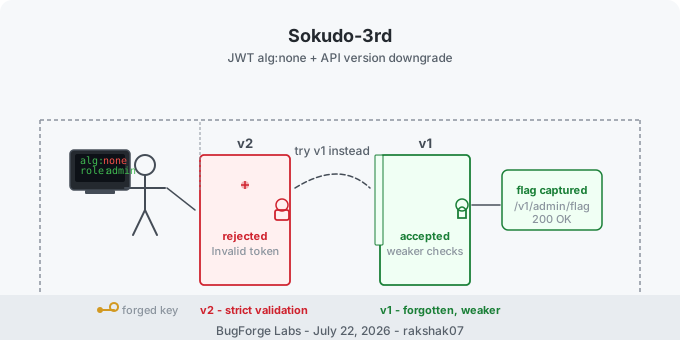
A JWT algorithm-none attack chained with an API version downgrade writeup from BugForge Labs. The new API rejected the forged token - but the old one didn't.
I do BugForge labs on a daily basis and keep all of them as writeups in my GitHub. This is another one I’m bringing over here, since it has some good technical depth worth sharing.
This one’s a CTF daily challenge from BugForge Labs called Sokudo-3rd. Two separate weaknesses are chained here - neither one alone gets you the flag. The JWT forgery only works because the old API version is still running, and the old API version only matters because its token validation is weaker than the new one. Here’s the full process.
Platform: BugForge Labs Category: Web Application Exploitation Vulnerability: JWT Algorithm None Attack + API Version Downgrade
The Big Picture
Here’s the attack chain in simple terms:
1
2
3
4
5
Register account → Spot a v2 API in responses → Test if v1 still exists (it does)
→ Find sensitive admin endpoints via JS Endpoint Hunter bookmarklet
→ Try /v2/admin/flag (403) → Forge a JWT with alg:none and role:admin
→ v2 rejects the forged token → Try same token on v1 (weaker checks)
→ Change username to admin and id to 1 → Hit /v1/admin/flag → Get the flag
Step 1 - Register & Explore
As always, the lab starts with a register page. After registering, I was logged in automatically:
1
2
3
4
5
6
{
  "username": "test",
  "email": "test@gmail.com",
  "password": "123456",
  "full_name": "TESTER ME"
}
I clicked through every button and feature on the site while watching the traffic.
Step 2 - Spotting v2 in the Response
While going through the requests, I noticed the API was returning responses from a /v2/ path. That immediately made me think - if there’s a v2, does v1 still exist?
I tried swapping v2 for v1 on one of the endpoints:
1
https://<lab>/v1/stats
It worked perfectly - the server responded with valid data.
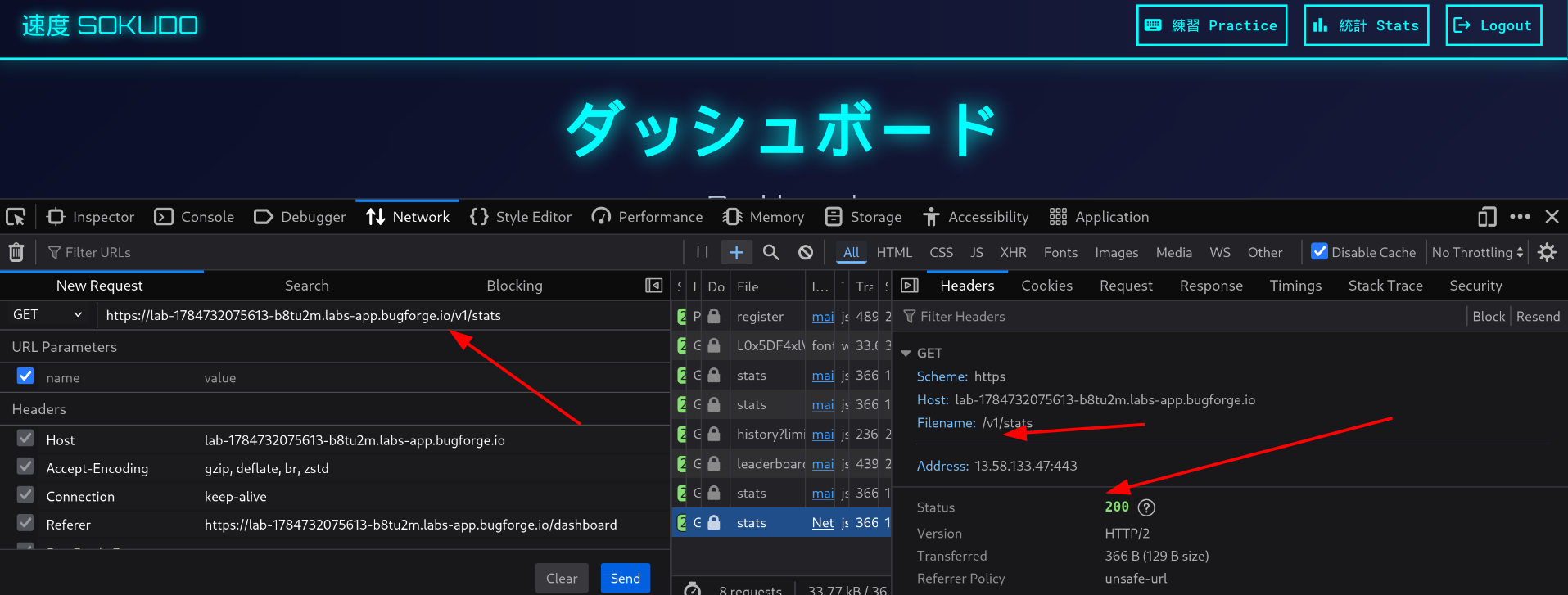
Old API versions being left active alongside new ones is a common oversight. The new version often has stricter security checks while the old one gets forgotten and left with weaker validation.
Step 3 - Finding Sensitive Admin Endpoints
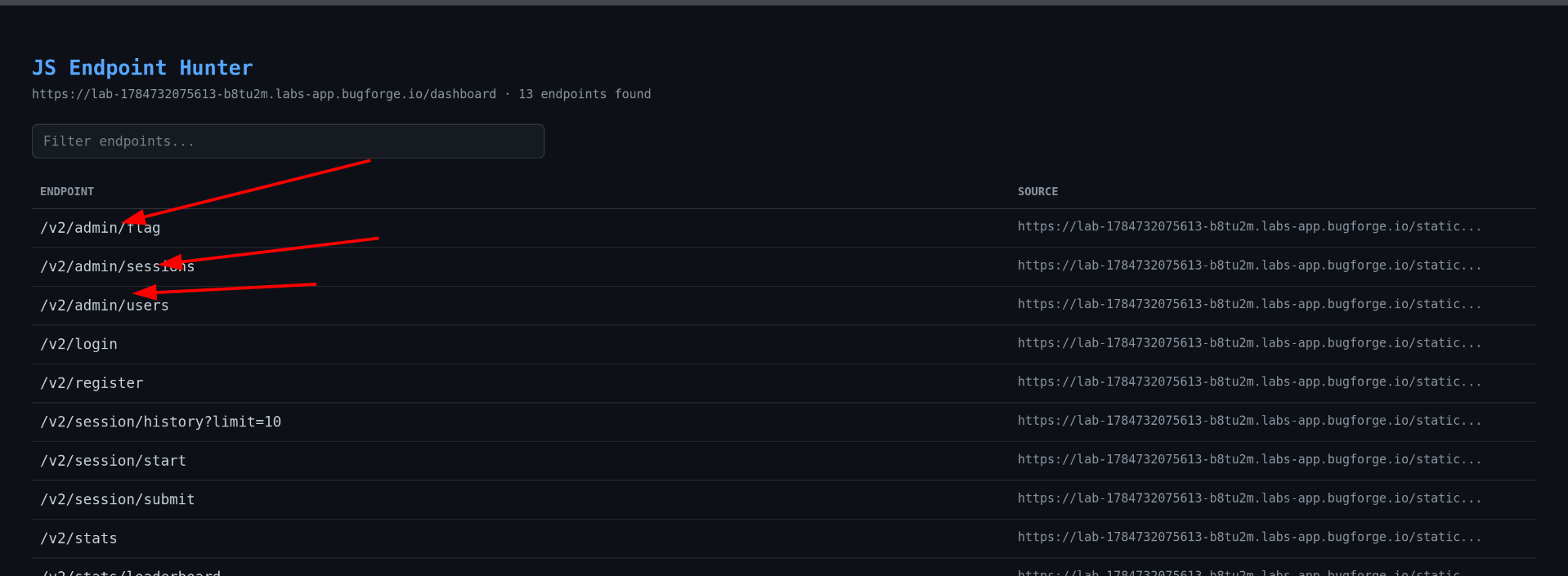
Knowing both API versions were live, I wanted to find any admin-specific endpoints. I used a browser bookmarklet tool I built called JS Endpoint Hunter to scan the page.
What JS Endpoint Hunter does: It scans the current page’s HTML, inline scripts, and external scripts for anything that looks like an API endpoint string, then shows them all in a floating panel you can copy or export. No extension needed - it runs entirely in the browser on the page you’re viewing.
Running it on this lab revealed three sensitive endpoints:
1
2
3
/v2/admin/flag
/v2/admin/sessions
/v2/admin/users
Step 4 - Trying to Hit the Flag Endpoint Directly
I hit /v2/admin/flag with my normal user token and got:
1
403 - "Admin access required"
As expected - I don’t have admin privileges. The next step was to try to forge a token that claims I do.
What is the JWT Algorithm None Attack?
A JWT (JSON Web Token) has three parts: a header, a payload, and a signature. The signature is what the server uses to verify the token hasn’t been tampered with - it’s created by the server using a secret key.
The header includes an alg field that tells the server which algorithm was used to sign the token. Some poorly configured servers accept alg: none - meaning no signature at all. If the server accepts this, an attacker can modify any field in the payload (like role, username, or id) and send the token without a valid signature, and the server will still trust it.
Step 5 - Decoding and Forging the JWT
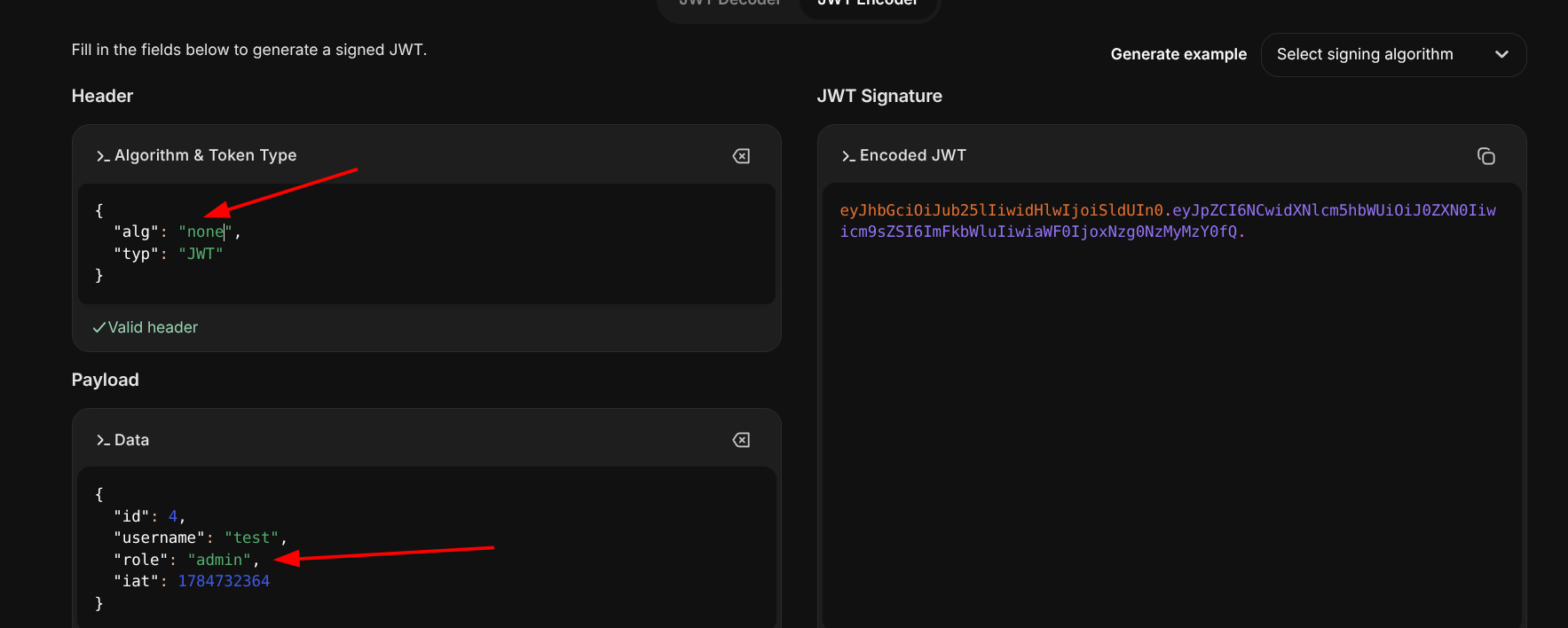
I grabbed my JWT from the Authorization header and decoded it at jwt.io. The payload showed fields like role, username, and id.
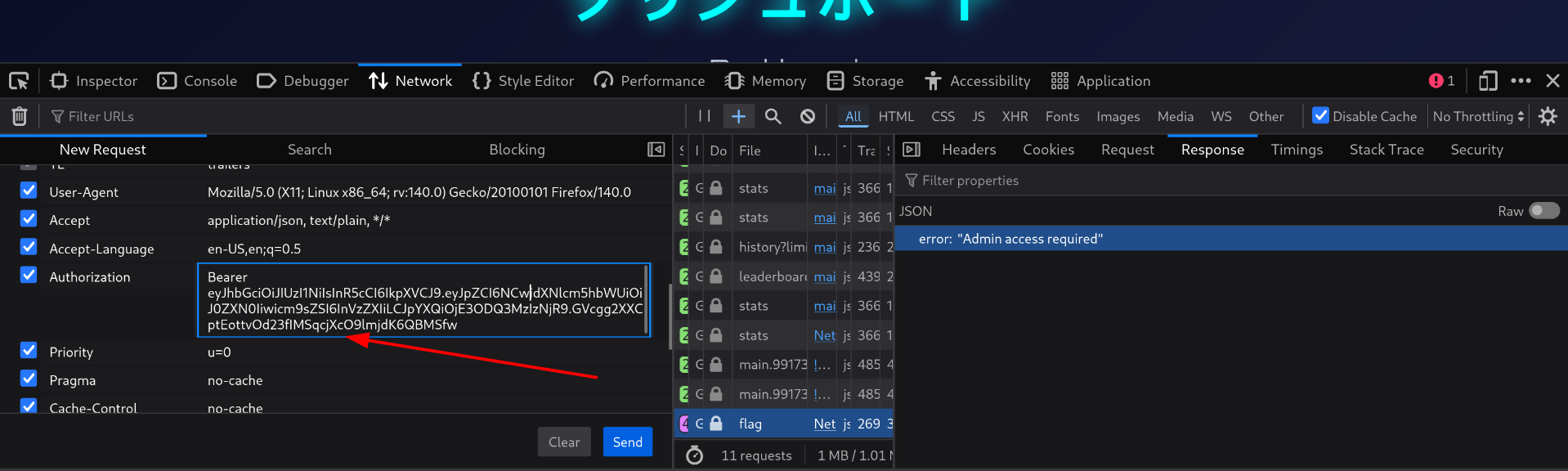
I made two changes:
- Changed
algtononein the header (removing the need for a valid signature) - Changed
rolefromusertoadminin the payload
Step 6 - v2 Rejects the Forged Token, But v1 Doesn’t
I tried the forged token on the v2 endpoint:
1
/v2/admin/flag
Result: "Invalid Token" - v2 properly rejects tokens with alg: none.
But when I tried the same forged token on the v1 endpoint:
1
/v1/admin/flag
Result: "Admin access required" - v1 didn’t reject the token format itself, it just checked the role. This was the key difference - v1 has weaker token validation but still checks the role claim inside the payload.
Step 7 - Refining the Forged Token
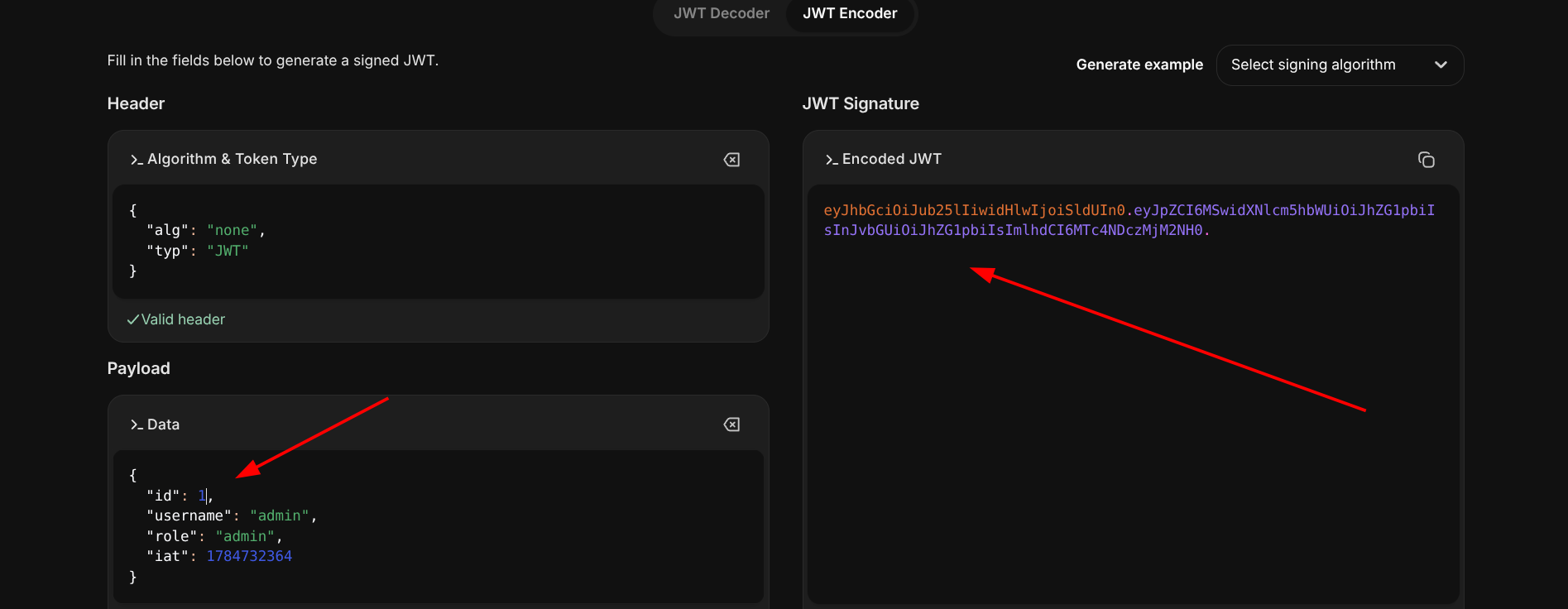
Since v1 was accepting the token structure but still checking the role internally, I refined the forgery further. Changing only role to admin wasn’t enough - the server likely also checked username and id. I updated both:
usernamechanged toadminidchanged to1(assuming admin would have the first account)
Step 8 - Getting the Flag
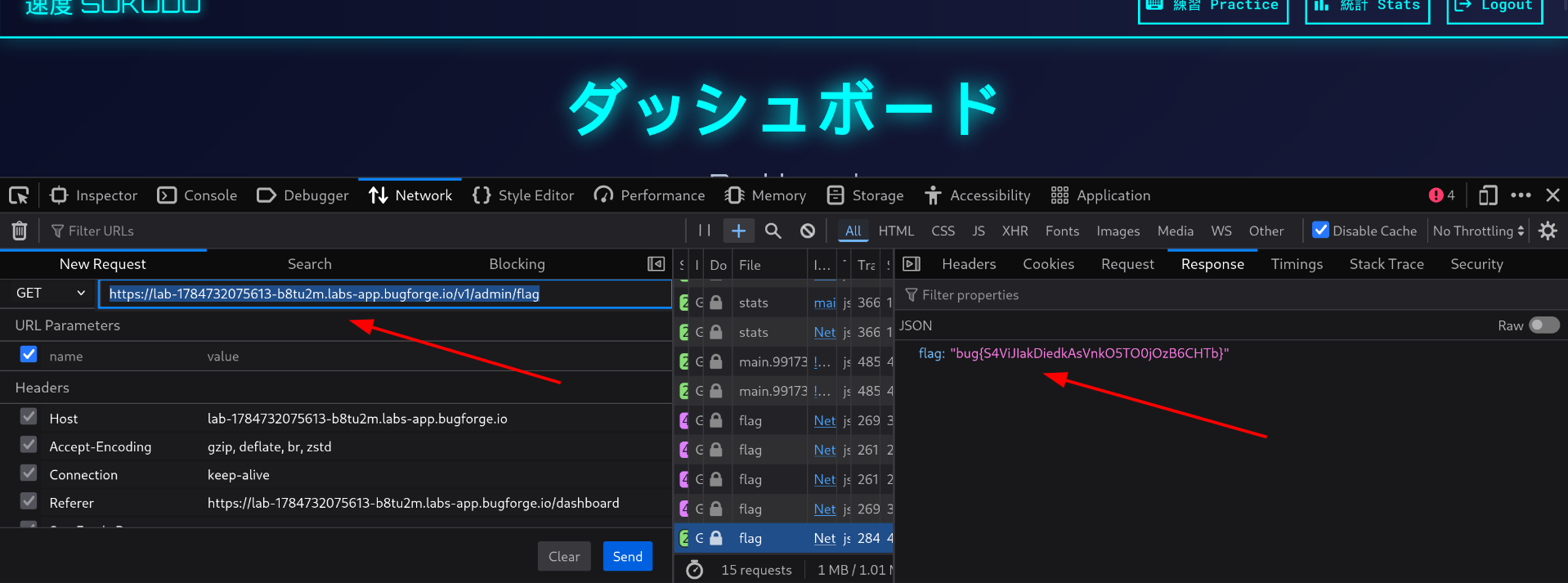
With the fully forged token (alg: none, role: admin, username: admin, id: 1), I hit:
1
GET /v1/admin/flag
The server accepted the token and returned the flag.
How Could This Be Fixed?
| Issue | Fix |
|---|---|
| Old API version (v1) still active with weaker security | Decommission old API versions properly - if v1 is no longer needed, take it offline entirely |
v1 accepts JWT with alg: none | Always explicitly enforce the expected signing algorithm server-side and reject none outright |
Token claims like role, username, and id are trusted from the client | Never trust user-modifiable claims for access control - derive roles from a server-side database lookup using the verified token identity, not from what the token itself says |
Key Takeaways
- If you see v2, always check if v1 still exists. New API versions almost always have improved security - but old versions are frequently left running and forgotten, with much weaker checks.
- The JWT
alg: noneattack is a classic. If a server doesn’t explicitly reject tokens with no algorithm, an attacker can strip the signature entirely and modify any payload field freely. - Even when one version blocks you, try the same payload on the older version. The gap between v1 and v2 security implementation is where this whole attack lived.
- JS Endpoint Hunter (or any endpoint discovery technique) is valuable during recon. The admin endpoints were hidden from the UI but still sitting in the JavaScript - scanning for them revealed the exact target to aim at.
- When a forged token fails, check what it’s actually validating. v1 wasn’t rejecting
alg: none- it was just checking the role claim. Knowing that narrowed the problem down to the payload values, not the token structure.
Happy Hacking!
Writeup by: Rabin Gaire
Challenge: BugForge Daily - Sokudo-3rd | July 22nd, 2026